
EasyPico

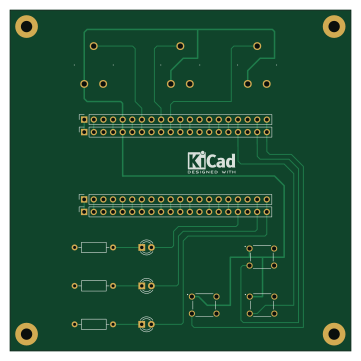
About the EasyPico PCB
EasyPico is an open source PCB design by Mick3DIY, published on GitHub under the MIT license. It is a 2-layer board measuring 90 × 90 mm, with 16 components from 9 distinct parts.
By type, the board carries 7 connectors, 3 switches, 3 diodes and 3 resistors.
From the project
A simple PCB with Raspberry Pi Pico for learning/playing with students
This is a updated version of the original project : https://github.com/Mick3DIY/EasyPicoPCB
A simple PCB with Raspberry Pi Pico, 3 LEDs, 3 push buttons, 3 potentiometers and a MicroPython code example.
The schematic and PCB are made with KiCad version 6.
The MicroPython code is the same as the original version.
Happy coding & have fun ! :partying_face:
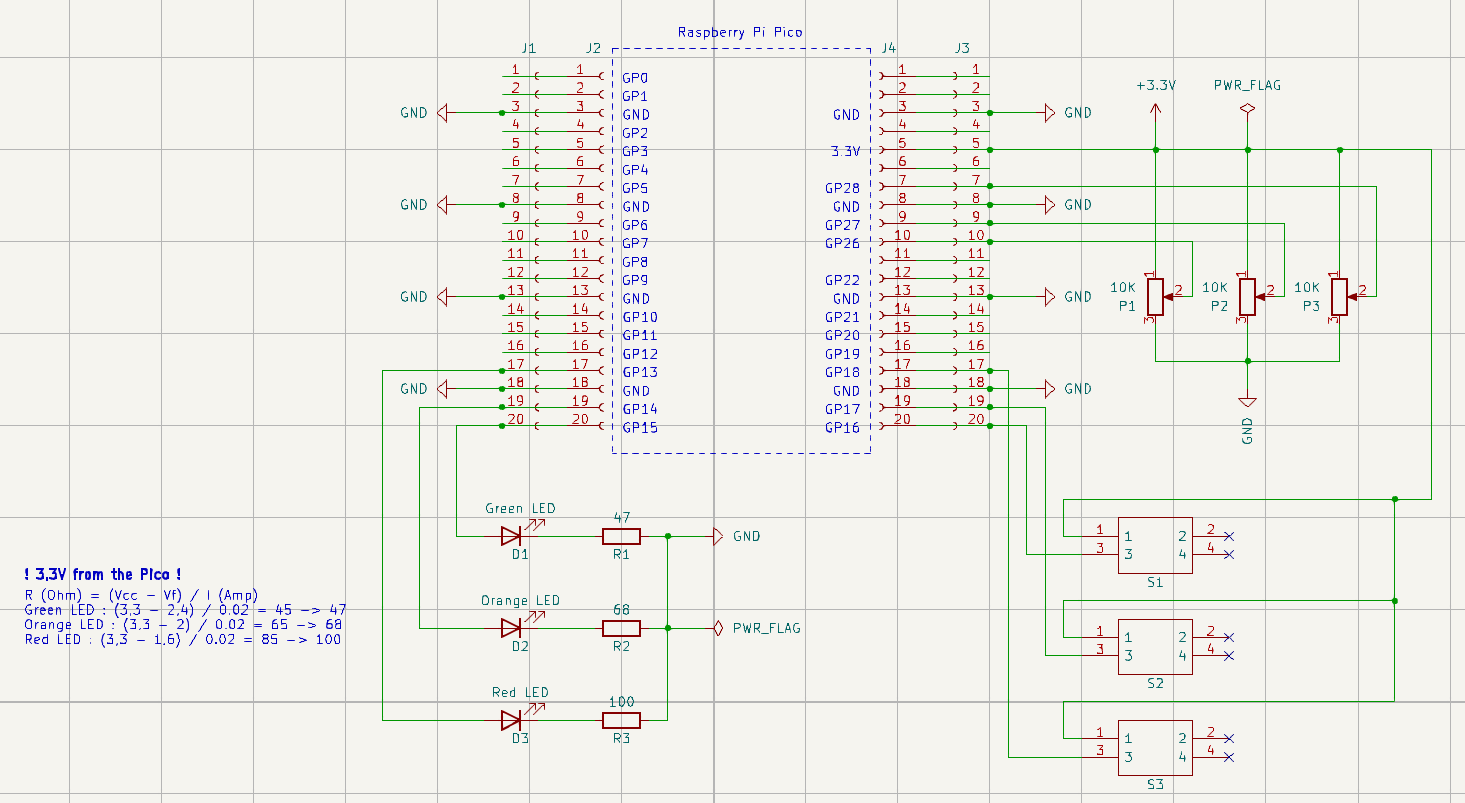
EasyPico bill of materials (BOM)
16 components, 9 distinct parts — part numbers from the project's BOM.
| Qty | Part | Footprint | Refs |
|---|---|---|---|
| 4 | CONN_01X20_FEMALE Conn_01x20_Female | PinSocket_1x20_P2.54mm_Vertical | J1, J2, J3, J4 |
| 3 | 10K | PT10LV10224A2020PMS | P1, P2, P3 |
| 3 | B3F-1000 | B3F1002 | S1, S2, S3 |
| 1 | Green LED | LED_D3.0mm | D1 |
| 1 | Orange LED | LED_D3.0mm | D2 |
| 1 | Red LED | LED_D3.0mm | D3 |
| 1 | 47 | R_Axial_DIN0207_L6.3mm_D2.5mm_P10.16mm_Horizontal | R1 |
| 1 | 68 | R_Axial_DIN0207_L6.3mm_D2.5mm_P10.16mm_Horizontal | R2 |
| 1 | 100 | R_Axial_DIN0207_L6.3mm_D2.5mm_P10.16mm_Horizontal | R3 |
EasyPico design files
The KiCad project lives in the Mick3DIY/EasyPicoPCB repository on GitHub; these links point at the commit this page was built from.
EasyPico: common questions
How big is the EasyPico PCB?
The EasyPico measures 90 × 90 mm, has 2 copper layers and is 1.6 mm thick.
How many components are on the EasyPico?
16 components, from 9 distinct parts, with part numbers taken from the project's own BOM. The full bill of materials is listed on this page.
Where can I download the EasyPico design files?
From the Mick3DIY/EasyPicoPCB repository on GitHub, which has the KiCad layout, the schematic and the BOM; the links under Design files point to each one.
Can I use the EasyPico design in my own project?
Yes, under the terms of its MIT license, which Mick3DIY chose for the repository.