
MiniPico

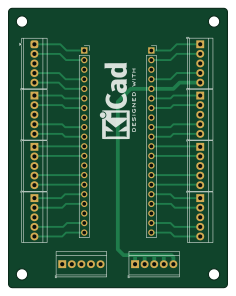
About the MiniPico PCB
MiniPico is an open source PCB design by Mick3DIY, published on GitHub under the MIT license. It is a 2-layer board measuring 58 × 74 mm, with 12 components from 2 distinct parts.
From the project
A simple PCB for the Raspberry Pi Pico with screw terminal headers
A simple PCB for the Raspberry Pi Pico with screw terminal headers (GPIOs, +3.3V, GND) to experiment with students.
As part of an educational project, the schematic and PCB are made with KiCad version 9 (kicad folder).
:bulb: All important parameters are stored in the schematic/PCB editors text variables (common project variables).
Useful plugins for KiCad : AISLER Push for KiCad : https://github.com/aislerhq (with AISLER repository to always get the latest updates) Interactive HTML BOM : https://github.com/openscopeproject/InteractiveHtmlBom Board2Pdf …
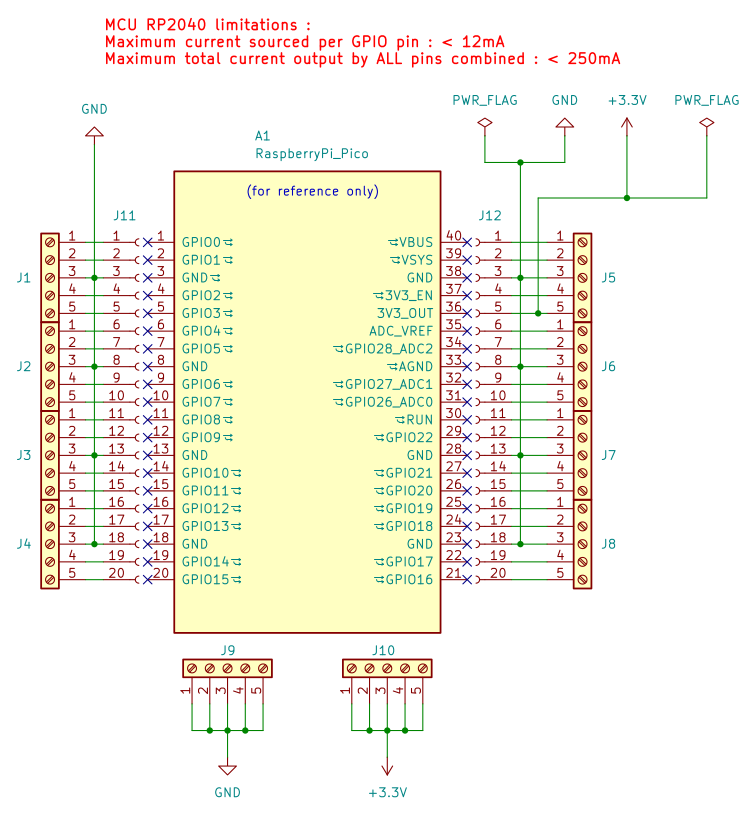
MiniPico bill of materials (BOM)
12 components, 2 distinct parts.
| Qty | Part | Footprint | Refs |
|---|---|---|---|
| 10 | Screw_Terminal_01x05 | TerminalBlock_TE_282834-5_1x05_P2.54mm_Horizontal | J1, J2, J3, J4, J5, J6, J7, J8 +2 |
| 2 | Conn_01x20_Socket | PinSocket_1x20_P2.54mm_Vertical | J11, J12 |
MiniPico design files
The KiCad project lives in the Mick3DIY/MiniPicoPCB repository on GitHub; these links point at the commit this page was built from.
- Layoutkicad/MiniPicoPCB.kicad_pcb
- Schematickicad/MiniPicoPCB.kicad_sch
MiniPico: common questions
How big is the MiniPico PCB?
The MiniPico measures 58 × 74 mm, has 2 copper layers and is 1.6 mm thick.
How many components are on the MiniPico?
12 components, from 2 distinct parts. The full bill of materials is listed on this page.
Where can I download the MiniPico design files?
From the Mick3DIY/MiniPicoPCB repository on GitHub, which has the KiCad layout and the schematic; the links under Design files point to each one.
Can I use the MiniPico design in my own project?
Yes, under the terms of its MIT license, which Mick3DIY chose for the repository.