
Pico-DVI-Sock

About the Pico-DVI-Sock PCB
Pico-DVI-Sock is an open source PCB design by Wren6991, published on GitHub under the CC0-1.0 license. It is a 2-layer board measuring 25.3 × 22.5 mm, with 13 components from 5 distinct parts.
By type, the board carries 8 resistors and 5 connectors.
From the project
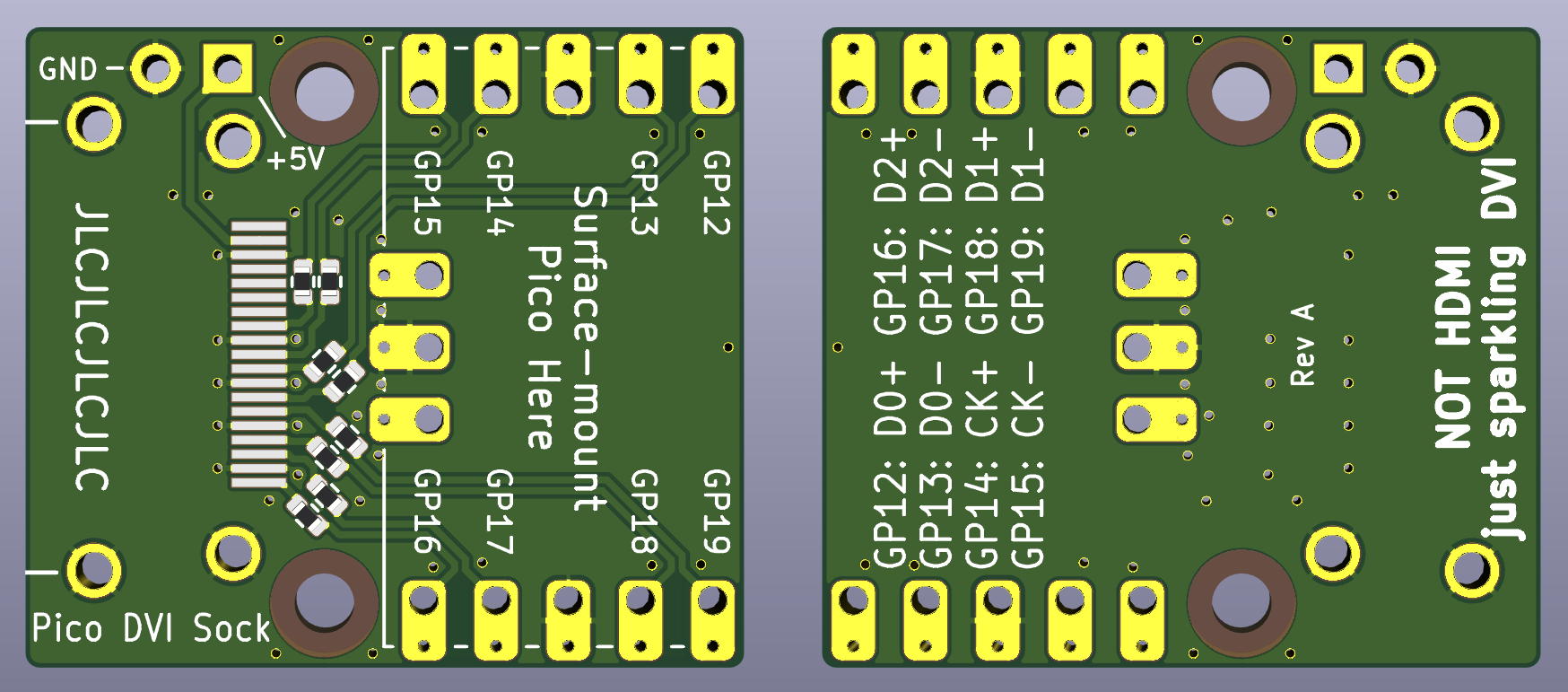
A DVI Sock board for Pico
You surface mount solder the Raspberry end of your Pico on top of this board (thanks to the castellations on Pico's header footprints). This gives you an HDMI-shaped socket at the opposite end to the micro USB socket, which you can drive DVI-D video through. The remaining Pico pins can still have headers inserted, so that the board can be inserted into a breadboard.
Pico-DVI-Sock bill of materials (BOM)
13 components, 5 distinct parts.
| Qty | Part | Footprint | Refs |
|---|---|---|---|
| 2 | Conn_01x05 | castellated_2.54mm_smd_x5 | J1, J2 |
| 1 | Conn_01x03 | castellated_2.54mm_smd_x3 | J3 |
| 1 | NOT_HDMI_A | HDMI-SS-53000 | J4 |
| 1 | 2.54mm_2p_nofit | PinHeader_1x02_P2.54mm_Vertical_nosilk | J5 |
| 8 | 270 | R_0402_1005Metric | R1, R2, R3, R4, R5, R6, R7, R8 |
Pico-DVI-Sock design files
The KiCad project lives in the Wren6991/Pico-DVI-Sock repository on GitHub; these links point at the commit this page was built from.
- Layoutdvi-sock.kicad_pcb
- Schematicdvi-sock.kicad_sch
Pico-DVI-Sock: common questions
How big is the Pico-DVI-Sock PCB?
The Pico-DVI-Sock measures 25.3 × 22.5 mm, has 2 copper layers and is 1 mm thick.
How many components are on the Pico-DVI-Sock?
13 components, from 5 distinct parts. The full bill of materials is listed on this page.
Where can I download the Pico-DVI-Sock design files?
From the Wren6991/Pico-DVI-Sock repository on GitHub, which has the KiCad layout and the schematic; the links under Design files point to each one.
Can I use the Pico-DVI-Sock design in my own project?
Yes, under the terms of its CC0-1.0 license, which Wren6991 chose for the repository.