
Bad

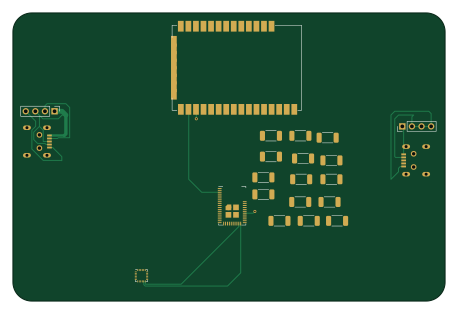
About the Bad PCB
Bad is an open source PCB design by lab64makerspace, published on GitHub. It is a 4-layer board measuring 114.3 × 76.2 mm, with 0 components from 0 distinct parts.
From the project
Repo for the Introduction to PCB Design Workshop / Course offered through lab64 at Stanford University
There are many excellent online tutorials about how to use the various PCB design programs available. This being the case, in this workshop / course we will focus on : rapid prototyping of electronics (copper tape on various substrates, "dead-bug" construction, etc.) placing some context around PCB design (how & why we make PCBs, various fabrication technologies, etc.) building experience with PCB design workflow (by designing & sending boards out for fabrication every week) using ancillary tools to ensure form, fit, and function requirements are met mastering SMT assembly techniques for…
Bad design files
The KiCad project lives in the lab64makerspace/intro2PCBdesign repository on GitHub; these links point at the commit this page was built from.
Bad: common questions
How big is the Bad PCB?
The Bad measures 114.3 × 76.2 mm, has 4 copper layers and is 1.6 mm thick.
How many components are on the Bad?
0 components, from 0 distinct parts. The full bill of materials is listed on this page.
Where can I download the Bad design files?
From the lab64makerspace/intro2PCBdesign repository on GitHub, which has the KiCad layout; the links under Design files point to each one.
Can I use the Bad design in my own project?
The repository has no license, so all rights stay with lab64makerspace. Use it as a reference, and ask the author before reusing the design.