
BIMMS

About the BIMMS PCB
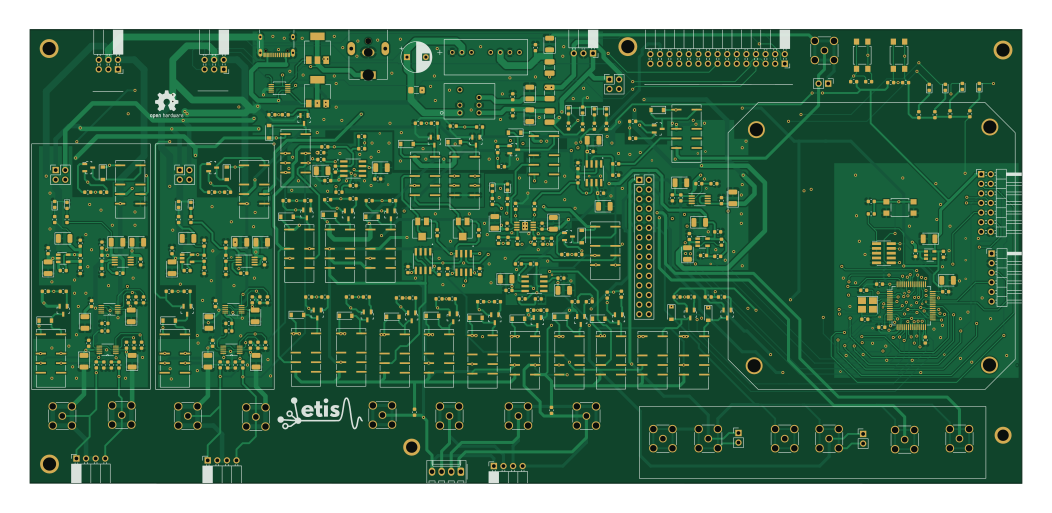
BIMMS is an open source STM32 PCB design by Neuro-Interface-Lab, published on GitHub under the GPL-2.0 license. It is a 4-layer board measuring 262.5 × 120.1 mm, with 360 components from 82 distinct parts.
Its main chip is the STM32F103R6T6A, from the STM32 family. Other key parts include the TDN 5-0923WI, OPA192IDR, LT1962, LT1964-BYP and THS4631D. By type, the board carries 107 resistors, 102 capacitors, 37 diodes, 33 connectors, 25 transistors and 23 relays.
From the project
Third party software (Waveform) has to be installed before BIMMS python API. BIMMS has been developped for python 3. Required packages: - numpy - scipy - matplotlib - andi-py
Third party software (Waveform) has to be installed before BIMMS python API. BIMMS has been developped for python 3. Required packages: - numpy - scipy - matplotlib - andi-py
for the third party softwares, please visit: Waveform
Main components on the BIMMS
BIMMS bill of materials (BOM)
360 components, 82 distinct parts — part numbers from the project's BOM.
| Qty | Part | Footprint | Refs |
|---|---|---|---|
| 1 | TDN 5-0923WI | TDN 5-0910WI | U1 |
| 1 | OPA192IDR Texas Instruments | SOIC127P599X175-8N | U2 |
| 3 | LT1962 Analog Devices | MSOP-8_3x3mm_P0.65mm | U3, U4, U13 |
| 3 | LT1964-BYP Analog Devices | TSOT-23-5 | U5, U6, U14 |
| 2 | THS4631D Texas Instruments | SOIC127P599X175-8N | U7, U15 |
| 4 | AD8250ARMZ AD8250 Analog Devices | SOP50P490X110-10N | U8, U9, U11, U12 |
| 1 | THS4151IDGNR THS4151IDGK Texas Instruments | THS4151IDGK | U10 |
| 1 | LTC4416EMS#PBF Analog Devices | MSOP-10_MS | U16 |
| 2 | AD830ARZ AD830 Analog Devices | SOIC127P600X175-8N | U17, U18 |
| 1 | TEC_3-0911 | TEC 3-0910 | U19 |
| 1 | STM32F103R6T6A STM32F103R4Tx STMicroelectronics | LQFP-64_10x10mm_P0.5mm | U20 |
| 1 | TLV70233PDBVR TLV70233_SOT23-5 Texas Instruments | SOT-23-5 | U21 |
| 23 | NXV55UNR CPH3462 Nexperia | CPH3462 | Q1, Q2, Q3, Q4, Q5, Q6, Q7, Q8 +15 |
| 2 | PMT200EPEX Nexperia | SOT-223-3_TabPin2 | Q26, Q27 |
| 1 | ABM8W-16.0000MHZ-7-D1X-T3 16 MHz ABRACON | Crystal_SMD_3225-4Pin_3.2x2.5mm_HandSoldering | Y1 |
| 1 | DC IN | BarrelJack_CUI_PJ-063AH_Horizontal | J1 |
| 1 | JTAG | PinHeader_2x05_P1.27mm_Vertical_SMD | J2 |
| 1 | Power | PinSocket_1x03_P2.54mm_Horizontal | J3 |
| 1 | CH2_PWR | PinHeader_2x02_P2.54mm_Vertical | J4 |
| 1 | CH1_PWR | PinHeader_2x02_P2.54mm_Vertical | J5 |
Show 62 more
| Qty | Part | Footprint | Refs |
|---|---|---|---|
| 1 | EXT_stim | SMA_Amphenol_132291_Vertical | J6 |
| 1 | CH2 IN+ | SMA_Amphenol_132291_Vertical | J7 |
| 1 | CH2 IN- | SMA_Amphenol_132291_Vertical | J8 |
| 1 | CH1 IN+ | SMA_Amphenol_132291_Vertical | J9 |
| 1 | CH1 IN- | SMA_Amphenol_132291_Vertical | J10 |
| 1 | CH2 Output Con | PinSocket_2x03_P2.54mm_Horizontal | J11 |
| 1 | CH1 Output Con | PinSocket_2x03_P2.54mm_Horizontal | J12 |
| 1 | CH2 Input Con | PinSocket_1x04_P2.54mm_Horizontal | J13 |
| 1 | CH1 Input Con | PinSocket_1x04_P2.54mm_Horizontal | J14 |
| 1 | STIM_PWR | PinHeader_2x02_P2.54mm_Vertical | J15 |
| 1 | EXT_Stim | PinHeader_1x02_P2.54mm_Vertical | J16 |
| 1 | USB_C_Receptacle_USB2.0 | USB_C_Receptacle_XKB_U262-16XN-4BVC11 | J17 |
| 1 | STM32 IO | PinHeader_2x07_P2.54mm_Horizontal | J18 |
| 1 | Vmes+ | SMA_Amphenol_132291_Vertical | J19 |
| 1 | Vmes- | SMA_Amphenol_132291_Vertical | J20 |
| 1 | Stim- | SMA_Amphenol_132291_Vertical | J21 |
| 1 | Stim+ | SMA_Amphenol_132291_Vertical | J22 |
| 1 | Load | Molex_KK-254_AE-6410-04A_1x04_P2.54mm_Vertical | J23 |
| 1 | Load2 | PinSocket_1x04_P2.54mm_Horizontal | J24 |
| 2 | Scope 1 | SMA_Amphenol_132291_Vertical | J25, J28 |
| 2 | Scope 2 | SMA_Amphenol_132291_Vertical | J26, J31 |
| 1 | AWG1 | SMA_Amphenol_132291_Vertical | J27 |
| 1 | AD2 EXT Conn | PinHeader_2x15_P2.54mm_Vertical | J29 |
| 1 | AWG2 | SMA_Amphenol_132291_Vertical | J30 |
| 1 | AD2 Conn | PinSocket_2x15_P2.54mm_Horizontal | J32 |
| 1 | UART | PinHeader_1x06_P2.54mm_Horizontal | J33 |
| 1 | 800mA | Fuse_1206_3216Metric_Pad1.42x1.75mm_HandSolder | F1 |
| 2 | GND | PinHeader_1x02_P2.54mm_Vertical | JP3, JP4 |
| 23 | EE2-5NUH-L KEMET | EE2-5NUH-L | K1, K2, K3, K4, K5, K6, K7, K8 +15 |
| 1 | 10k Bourns | Potentiometer_Bourns_3214J_Horizontal | RV1 |
| 1 | 47k Bourns | Potentiometer_Bourns_3214J_Horizontal | RV2 |
| 3 | TL3305AF160QG SW_Push ESwitch | SW_SPST_TL3305A | SW1, SW2, SW3 |
| 12 | 150060VS75000 LED Wurth Elektronik | LED_0603_1608Metric | D1, D3, D4, D5, D9, D10, D12, D13 +4 |
| 2 | 150060SS55040 LED RED Wurth Elektronik | LED_0603_1608Metric | D2, D37 |
| 23 | MBR0530T1G MBR0530 ON Semiconductor | D_SOD-123 | D6, D7, D8, D11, D14, D15, D16, D17 +15 |
| 3 | CBC3225T100KR 10uH Taiyo Yuden | L_1210_3225Metric_Pad1.42x2.65mm_HandSolder | L1, L2, L3 |
| 51 | 100nF any/open | C_0603_1608Metric | C1, C4, C10, C11, C12, C13, C14, C15 +43 |
| 1 | 100uF | CP_Radial_D8.0mm_P5.00mm | C2 |
| 2 | 30pF any/open | C_0603_1608Metric | C3, C5 |
| 33 | TAJB106K020SNJ 10uF AVX | CP_EIA-3528-21_Kemet-B | C6, C7, C8, C9, C17, C18, C19, C20 +25 |
| 1 | 4.7pF any/open | C_0603_1608Metric | C26 |
| 8 | 1uF any/open | C_0603_1608Metric | C35, C36, C37, C38, C71, C74, C96, C99 |
| 2 | 10pF any/open | C_0603_1608Metric | C57, C58 |
| 2 | 1pF any/open | C_0603_1608Metric | C59, C60 |
| 1 | 0.5pF | C_0603_1608Metric | C80 |
| 1 | 4.7nF any/open | C_0603_1608Metric | C88 |
| 36 | 10k any/open | R_0603_1608Metric | R1, R4, R5, R9, R16, R18, R20, R21 +28 |
| 5 | 2k any/open | R_0603_1608Metric | R2, R3, R8, R107, R108 |
| 12 | 4k7 any/open | R_0603_1608Metric | R6, R7, R26, R29, R30, R33, R40, R41 +4 |
| 24 | 100R any/open | R_0603_1608Metric | R10, R22, R23, R37, R50, R51, R64, R66 +16 |
| 1 | 1k8 any/open | R_0603_1608Metric | R11 |
| 6 | 1k any/open | R_0603_1608Metric | R12, R38, R39, R56, R58, R75 |
| 4 | 10M any/open | R_0603_1608Metric | R13, R14, R15, R17 |
| 1 | 1k2 any/open | R_0603_1608Metric | R19 |
| 6 | 39k any/open | R_0603_1608Metric | R27, R28, R31, R32, R60, R61 |
| 4 | 390R any/open | R_0603_1608Metric | R34, R36, R42, R43 |
| 2 | 10R any/open | R_0603_1608Metric | R54, R55 |
| 1 | 1M any/open | R_0603_1608Metric | R57 |
| 2 | 5k1 any/open | R_0603_1608Metric | R67, R68 |
| 1 | 27R any/open | R_0603_1608Metric | R81 |
| 1 | 3k3 any/open | R_0603_1608Metric | R93 |
| 1 | 47k any/open | R_0603_1608Metric | R109 |
BIMMS design files
The KiCad project lives in the Neuro-Interface-Lab/BIMMS repository on GitHub; these links point at the commit this page was built from.
BIMMS: common questions
What microcontroller does the BIMMS use?
The BIMMS is built around the STM32F103R6T6A, from the STM32 family.
How big is the BIMMS PCB?
The BIMMS measures 262.5 × 120.1 mm, has 4 copper layers and is 1.6 mm thick.
How many components are on the BIMMS?
360 components, from 82 distinct parts, with part numbers taken from the project's own BOM. The full bill of materials is listed on this page.
Where can I download the BIMMS design files?
From the Neuro-Interface-Lab/BIMMS repository on GitHub, which has the KiCad layout and the BOM; the links under Design files point to each one.
Can I use the BIMMS design in my own project?
Yes, under the terms of its GPL-2.0 license, which Neuro-Interface-Lab chose for the repository.
Can I test firmware for the BIMMS without the hardware?
Yes. HardLabs builds a simulation of the board from its netlist and BOM, so you can run and debug STM32 firmware against it before you order a PCB.
Similar boards
 STM32
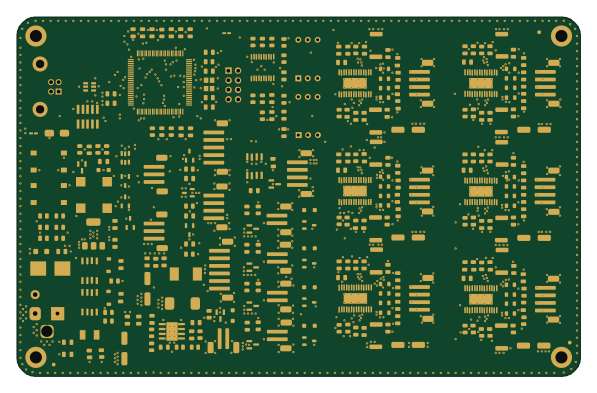
STM32LumenPnP Motherboard
opulo-inc
149 × 95 mm296 parts4LCC-BY-SA-4.03.7k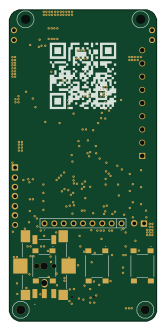 STM32
STM32AxxSolder
AxxAxx
39 × 82.5 mm122 parts2LGPL-3.01.7k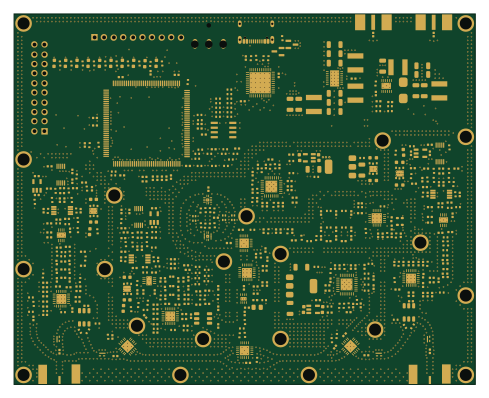 STM32
STM32LibreVNA
jankae
122 × 98 mm592 parts6LGPL-3.01.6k STM32
STM32AIOC
skuep
21 × 31.5 mm47 parts2LMIT1.4k STM32
STM32Ferris
pierrechevalier83
208.8 × 86.8 mm102 parts2LSHL-2.11.3k STM32
STM32176 pin board
rusefi
61.8 × 73.2 mm76 parts2LGPL-3.01.2k