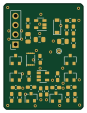
Dicecalc

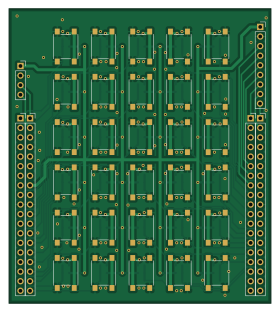
About the Dicecalc PCB
Dicecalc is an open source PCB design by sokrasins, published on GitHub. It is a 2-layer board measuring 69.4 × 78 mm, with 126 components from 7 distinct parts.
By type, the board carries 60 resistors, 30 switches, 30 capacitors and 6 connectors.
Dicecalc bill of materials (BOM)
126 components, 7 distinct parts — part numbers from the project's BOM.
| Qty | Part | Footprint | Refs |
|---|---|---|---|
| 4 | Conn_01x19_Female | PinSocket_1x19_P2.54mm_Vertical | J1, J2, J3, J4 |
| 1 | Conn_01x09_Male | PinSocket_1x09_P2.54mm_Vertical | J5 |
| 1 | Conn_01x04_Male | PinSocket_1x04_P2.54mm_Vertical | J6 |
| 30 | SW_Push | SW_Push_1P1T_NO_6x6mm_H9.5mm | SW1, SW2, SW3, SW4, SW5, SW6, SW7, SW8 +22 |
| 30 | 0.1u | C_0603_1608Metric_Pad1.05x0.95mm_HandSolder | C1, C2, C3, C4, C5, C6, C7, C8 +22 |
| 30 | 1k | R_0603_1608Metric_Pad1.05x0.95mm_HandSolder | R1, R2, R3, R4, R5, R11, R12, R13 +22 |
| 30 | 10k | R_0603_1608Metric_Pad1.05x0.95mm_HandSolder | R6, R7, R8, R9, R10, R16, R17, R18 +22 |
Dicecalc design files
The KiCad project lives in the sokrasins/dicecalc repository on GitHub; these links point at the commit this page was built from.
Dicecalc: common questions
How big is the Dicecalc PCB?
The Dicecalc measures 69.4 × 78 mm, has 2 copper layers and is 1.6 mm thick.
How many components are on the Dicecalc?
126 components, from 7 distinct parts, with part numbers taken from the project's own BOM. The full bill of materials is listed on this page.
Where can I download the Dicecalc design files?
From the sokrasins/dicecalc repository on GitHub, which has the KiCad layout and the BOM; the links under Design files point to each one.
Can I use the Dicecalc design in my own project?
The repository has no license, so all rights stay with sokrasins. Use it as a reference, and ask the author before reusing the design.