
RF-Tin-Can

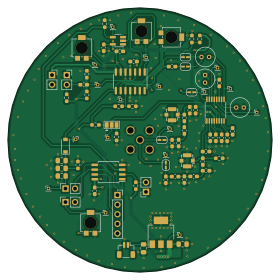
About the RF-Tin-Can PCB
RF-Tin-Can is an open source AVR/Arduino PCB design by ECE411-Fall2021-Group4, published on GitHub under the GPL-3.0 license. It is a 2-layer board measuring 70 × 70 mm, with 72 components from 33 distinct parts.
Its main chip is the ATTINY85-20SUR, from the AVR/Arduino family. Other key parts include the LM2937IMP-5.0, MCP6L04x-xSL, 74HC4053PW,118 and LA72914V-TLM-H. By type, the board carries 27 capacitors, 13 resistors, 8 jumpers, 6 inductors, 5 ICs and 4 connectors.
From the project
LoFi Walkie Talkie
File Organization as it pertains to Nick(our sage git master) 1) If a program creates multiple files, only push the ones ones that are needed for others to use the program (i.e. don't push things like log files) 2) If a program has multiple files, create a folder dedicated to them in the correct spot, ask if you're not sure what the spot is (i.e. if projectlibre has a project file and an image/pdf, create a folder in documentation called "Gantt Chart" 3) Do not keep previous revisions, git does that for us. You can tag the commit of the previous version if you feel inspired (i.e. don't have…
Main components on the RF-Tin-Can
RF-Tin-Can bill of materials (BOM)
72 components, 33 distinct parts.
| Qty | Part | Footprint | Refs |
|---|---|---|---|
| 1 | LM2937IMP-5.0 LM2937IMP | SOT-223-3_TabPin2 | U1 |
| 1 | MCP6L04x-xSL | SOIC-14_3.9x8.7mm_P1.27mm | U2 |
| 1 | 74HC4053PW,118 TMUX1101 | SOT-23-5_HandSoldering | U3 |
| 1 | LA72914V-TLM-H | TSSOP-16_4.4x5mm_P0.65mm | U4 |
| 1 | ATTINY85-20SUR ATtiny85V-10S | SOIC-8W_5.3x5.3mm_P1.27mm | U5 |
| 2 | 0734120110 Conn_Coaxial | U.FL_Molex_MCRF_73412-0110_Vertical | J1, J3 |
| 1 | 132134 Conn_Coaxial | SMA_Amphenol_132134_Vertical | J2 |
| 1 | Conn_01x05 | PinSocket_1x05_P2.54mm_Vertical | J4 |
| 1 | +9V | JST_SH_BM02B-SRSS-TB_1x02-1MP_P1.00mm_Vertical | BT1 |
| 1 | 2011-1X03G00SC028B Jumper_3_Open | SolderJumper-3_P1.3mm_Open_Pad1.0x1.5mm | JP1 |
| 5 | Jumper | SolderJumper-2_P1.3mm_Open_RoundedPad1.0x1.5mm | JP2, JP3, JP4, JP5, JP6 |
| 1 | Connector_PinHeader_1.00mm:PinHeader_1x02_P1.00mm_Vertical | PinSocket_1x02_P2.54mm_Vertical | JP7 |
| 1 | Jumper_2_Bridged | PinSocket_1x02_P2.54mm_Vertical | JP8 |
| 1 | 1890 Speaker | PinSocket_1x02_P2.54mm_Vertical | LS1 |
| 1 | CMEJ-4618-42-L015 Microphone | PinSocket_1x02_P2.54mm_Vertical | MK1 |
| 4 | 3361P-1-104GLF 0-100k | Potentiometer_Bourns_3314R-1_Vertical_Hole | RV1, RV2, RV3, RV4 |
| 1 | SW_Push | PinSocket_1x02_P2.54mm_Vertical | SW1 |
| 1 | MBR0580S1-7 D_Schottky | D_SOD-123 | D1 |
| 3 | 0603DC-R22XJRW 220n | C_0603_1608Metric_Pad1.08x0.95mm_HandSolder | L1, L2, L3 |
| 3 | CWF1610-3R3K 3.3u | C_0603_1608Metric_Pad1.08x0.95mm_HandSolder | L4, L5, L6 |
Show 13 more
| Qty | Part | Footprint | Refs |
|---|---|---|---|
| 2 | CL10A105KO8NNNC 1u | C_0603_1608Metric_Pad1.08x0.95mm_HandSolder | C1, C19 |
| 1 | C1608JB0J226M080AC 100n | C_0805_2012Metric_Pad1.18x1.45mm_HandSolder | C2 |
| 8 | C0603C104K4NACAUTO 100n | C_0603_1608Metric_Pad1.08x0.95mm_HandSolder | C3, C7, C9, C11, C12, C15, C16, C27 |
| 4 | C1608JB0J226M080AC 22u | C_0805_2012Metric_Pad1.18x1.45mm_HandSolder | C4, C20, C22, C23 |
| 3 | 06035C562KAT2A 5.6n | C_0603_1608Metric_Pad1.08x0.95mm_HandSolder | C5, C6, C8 |
| 2 | 860020672005 1u | C_Radial_D5.0mm_H5.0mm_P2.00mm | C10, C18 |
| 1 | 0603B103K500CT 10n | C_0603_1608Metric_Pad1.08x0.95mm_HandSolder | C13 |
| 1 | CL10B682JB8NNNC 6.8n | C_0603_1608Metric_Pad1.08x0.95mm_HandSolder | C14 |
| 1 | 860010672004 470n | C_Radial_D5.0mm_H5.0mm_P2.00mm | C17 |
| 4 | CL10B471KB8NNNC 470p | C_0603_1608Metric_Pad1.08x0.95mm_HandSolder | C21, C24, C25, C26 |
| 1 | RT0603FRE132K2L 2.2k | R_0603_1608Metric_Pad0.98x0.95mm_HandSolder | R1 |
| 11 | RT0603FRE132K2L 10k | R_0603_1608Metric_Pad0.98x0.95mm_HandSolder | R2, R3, R4, R5, R6, R7, R8, R10 +3 |
| 1 | RT0603FRE132K2L 1k | R_0603_1608Metric_Pad0.98x0.95mm_HandSolder | R9 |
RF-Tin-Can design files
The KiCad project lives in the ECE411-Fall2021-Group4/RF-Tin-Can repository on GitHub; these links point at the commit this page was built from.
- LayoutKiCAD/411_1.kicad_pcb
- SchematicKiCAD/411_1.kicad_sch
RF-Tin-Can: common questions
What microcontroller does the RF-Tin-Can use?
The RF-Tin-Can is built around the ATTINY85-20SUR, from the AVR/Arduino family.
How big is the RF-Tin-Can PCB?
The RF-Tin-Can measures 70 × 70 mm, has 2 copper layers and is 1.6 mm thick.
How many components are on the RF-Tin-Can?
72 components, from 33 distinct parts. The full bill of materials is listed on this page.
Where can I download the RF-Tin-Can design files?
From the ECE411-Fall2021-Group4/RF-Tin-Can repository on GitHub, which has the KiCad layout and the schematic; the links under Design files point to each one.
Can I use the RF-Tin-Can design in my own project?
Yes, under the terms of its GPL-3.0 license, which ECE411-Fall2021-Group4 chose for the repository.
Can I test firmware for the RF-Tin-Can without the hardware?
Yes. HardLabs builds a simulation of the board from its netlist and BOM, so you can run and debug AVR/Arduino firmware against it before you order a PCB.
Similar boards
 AVR/Arduino
Magspoof
samyk
35 × 29 mm11 parts2LNo license4.2k AVR/Arduino
Redox keyboard
mattdibi
162.2 × 126.5 mm77 parts2LMIT2.0k AVR/Arduino
Labrador
espotek-org
36.8 × 34.7 mm75 parts2LNo license1.2k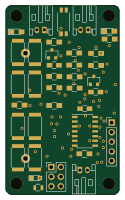 AVR/Arduino
V4
stuartpittaway
30 × 50 mm38 parts2LCC-BY-NC-4.01.1k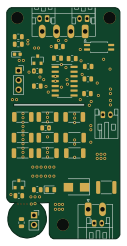 AVR/Arduino
ModuleV450
30 × 61.4 mm39 parts2LCC-BY-NC-4.01.1k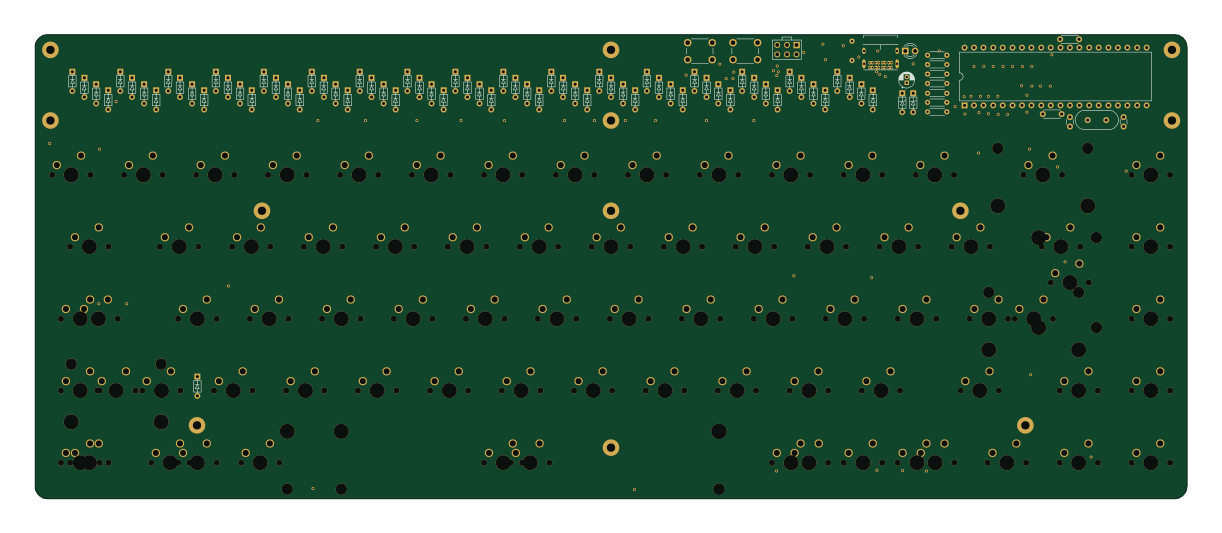 AVR/Arduino
Discipline
coseyfannitutti
304.9 × 122.8 mm170 parts2LCC-BY-NC-4.01.0k