
Skull after dark

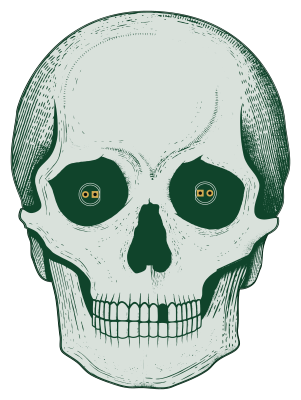
About the Skull after dark PCB
Skull after dark is an open source AVR/Arduino PCB design by wokwi, published on GitHub. It is a 2-layer board measuring 73.6 × 99.8 mm, with 9 components from 7 distinct parts.
Its main chip is the ATtiny45-20SU, from the AVR/Arduino family. By type, the board carries 3 resistors, 2 diodes, 1 IC, 1 connector, 1 battery holder and 1 capacitor.
From the project
The Skull PCB: After Dark Version
Main components on the Skull after dark
Skull after dark bill of materials (BOM)
9 components, 7 distinct parts.
| Qty | Part | Footprint | Refs |
|---|---|---|---|
| 1 | ATtiny45-20SU | SOIJ-8_5.3x5.3mm_P1.27mm | U1 |
| 1 | Conn_02x03_Odd_Even | PinHeader_2x03_P2.54mm_Vertical_SMD | J1 |
| 1 | Battery_Cell | BatteryHolder_Keystone_3002_1x2032 | BT1 |
| 2 | LED | LED_D5.0mm | D1, D2 |
| 1 | 100nF | C_0603_1608Metric | C1 |
| 2 | 470 | R_0603_1608Metric | R1, R2 |
| 1 | 10M | R_0603_1608Metric | R3 |
Skull after dark design files
The KiCad project lives in the wokwi/skull-after-dark repository on GitHub; these links point at the commit this page was built from.
Skull after dark: common questions
What microcontroller does the Skull after dark use?
The Skull after dark is built around the ATtiny45-20SU, from the AVR/Arduino family.
How big is the Skull after dark PCB?
The Skull after dark measures 73.6 × 99.8 mm, has 2 copper layers and is 1.6 mm thick.
How many components are on the Skull after dark?
9 components, from 7 distinct parts. The full bill of materials is listed on this page.
Where can I download the Skull after dark design files?
From the wokwi/skull-after-dark repository on GitHub, which has the KiCad layout; the links under Design files point to each one.
Can I use the Skull after dark design in my own project?
The repository has no license, so all rights stay with wokwi. Use it as a reference, and ask the author before reusing the design.
Can I test firmware for the Skull after dark without the hardware?
Yes. HardLabs builds a simulation of the board from its netlist and BOM, so you can run and debug AVR/Arduino firmware against it before you order a PCB.
Similar boards
 AVR/Arduino
Magspoof
samyk
35 × 29 mm11 parts2LNo license4.2k AVR/Arduino
Redox keyboard
mattdibi
162.2 × 126.5 mm77 parts2LMIT2.0k AVR/Arduino
Labrador
espotek-org
36.8 × 34.7 mm75 parts2LNo license1.2k AVR/Arduino
ModuleV450
stuartpittaway
30 × 61.4 mm39 parts2LCC-BY-NC-4.01.1k AVR/Arduino
V4
30 × 50 mm38 parts2LCC-BY-NC-4.01.1k AVR/Arduino
Discipline
coseyfannitutti
304.9 × 122.8 mm170 parts2LCC-BY-NC-4.01.0k