
Picod64

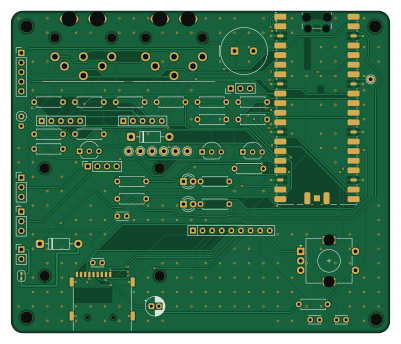
About the Picod64 PCB
Picod64 is an open source RP2040/RP2350 PCB design by bitbarista, published on GitHub under the Custom license license. It is a 2-layer board measuring 100 × 85 mm, with 45 components from 28 distinct parts.
Its main chip is the Raspberry Pi Pico 2, from the RP2040/RP2350 family. By type, the board carries 21 resistors, 7 connectors, 5 capacitors, 4 diodes, 3 transistors and 2 jumpers.
It belongs with the retro computing designs in this gallery.
From the project
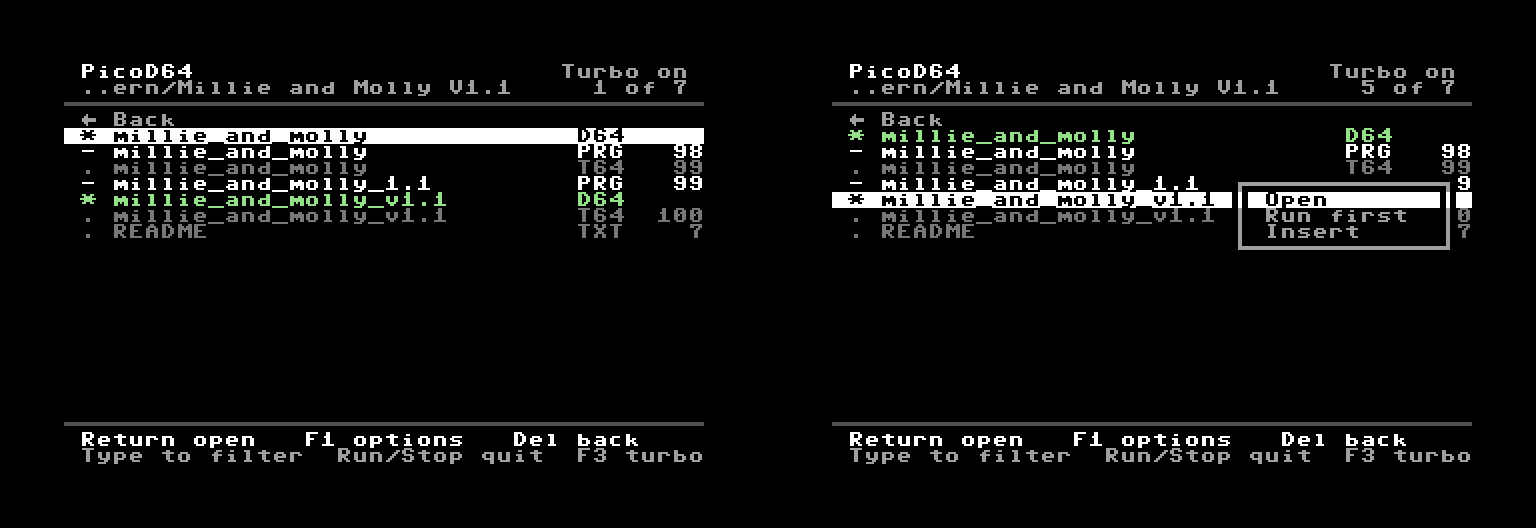
PicoD64: a cycle-exact 1541 disk drive emulator for the C64 you can build, on a Raspberry Pi Pico 2
PicoD64 replaces a Commodore 1541 disk drive, using a Raspberry Pi Pico 2. It doesn't imitate the drive's behaviour from the outside: it emulates the 1541's electronics. The drive's 6502, its two 6522 VIAs and the GCR data path to the head are emulated cycle by cycle, in lockstep at 1 MHz, and they run the 1541's own DOS ROM, which you supply. Disk images come from a microSD card, and it plugs into the C64's serial (IEC) port like a drive. Because the DOS and any drive code a program uploads run cycle for cycle, fast loaders behave as they do on a 1541: demanding demo loaders run on a real…
Main components on the Picod64
Picod64 bill of materials (BOM)
45 components, 28 distinct parts — part numbers from the project's BOM.
| Qty | Part | Footprint | Refs |
|---|---|---|---|
| 1 | Raspberry Pi Pico 2 | RaspberryPi_Pico_SMD_HandSolder_Pin1Rect | A1 |
| 3 | 2N3904 | TO-92_Inline_Wide | Q1, Q2, Q3 |
| 2 | IEC_DIN6 | IEC_DIN6_DualEarth | J1, J2 |
| 1 | GCT MEM2075-00-140-01-A | microSD_GCT_MEM2075 | J3 |
| 1 | OLED 1.3in I2C | PinSocket_1x04_P2.54mm_Vertical | J4 |
| 1 | debug UART | PinHeader_1x03_P2.54mm_Vertical | J5 |
| 1 | +5V ext | PinHeader_1x02_P2.54mm_Vertical | J6 |
| 1 | spare GPIO | PinHeader_1x05_P2.54mm_Vertical | J7 |
| 1 | PS1240P02BT | Buzzer_TDK_PS1240P02BT_D12.2mm_H6.5mm | BZ1 |
| 1 | OLED pin 1 | PinHeader_1x03_P2.54mm_Vertical | JP1 |
| 1 | OLED pin 2 | PinHeader_1x03_P2.54mm_Vertical | JP2 |
| 1 | EC11 + push | EC11E_Switch_Alps | SW1 |
| 1 | green | LED_D3.0mm | D1 |
| 1 | red | LED_D3.0mm | D2 |
| 2 | 1N5819 | D_DO-41_SOD81_P10.16mm_Horizontal | D3, D4 |
| 1 | 10uF | CP_Radial_D5.0mm_P2.00mm | C1 |
| 2 | 100nF | C_Disc_D3.0mm_W2.0mm_P2.50mm | C2, C3 |
| 2 | 10nF | C_Disc_D3.0mm_W2.0mm_P2.50mm | C4, C5 |
| 5 | 6k8 | R_Axial_DIN0207_L6.3mm_D2.5mm_P7.62mm_Horizontal | R1, R2, R3, R4, R15 |
| 3 | 680 | R_Axial_DIN0207_L6.3mm_D2.5mm_P7.62mm_Horizontal | R5, R7, R16 |
Show 8 more
| Qty | Part | Footprint | Refs |
|---|---|---|---|
| 4 | 10k | R_Axial_DIN0207_L6.3mm_D2.5mm_P7.62mm_Horizontal | R6, R8, R11, R17 |
| 2 | 4k7 | R_Axial_DIN0207_L6.3mm_D2.5mm_P7.62mm_Horizontal | R9, R10 |
| 2 | 470 | R_Axial_DIN0207_L6.3mm_D2.5mm_P7.62mm_Horizontal | R12, R13 |
| 1 | 100 | R_Axial_DIN0207_L6.3mm_D2.5mm_P7.62mm_Horizontal | R14 |
| 1 | 10k | R_Axial_DIN0207_L6.3mm_D2.5mm_P2.54mm_Vertical | R18 |
| 1 | 10k bussed | R_Array_SIP9 | RN1 |
| 1 | 10k bussed | R_Array_SIP5 | RN2 |
| 1 | 1k bussed | R_Array_SIP5 | RN3 |
Picod64 design files
The KiCad project lives in the bitbarista/picod64 repository on GitHub; these links point at the commit this page was built from.
Picod64: common questions
What microcontroller does the Picod64 use?
The Picod64 is built around the Raspberry Pi Pico 2, from the RP2040/RP2350 family.
How big is the Picod64 PCB?
The Picod64 measures 100 × 85 mm, has 2 copper layers and is 1.6 mm thick.
How many components are on the Picod64?
45 components, from 28 distinct parts, with part numbers taken from the project's own BOM. The full bill of materials is listed on this page.
Where can I download the Picod64 design files?
From the bitbarista/picod64 repository on GitHub, which has the KiCad layout, the schematic and the BOM; the links under Design files point to each one.
Can I use the Picod64 design in my own project?
It is published under Custom license, which limits how it may be reused; read the license before building on it.
Can I test firmware for the Picod64 without the hardware?
Yes. HardLabs builds a simulation of the board from its netlist and BOM, so you can run and debug RP2040/RP2350 firmware against it before you order a PCB.
Similar boards
 RP2040/RP2350
OSO-BOOK-C1
joeycastillo
85 × 115 mm29 parts2LCC-BY-SA-4.08.1k RP2040/RP2350
Corne cherry
foostan
277.2 × 107.5 mm164 parts2LCC-BY-4.07.7k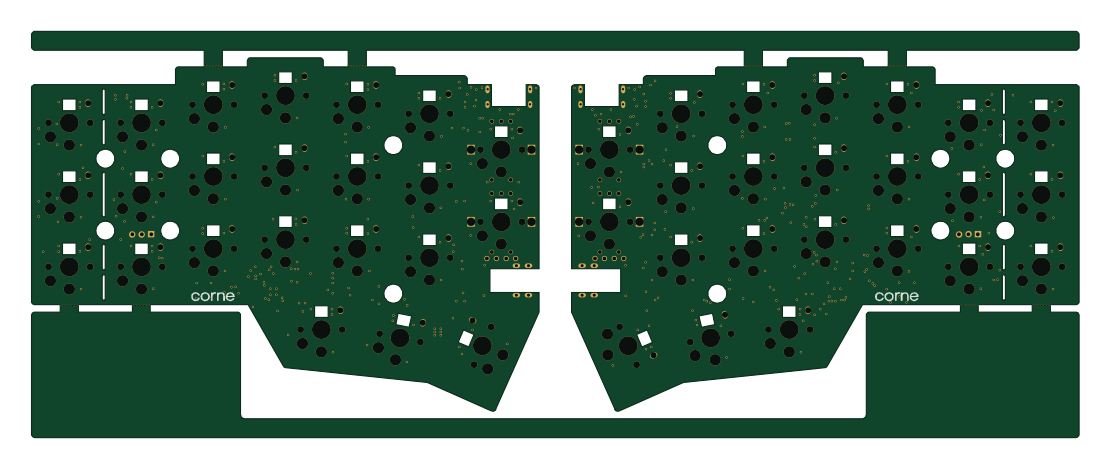 RP2040/RP2350
Corne chocolate
277.2 × 107.5 mm164 parts2LCC-BY-4.07.7k RP2040/RP2350
Jitx design
gusmanb
55.5 × 65 mm26 parts4LGPL-3.05.0k RP2040/RP2350
LogicAnalyzer
57 × 55.2 mm6 parts2LGPL-3.05.0k RP2040/RP2350
Main
google
98 × 71 mm102 parts2LApache-2.02.9k