
Thinkpad-USB-keyboard

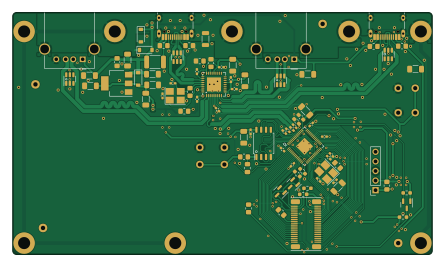
About the Thinkpad-USB-keyboard PCB
Thinkpad-USB-keyboard is an open source RP2040/RP2350 PCB design by bluepylons, published on GitHub. It is a 2-layer board measuring 111 × 64 mm, with 85 components from 32 distinct parts.
Its main chip is the C2040, from the RP2040/RP2350 family. Other key parts include the C7420376, C16251, C97521 and C15578. By type, the board carries 34 capacitors, 23 resistors, 8 ICs, 5 connectors, 3 transistors and 3 diodes.
It belongs with the keyboards designs in this gallery.
From the project
This is a project attempting to make a USB keyboard/Trackpoint controller and enclosure for the non-chiclet Thinkpad keyboard (from the 10/20 generation, such as the T410, W520, etc.). These were, in my opinion, the best Thinkpad keyboards ever made.
This is a project attempting to make a USB keyboard/Trackpoint controller and enclosure for the non-chiclet Thinkpad keyboard (from the 10/20 generation, such as the T410, W520, etc.). These were, in my opinion, the best Thinkpad keyboards ever made.
The current plan is to use an RP2040 microcontroller running QMK to handle the key matrix scanning and Trackpoint. I would also like to add a USB 2.0 hub.
Main components on the Thinkpad-USB-keyboard
Thinkpad-USB-keyboard bill of materials (BOM)
85 components, 32 distinct parts — part numbers from the project's BOM.
| Qty | Part | Footprint | Refs |
|---|---|---|---|
| 4 | C7420376 SRV05-4 | SOT-23-6 | U1, U4, U5, U10 |
| 1 | C2040 RP2040 | QFN-56-1EP_7x7mm_P0.4mm_EP3.2x3.2mm | U2 |
| 1 | C16251 USB2514B_Bi | QFN-36-1EP_6x6mm_P0.5mm_EP3.7x3.7mm | U3 |
| 1 | C97521 W25Q128JVS | SOIC-8_5.23x5.23mm_P1.27mm | U6 |
| 1 | C15578 TLV1117-33 | SOT-223-3_TabPin2 | U8 |
| 3 | C52895 BSS138 | SOT-23 | Q1, Q2, Q3 |
| 1 | C91744 24MHz | Crystal_SMD_3225-4Pin_3.2x2.5mm_HandSoldering | Y1 |
| 1 | C9002 12MHz | Crystal_SMD_3225-4Pin_3.2x2.5mm_HandSoldering | Y2 |
| 2 | C165948 USB_C_Receptacle_USB2.0 | USB_C_Receptacle_HRO_TYPE-C-31-M-12 | J1, J7 |
| 2 | USB_A | USB_A_Molex_67643_Horizontal | J2, J3 |
| 1 | Conn_02x20_Odd_Even_MountingPin | Molex Slimstack 54363-0489 | J6 |
| 1 | C142689 ASMD1206-150 Shenzhen JDT Fuse | Fuse_1812_4532Metric_Pad1.30x3.40mm_HandSolder | F1 |
| 4 | MountingHole | JLCPCB-tooling-hole | H9, H10, H11, H12 |
| 1 | SW_Push | SW_PUSH_6mm_H5mm | SW1 |
| 1 | C123799 SMF9.0CA Microdiode Electronics | D_SOD-123 | D1 |
| 2 | C114257 RB060M-60TR | D_SOD-123 | D3, D4 |
| 1 | C394451 60R@100MHz MELED Industrial | L_1206_3216Metric | L1 |
| 13 | C13585 10uF | C_1206_3216Metric_Pad1.33x1.80mm_HandSolder | C1, C2, C14, C15, C16, C17, C18, C19 +5 |
| 2 | C1549 18pF | C_0402_1005Metric_Pad0.74x0.62mm_HandSolder | C3, C4 |
| 2 | C1555 22pF | C_0402_1005Metric_Pad0.74x0.62mm_HandSolder | C5, C9 |
Show 12 more
| Qty | Part | Footprint | Refs |
|---|---|---|---|
| 15 | C1525 100nF | C_0402_1005Metric_Pad0.74x0.62mm_HandSolder | C6, C7, C8, C10, C11, C12, C13, C22 +7 |
| 2 | C15849 1uF | C_0603_1608Metric_Pad1.08x0.95mm_HandSolder | C21, C29 |
| 2 | C27834 5.1k | R_0805_2012Metric_Pad1.20x1.40mm_HandSolder | R1, R2 |
| 2 | C2991567 27 | C_0402_1005Metric_Pad0.74x0.62mm_HandSolder | R3, R13 |
| 6 | C25804 10K | R_0603_1608Metric_Pad0.98x0.95mm_HandSolder | R4, R11, R20, R21, R22, R23 |
| 1 | C17444 12k | R_0805_2012Metric_Pad1.20x1.40mm_HandSolder | R5 |
| 4 | C17756 56k | R_0805_2012Metric_Pad1.20x1.40mm_HandSolder | R6, R7, R8, R9 |
| 2 | C17408 100 | R_0805_2012Metric_Pad1.20x1.40mm_HandSolder | R10, R18 |
| 1 | C149504 100k | R_0805_2012Metric_Pad1.20x1.40mm_HandSolder | R12 |
| 3 | C17513 1K | R_0805_2012Metric_Pad1.20x1.40mm_HandSolder | R14, R15, R16 |
| 1 | DNI | C_0805_2012Metric_Pad1.18x1.45mm_HandSolder | R17 |
| 1 | C17514 1M | R_0805_2012Metric_Pad1.20x1.40mm_HandSolder | R19 |
Thinkpad-USB-keyboard design files
The KiCad project lives in the bluepylons/A-Thinkpad-USB-keyboard repository on GitHub; these links point at the commit this page was built from.
Thinkpad-USB-keyboard: common questions
What microcontroller does the Thinkpad-USB-keyboard use?
The Thinkpad-USB-keyboard is built around the C2040, from the RP2040/RP2350 family.
How big is the Thinkpad-USB-keyboard PCB?
The Thinkpad-USB-keyboard measures 111 × 64 mm, has 2 copper layers and is 1.2 mm thick.
How many components are on the Thinkpad-USB-keyboard?
85 components, from 32 distinct parts, with part numbers taken from the project's own BOM. The full bill of materials is listed on this page.
Where can I download the Thinkpad-USB-keyboard design files?
From the bluepylons/A-Thinkpad-USB-keyboard repository on GitHub, which has the KiCad layout, the schematic and the BOM; the links under Design files point to each one.
Can I use the Thinkpad-USB-keyboard design in my own project?
The repository has no license, so all rights stay with bluepylons. Use it as a reference, and ask the author before reusing the design.
Can I test firmware for the Thinkpad-USB-keyboard without the hardware?
Yes. HardLabs builds a simulation of the board from its netlist and BOM, so you can run and debug RP2040/RP2350 firmware against it before you order a PCB.
More boards in A-Thinkpad-USB-keyboard
Similar boards
 RP2040/RP2350
Open Book Abridged Edition
joeycastillo
85 × 115 mm29 parts2LCC-BY-SA-4.08.1k RP2040/RP2350
Corne
foostan
277.2 × 107.5 mm164 parts2LCC-BY-4.07.7k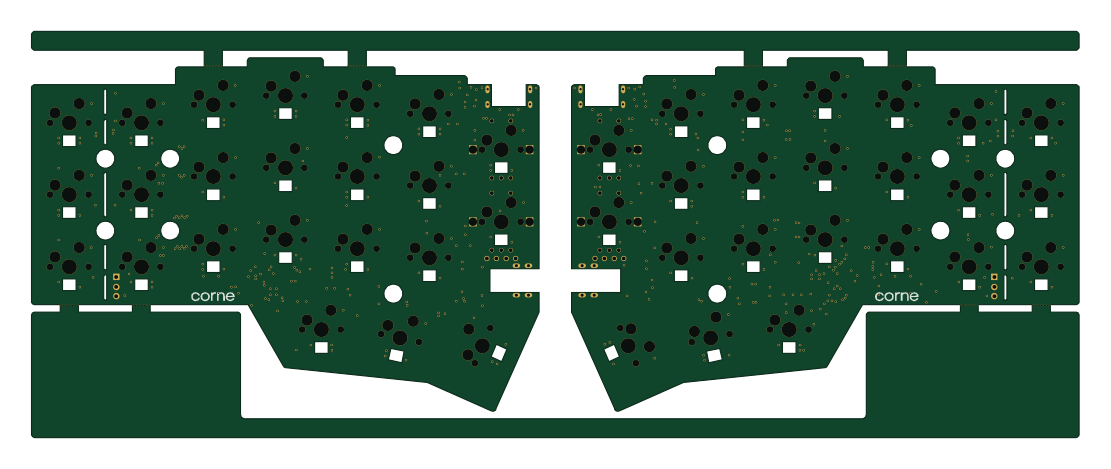 RP2040/RP2350
Corne
277.2 × 107.5 mm164 parts2LCC-BY-4.07.7k RP2040/RP2350
Msa
Mentra-Community
47.8 × 9.4 mm53 parts2LMIT1.2k RP2040/RP2350
Open Source Smart Glasses
93 × 10.5 mm80 parts4LMIT1.2k RP2040/RP2350
MSA
30.5 × 138 mm61 parts2LMIT1.2k