
Meteo home

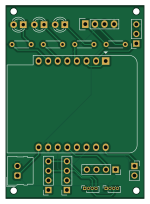
About the Meteo home PCB
Meteo home is an open source ESP8266 PCB design by deuteros76, published on GitHub. It is a 2-layer board measuring 36.5 × 51 mm, with 17 components from 16 distinct parts.
Its main chip is the WeMos_D1_mini, from the ESP8266 family. Other key parts include the Analog Sensor. By type, the board carries 4 resistors, 3 diodes, 1 IC, 1 module and 1 connector.
It belongs with the iot & wireless and sensors designs in this gallery.
From the project
Home weather station
- DHT22: Temperature (°C) and humidity (%) measurements - BMP180: Temperature (°C) and atmospheric pressure (Pa) - SGP30: Air quality monitoring with CO2 (ppm) and VOC (ppb) measurements - AHT20: High-precision temperature (°C) and humidity (%) readings - Analog Sensors: Configurable for moisture (%) or proximity (mm) measurements through A0 pin
- All LEDs flash once during initial power-up - Green LED indicates successful boot and connection
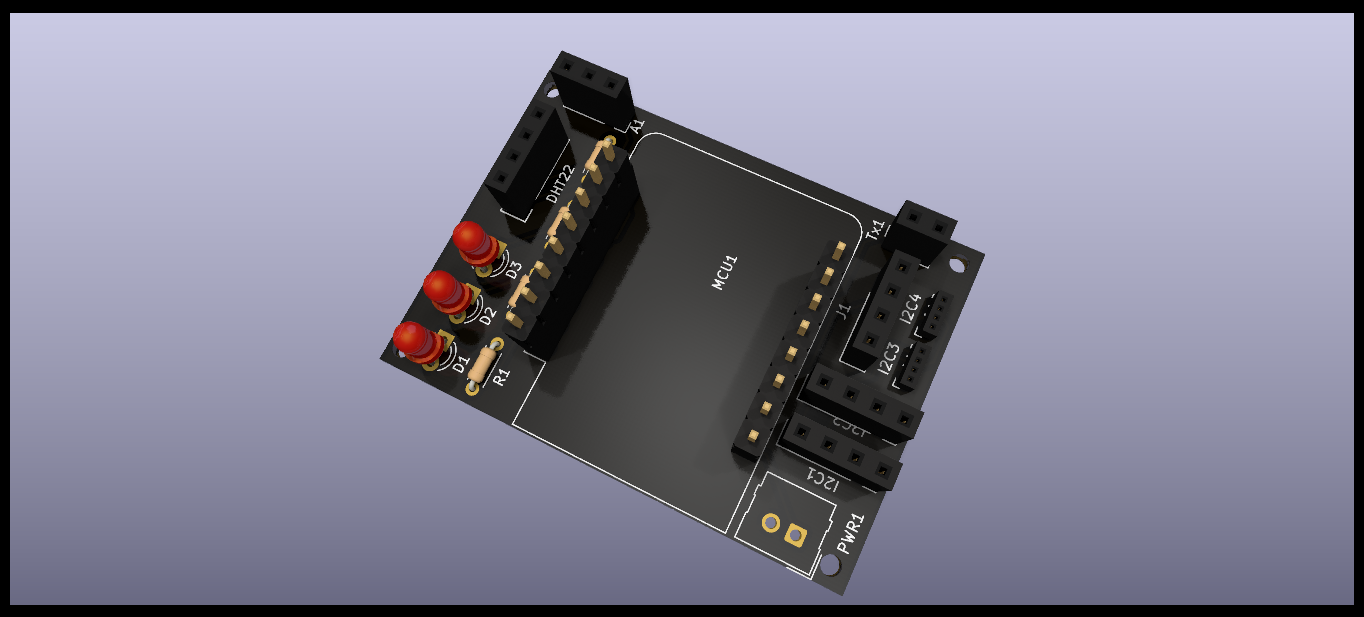
Main components on the Meteo home
Meteo home bill of materials (BOM)
17 components, 16 distinct parts.
| Qty | Part | Footprint | Refs |
|---|---|---|---|
| 1 | WeMos_D1_mini | WEMOS_D1_mini_light | MCU1 |
| 1 | Analog Sensor | PinSocket_1x03_P2.54mm_Vertical | A1 |
| 1 | S 4 | PinSocket_1x04_P2.54mm_Vertical | J1 |
| 1 | DHT22_Temperature_Humidity | DHT22_Temperature_Humidity | DHT22 |
| 1 | I2C 1 | PinSocket_1x04_P2.54mm_Vertical | I2C1 |
| 1 | I2C 2 | PinSocket_1x04_P2.54mm_Vertical | I2C2 |
| 1 | I2C 3 | PinSocket_1x04_P1.00mm_Vertical | I2C3 |
| 1 | I2C 4 | PinSocket_1x04_P1.00mm_Vertical | I2C4 |
| 1 | Power connector | Molex_SL_171971-0002_1x02_P2.54mm_Vertical | PWR1 |
| 1 | Rx | PinSocket_1x02_P2.54mm_Vertical | Tx1 |
| 1 | Red | LED_D3.0mm | D1 |
| 1 | Yellow | LED_D3.0mm | D2 |
| 1 | Green | LED_D3.0mm | D3 |
| 2 | 160 | R_Axial_DIN0204_L3.6mm_D1.6mm_P5.08mm_Horizontal | R1, R2 |
| 1 | 90 | R_Axial_DIN0204_L3.6mm_D1.6mm_P5.08mm_Horizontal | R3 |
| 1 | 10K | R_Axial_DIN0204_L3.6mm_D1.6mm_P5.08mm_Horizontal | R4 |
Meteo home design files
The KiCad project lives in the deuteros76/meteo-home repository on GitHub; these links point at the commit this page was built from.
- Layoutkicad/meteo-home.kicad_pcb
- Schematickicad/meteo-home.kicad_sch
Meteo home: common questions
What microcontroller does the Meteo home use?
The Meteo home is built around the WeMos_D1_mini, from the ESP8266 family.
How big is the Meteo home PCB?
The Meteo home measures 36.5 × 51 mm, has 2 copper layers and is 1.6 mm thick.
How many components are on the Meteo home?
17 components, from 16 distinct parts. The full bill of materials is listed on this page.
Where can I download the Meteo home design files?
From the deuteros76/meteo-home repository on GitHub, which has the KiCad layout and the schematic; the links under Design files point to each one.
Can I use the Meteo home design in my own project?
The repository has no license, so all rights stay with deuteros76. Use it as a reference, and ask the author before reusing the design.
Can I test firmware for the Meteo home without the hardware?
Yes. HardLabs builds a simulation of the board from its netlist and BOM, so you can run and debug ESP8266 firmware against it before you order a PCB.
Similar boards
 ESP8266
ESP8266ControllerCircuit
stuartpittaway
75 × 30 mm20 parts2LCC-BY-NC-4.01.1k ESP8266
HASwitchPlate
aderusha
60 × 40 mm8 parts2LMIT738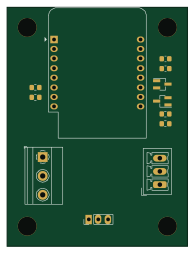 ESP8266
RatGDO-OpenSource-D1Mini-ESP8266
Kaldek
47.8 × 63.3 mm12 parts2LMIT506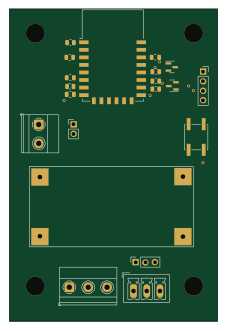 ESP8266
RatGDO-OpenSource-Bare-ESP8266
55 × 82.7 mm20 parts2LMIT506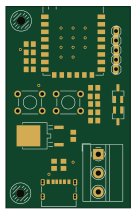 ESP8266
Goatgdo
32.9 × 53.3 mm23 parts2LMIT506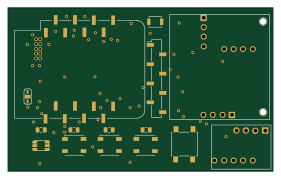 ESP8266
Iaq board
nkitanov
70.1 × 43.2 mm17 parts2LNo license398