
Wzhooh

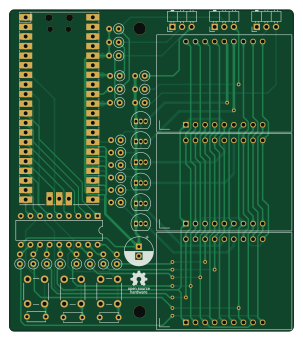
About the Wzhooh PCB
Wzhooh is an open source RP2040/RP2350 PCB design by dotcypress, published on GitHub under the Apache-2.0 license. It is a 2-layer board measuring 75.1 × 85 mm, with 44 components from 16 distinct parts.
Its main chip is the Pico, from the RP2040/RP2350 family. Other key parts include the ULN2803A and DA08-11SURKWA. By type, the board carries 23 resistors, 6 transistors, 5 ICs, 4 capacitors, 3 connectors and 3 switches.
From the project
Slot Car Lap Timer
- Web dashboard - Schematics - Gerber files - BOM - Interactive BOM
1. Download latest firmware build from Releases page 2. Hold the BOOTSEL button while connecting your board to the computer 3. Copy firmware file downloaded earlier to the RPi-RP2 disk 4. Enjoy
1. Install rustup by following the instructions at https://rustup.rs 2. Install Cortex-M0, M0+, and M1 (ARMv6-M architecture) target: rustup target add thumbv6m-none-eabi 3. Install LLVM tools: rustup component add llvm-tools-preview 4. Install cargo-binutils: cargo install cargo-binutils (Note: on some Linux distros (e.g. Ubuntu)…
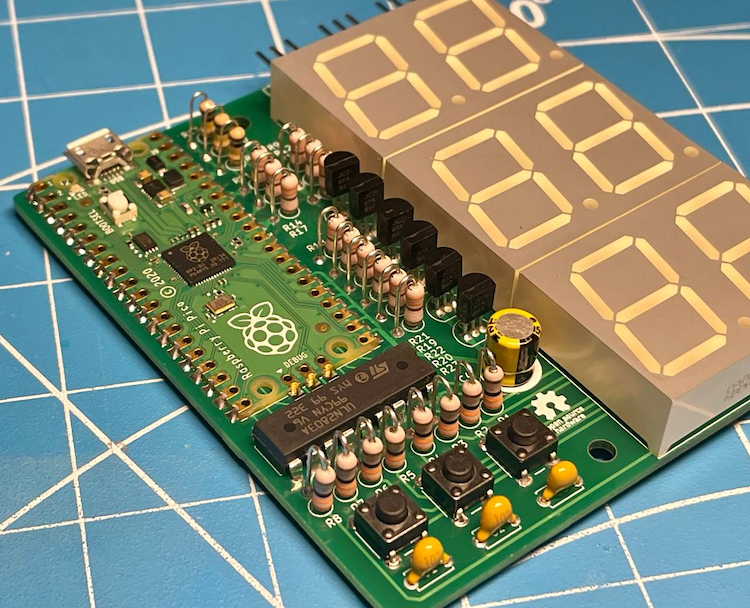
Main components on the Wzhooh
Wzhooh bill of materials (BOM)
44 components, 16 distinct parts — part numbers from the project's BOM.
| Qty | Part | Footprint | Refs |
|---|---|---|---|
| 1 | ULN2803A | DIP-18_W7.62mm | U1 |
| 1 | Pico | RPi_Pico_SMD_TH | U2 |
| 3 | DA08-11SURKWA | DA08-11 | U3, U4, U5 |
| 5 | 2N2907 | TO-92_Inline | Q1, Q2, Q3, Q4, Q5 |
| 1 | 2N3905 | TO-92_Inline | Q6 |
| 1 | Sensor1 | PinHeader_1x03_P2.54mm_Horizontal | J1 |
| 1 | Sensor2 | PinHeader_1x03_P2.54mm_Horizontal | J2 |
| 1 | Sensor3 | PinHeader_1x03_P2.54mm_Horizontal | J3 |
| 1 | Button1 | SW_PUSH_6mm_H13mm | SW1 |
| 1 | Button2 | SW_PUSH_6mm_H13mm | SW2 |
| 1 | Button3 | SW_PUSH_6mm_H13mm | SW3 |
| 3 | 1nF | C_Disc_D4.7mm_W2.5mm_P5.00mm | C1, C2, C3 |
| 1 | 10uF | CP_Radial_D7.5mm_P2.50mm | C4 |
| 8 | 33Ω | R_Axial_DIN0207_L6.3mm_D2.5mm_P2.54mm_Vertical | R1, R2, R3, R4, R5, R6, R7, R8 |
| 12 | 330Ω | R_Axial_DIN0207_L6.3mm_D2.5mm_P2.54mm_Vertical | R9, R11, R12, R14, R15, R17, R18, R19 +4 |
| 3 | 100KΩ | R_Axial_DIN0207_L6.3mm_D2.5mm_P2.54mm_Vertical | R10, R13, R16 |
Wzhooh design files
The KiCad project lives in the dotcypress/wzhooh repository on GitHub; these links point at the commit this page was built from.
- Layoutpcb/wzhooh.kicad_pcb
- Schematicpcb/wzhooh.kicad_sch
- BOMpcb/fab/wzhooh-bom.csv
Wzhooh: common questions
What microcontroller does the Wzhooh use?
The Wzhooh is built around the Pico, from the RP2040/RP2350 family.
How big is the Wzhooh PCB?
The Wzhooh measures 75.1 × 85 mm, has 2 copper layers and is 1.6 mm thick.
How many components are on the Wzhooh?
44 components, from 16 distinct parts, with part numbers taken from the project's own BOM. The full bill of materials is listed on this page.
Where can I download the Wzhooh design files?
From the dotcypress/wzhooh repository on GitHub, which has the KiCad layout, the schematic and the BOM; the links under Design files point to each one.
Can I use the Wzhooh design in my own project?
Yes, under the terms of its Apache-2.0 license, which dotcypress chose for the repository.
Can I test firmware for the Wzhooh without the hardware?
Yes. HardLabs builds a simulation of the board from its netlist and BOM, so you can run and debug RP2040/RP2350 firmware against it before you order a PCB.
Similar boards
 RP2040/RP2350
Open Book Abridged Edition
joeycastillo
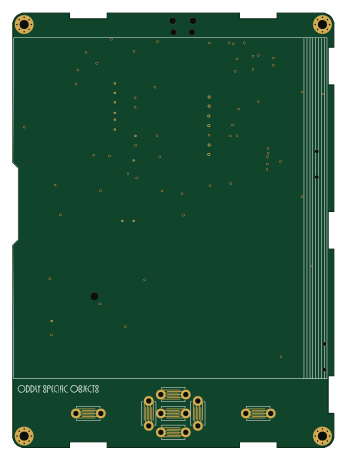
85 × 115 mm29 parts2LCC-BY-SA-4.08.1k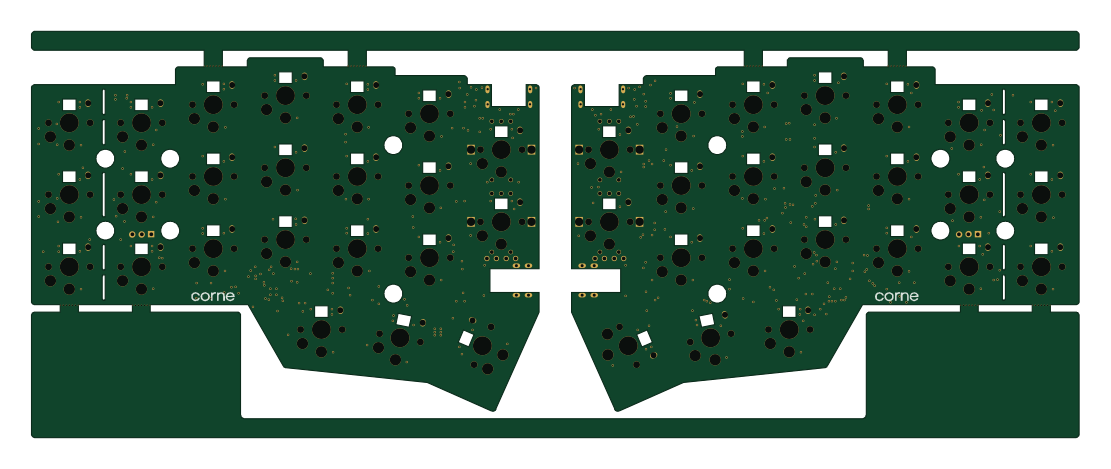 RP2040/RP2350
Corne
foostan
277.2 × 107.5 mm164 parts2LCC-BY-4.07.7k RP2040/RP2350
Corne
277.2 × 107.5 mm164 parts2LCC-BY-4.07.7k RP2040/RP2350
LogicAnalyzer
gusmanb
57 × 55.2 mm6 parts2LGPL-3.05.0k RP2040/RP2350
Jitx design
55.5 × 65 mm26 parts4LGPL-3.05.0k RP2040/RP2350
Pro V2
kata0510
290.1 × 130 mm270 parts2LMIT2.3k