
Gethin-75

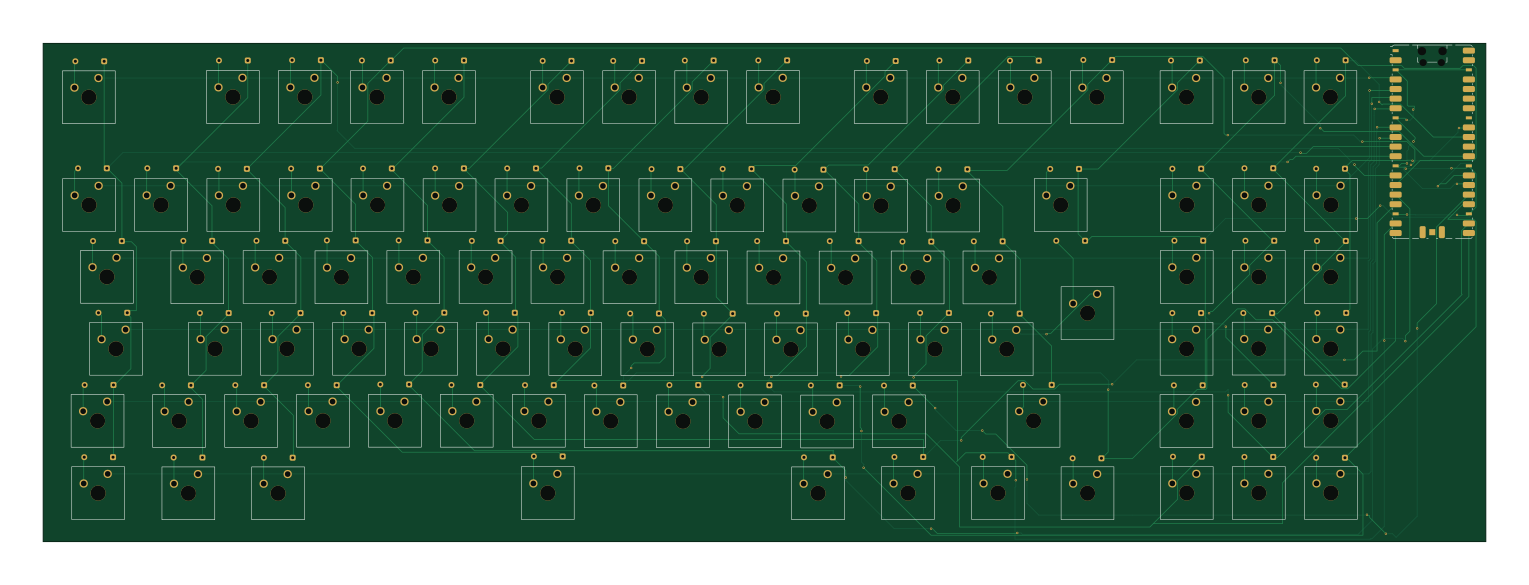
About the Gethin-75 PCB
Gethin-75 is an open source RP2040/RP2350 PCB design by gethin101, published on GitHub. It is a 2-layer board measuring 381.7 × 131.8 mm, with 187 components from 9 distinct parts.
Its main chip is the RaspberryPi_Pico, from the RP2040/RP2350 family. By type, the board carries 93 switches, 93 diodes and 1 module.
It belongs with the keyboards designs in this gallery.
From the project
A custom 60% mechanical keyboard powered by a Raspberry pi pico and KMK firmware I designed and built during Hackclub's Blueprint program
I made this project to learn the fundamentals of how keyboards and macropads work, to improve my PCB design skills by learning how switch matrixes work and to get more familiar with modelling parts in CAD for 3D printing.
Click any of the images below or click above to see it in more detail
My macro keys at the moment: - Previous song - Play / Pause - Next song - Volume down - Volume up - Lock - File Explorer - Task Manager
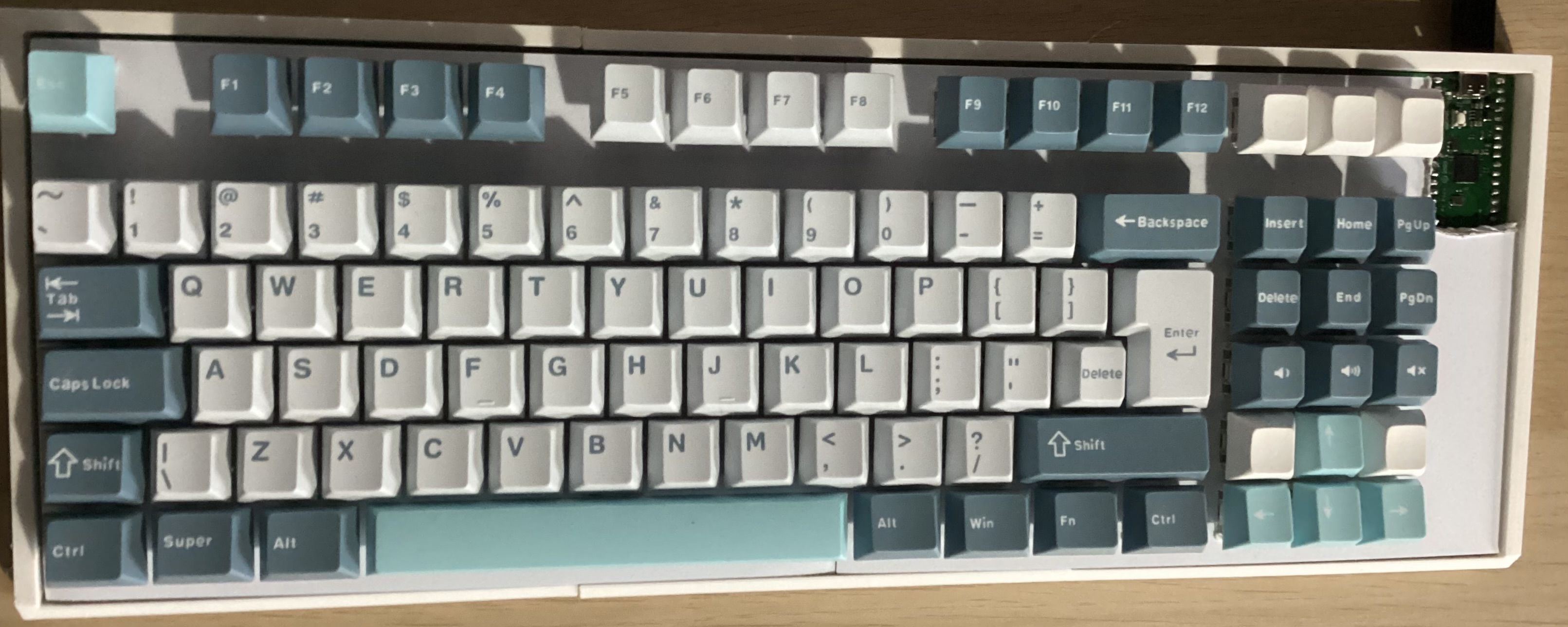
Main components on the Gethin-75
Gethin-75 bill of materials (BOM)
187 components, 9 distinct parts — part numbers from the project's BOM.
| Qty | Part | Footprint | Refs |
|---|---|---|---|
| 1 | RaspberryPi_Pico | RaspberryPi_Pico_SMD_HandSolder | A1 |
| 81 | SW_Push | SW_Cherry_MX_1.00u_Plate | SW1, SW2, SW3, SW4, SW5, SW6, SW7, SW8 +73 |
| 1 | SW_Push | SW_Cherry_MX_2.00u_Plate | SW30 |
| 1 | SW_Push | SW_Cherry_MX_1.75u_Plate | SW50 |
| 1 | SW_Push | SW_Cherry_MX_2.25u_Plate | SW63 |
| 1 | SW_Push | SW_Cherry_MX_2.75u_Plate | SW79 |
| 7 | SW_Push | SW_Cherry_MX_1.25u_Plate | SW83, SW84, SW85, SW87, SW88, SW89, SW90 |
| 1 | SW_Push | SW_Cherry_MX_6.25u_Plate | SW86 |
| 93 | D | D_DO-35_SOD27_P7.62mm_Horizontal | D1, D2, D3, D4, D5, D6, D7, D8 +85 |
Gethin-75 design files
The KiCad project lives in the gethin101/Gethin-75 repository on GitHub; these links point at the commit this page was built from.
- LayoutPCB/gethin_75_keyboard.kicad_pcb
- SchematicPCB/gethin_75_keyboard.kicad_sch
- BOMBOM.csv
Gethin-75: common questions
What microcontroller does the Gethin-75 use?
The Gethin-75 is built around the RaspberryPi_Pico, from the RP2040/RP2350 family.
How big is the Gethin-75 PCB?
The Gethin-75 measures 381.7 × 131.8 mm, has 2 copper layers and is 1.6 mm thick.
How many components are on the Gethin-75?
187 components, from 9 distinct parts, with part numbers taken from the project's own BOM. The full bill of materials is listed on this page.
Where can I download the Gethin-75 design files?
From the gethin101/Gethin-75 repository on GitHub, which has the KiCad layout, the schematic and the BOM; the links under Design files point to each one.
Can I use the Gethin-75 design in my own project?
The repository has no license, so all rights stay with gethin101. Use it as a reference, and ask the author before reusing the design.
Can I test firmware for the Gethin-75 without the hardware?
Yes. HardLabs builds a simulation of the board from its netlist and BOM, so you can run and debug RP2040/RP2350 firmware against it before you order a PCB.
Similar boards
 RP2040/RP2350
Open Book Abridged Edition
joeycastillo
85 × 115 mm29 parts2LCC-BY-SA-4.08.1k RP2040/RP2350
Corne
foostan
277.2 × 107.5 mm164 parts2LCC-BY-4.07.7k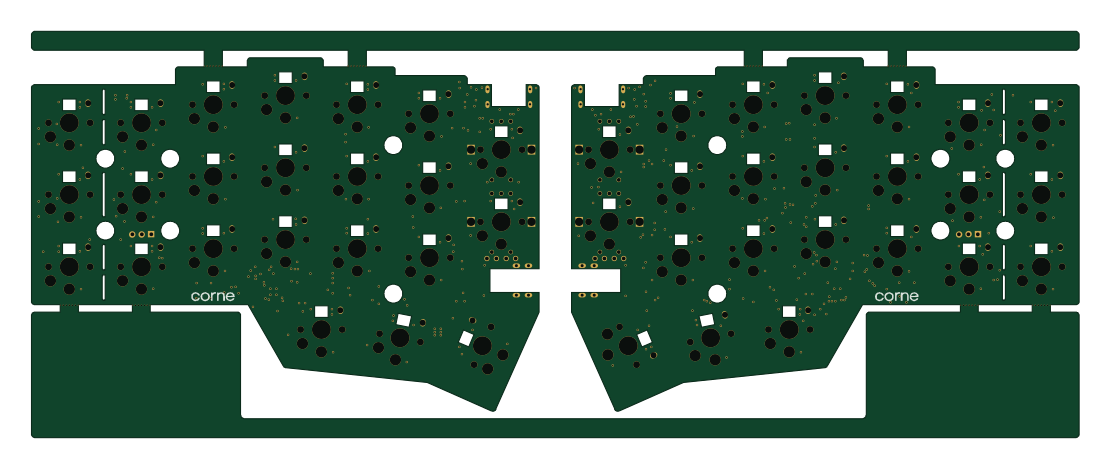 RP2040/RP2350
Corne
277.2 × 107.5 mm164 parts2LCC-BY-4.07.7k RP2040/RP2350
Jitx design
gusmanb
55.5 × 65 mm26 parts4LGPL-3.05.0k RP2040/RP2350
LogicAnalyzer
57 × 55.2 mm6 parts2LGPL-3.05.0k RP2040/RP2350
Main
google
98 × 71 mm102 parts2LApache-2.02.9k