
MacOS-Keyboard

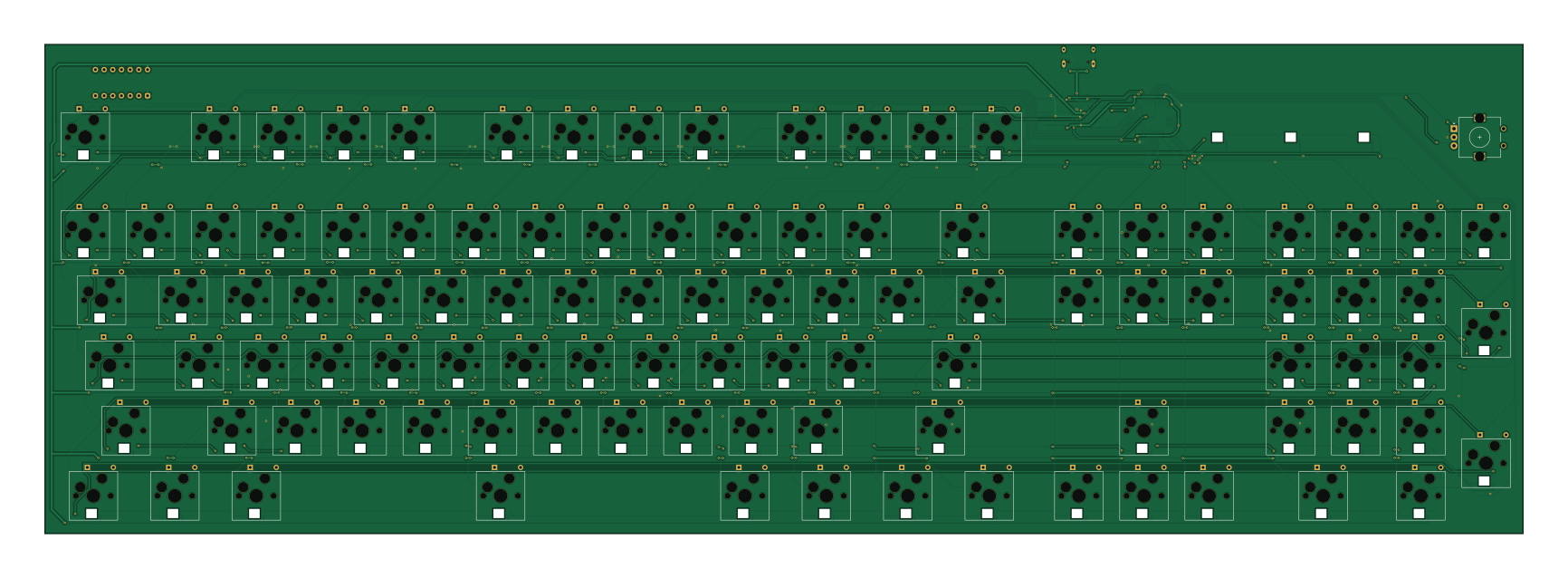
About the MacOS-Keyboard PCB
MacOS-Keyboard is an open source STM32 PCB design by CalamityCow, published on GitHub. It is a 2-layer board measuring 432.2 × 143 mm, with 440 components from 23 distinct parts.
Its main chip is the STM32F072CBTX, from the STM32 family. Other key parts include the 74AHCT125, XC6206 and USBLC6-2SC6. By type, the board carries 121 capacitors, 104 LEDs, 103 switches, 101 diodes, 5 resistors and 4 ICs.
It belongs with the keyboards designs in this gallery.
From the project
Two modules based on the STM32F072CBT6 to make integrated MCU PCBs simpler. They're designed to sit between 2 switches on an ortholinear or row-staggered keyboard, column-staggered will require some manual moving to get them to fit correctly.
Two modules based on the STM32F072CBT6 to make integrated MCU PCBs simpler. They're designed to sit between 2 switches on an ortholinear or row-staggered keyboard, column-staggered will require some manual moving to get them to fit correctly.
1. The project is setup as a Kicad template, first open Kicad and select "New Project from Template..." from the file menu.
Main components on the MacOS-Keyboard
MacOS-Keyboard bill of materials (BOM)
440 components, 23 distinct parts — part numbers from the project's BOM.
| Qty | Part | Footprint | Refs |
|---|---|---|---|
| 1 | STM32F072CBTX STM32F072CBTx | LQFP-48_7x7mm_P0.5mm | U1 |
| 1 | 74AHCT125 | DIP-14_W7.62mm | U2 |
| 1 | XC6206 | Voltage_SOT-23 | U3 |
| 1 | USBLC6-2SC6 | ESD_SOT-23-6 | U4 |
| 1 | C165948 USB_C | USB_C_HRO_TYPE-C-31-M-12 | J1 |
| 1 | 500MA 500mA | Fuse_0603 | F1 |
| 101 | Keyswitch | Hotswap_MX_1.00u | S1, S2, S3, S4, S5, S6, S7, S8 +93 |
| 1 | SW_Push | Button_TL3342 | SW1 |
| 1 | RotaryEncoder | RotaryEncoder_Alps_EC11E_Vertical_H20mm | SW2 |
| 3 | SK6812MINI | LED_SK6812MINI | DisplayLED1, DisplayLED2, DisplayLED3 |
| 101 | SK6812MINI | LED_SK6812MINI | LED1, LED2, LED3, LED4, LED5, LED6, LED7, LED8 +93 |
| 101 | Diode | Diode_DO-35 | D1, D2, D3, D4, D5, D6, D7, D8 +93 |
| 102 | 100NF 100nF | Capacitor_0402 | C7, LEDCAP1, LEDCAP2, LEDCAP3, LEDCAP4, LEDCAP5, LEDCAP6, LEDCAP7 +94 |
| 2 | 1UF 1uF | Capacitor_0402 | C8, C9 |
| 4 | CL05B104KB54PNC 100nF | Capacitor_0402 | C10, C11, C13, C16 |
| 2 | CL05A475MP5NRNC 4.7uF | Capacitor_0402 | C12, C17 |
| 1 | CL05B103KB5NNNC 10nF | Capacitor_0402 | C14 |
| 1 | CL05A105KA5NQNC 1uF | Capacitor_0402 | C15 |
| 3 | 100nF | Capacitor_0402 | DisplayLEDCAP1, DisplayLEDCAP2, DisplayLEDCAP3 |
| 6 | 100UF 100uF | Capacitor_0402 | LEDBULKCAP1, LEDBULKCAP2, LEDBULKCAP3, LEDBULKCAP4, LEDBULKCAP5, LEDBULKCAP6 |
Show 3 more
| Qty | Part | Footprint | Refs |
|---|---|---|---|
| 1 | 10K 10k | Resistor_0402 | R1 |
| 2 | 5.1K 5.1k | Resistor_0402 | R2, R3 |
| 2 | 500R | Resistor_0402 | R4, R5 |
MacOS-Keyboard design files
The KiCad project lives in the CalamityCow/MacOS-Keyboard repository on GitHub; these links point at the commit this page was built from.
MacOS-Keyboard: common questions
What microcontroller does the MacOS-Keyboard use?
The MacOS-Keyboard is built around the STM32F072CBTX, from the STM32 family.
How big is the MacOS-Keyboard PCB?
The MacOS-Keyboard measures 432.2 × 143 mm, has 2 copper layers and is 1.6 mm thick.
How many components are on the MacOS-Keyboard?
440 components, from 23 distinct parts, with part numbers taken from the project's own BOM. The full bill of materials is listed on this page.
Where can I download the MacOS-Keyboard design files?
From the CalamityCow/MacOS-Keyboard repository on GitHub, which has the KiCad layout, the schematic and the BOM; the links under Design files point to each one.
Can I use the MacOS-Keyboard design in my own project?
The repository has no license, so all rights stay with CalamityCow. Use it as a reference, and ask the author before reusing the design.
Can I test firmware for the MacOS-Keyboard without the hardware?
Yes. HardLabs builds a simulation of the board from its netlist and BOM, so you can run and debug STM32 firmware against it before you order a PCB.
Similar boards
 STM32
STM32LumenPnP Motherboard
opulo-inc
149 × 95 mm296 parts4LCC-BY-SA-4.03.7k STM32
STM32AxxSolder
AxxAxx
39 × 82.5 mm122 parts2LGPL-3.01.7k STM32
STM32AIOC
skuep
21 × 31.5 mm47 parts2LMIT1.4k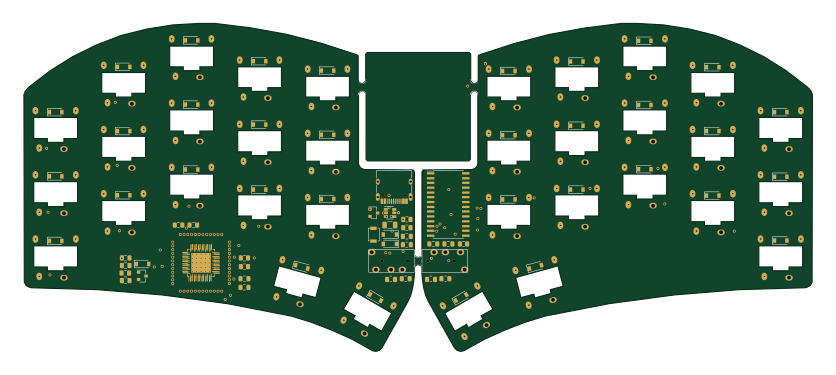 STM32
STM32Ferris
pierrechevalier83
208.8 × 86.8 mm102 parts2LSHL-2.11.3k STM32
STM32176 pin board
rusefi
61.8 × 73.2 mm76 parts2LGPL-3.01.2k STM32
STM32Brain board STM32F407
61.8 × 73.2 mm69 parts2LGPL-3.01.2k