
DeskBuddy

About the DeskBuddy PCB
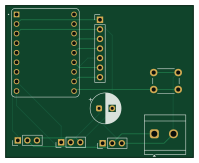
DeskBuddy is an open source ESP32 PCB design by den4ik9591, published on GitHub. It is a 2-layer board measuring 49.8 × 40.3 mm, with 8 components from 6 distinct parts.
Its main chip is the Waveshare ESP32-S3-ZERO, from the ESP32 family. By type, the board carries 4 connectors, 1 IC, 1 switch and 1 capacitor.
It belongs with the robotics & motion designs in this gallery.
From the project
A desk buddy with a 1.3" animated TFT face on a custom ESP32-S3 PCB. Three servos let it turn, nod and tilt its head, so the face can look around and react. A push button on the base wakes it up and changes its mood. The case is 3D printed with tolerances tuned for FDM.
A little desk robot with an animated screen face. It can turn, nod and tilt its head, blink, and change mood when you press the button on its base. It runs on a custom ESP32-S3 PCB I designed in KiCad, inside a 3D-printed case I designed in Fusion 360.
- Brain: Waveshare ESP32-S3-Zero on a custom PCB, powered over USB-C. - Face: 1.3" 240x240 ST7789 IPS screen over SPI. The firmware draws eyes and a mouth, with blinking and four moods (happy, sleepy, curious, surprised). - Movement: three MG90S servos. Pan turns the neck, nod moves the head up and down, and tilt rolls the face sideways. -…
Main components on the DeskBuddy
DeskBuddy bill of materials (BOM)
8 components, 6 distinct parts.
| Qty | Part | Footprint | Refs |
|---|---|---|---|
| 1 | Waveshare ESP32-S3-ZERO | Waveshare ESP32-S3-Zero | U1 |
| 3 | Conn_01x03_Pin | PinHeader_1x03_P2.54mm_Vertical | J2SERVO1, J3SERVO2, J4SERVO3 |
| 1 | Screw_Terminal_01x02 | TerminalBlock_CUI_TB007-508-02_1x02_P5.08mm_Horizontal | J5 |
| 1 | Conn_01x07_Pin | PinHeader_1x07_P2.54mm_Vertical | JSCREEN1 |
| 1 | SW_Push | SW_PUSH_6mm | SW1 |
| 1 | 1000uF | CP_Radial_D8.0mm_P3.50mm | C1 |
DeskBuddy design files
The KiCad project lives in the den4ik9591/DeskBuddy repository on GitHub; these links point at the commit this page was built from.
DeskBuddy: common questions
What microcontroller does the DeskBuddy use?
The DeskBuddy is built around the Waveshare ESP32-S3-ZERO, from the ESP32 family.
How big is the DeskBuddy PCB?
The DeskBuddy measures 49.8 × 40.3 mm, has 2 copper layers and is 1.6 mm thick.
How many components are on the DeskBuddy?
8 components, from 6 distinct parts. The full bill of materials is listed on this page.
Where can I download the DeskBuddy design files?
From the den4ik9591/DeskBuddy repository on GitHub, which has the KiCad layout and the schematic; the links under Design files point to each one.
Can I use the DeskBuddy design in my own project?
The repository has no license, so all rights stay with den4ik9591. Use it as a reference, and ask the author before reusing the design.
Can I test firmware for the DeskBuddy without the hardware?
Yes. HardLabs builds a simulation of the board from its netlist and BOM, so you can run and debug ESP32 firmware against it before you order a PCB.
Similar boards
 ESP32
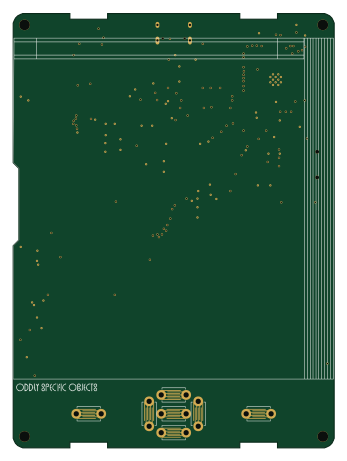
OSO-BOOK-B1
joeycastillo
85 × 115 mm65 parts2LCC-BY-SA-4.08.1k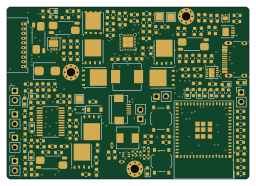 ESP32
Powertrain
byrantech
64 × 45.4 mm171 parts4LMIT4.3k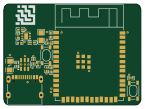 ESP32
Esp32 minimal
atopile
36.2 × 26.8 mm20 parts2LMIT4.0k ESP32
Badge
56.3 × 39 mm239 parts4LMIT4.0k ESP32
Racer
StuckAtPrototype
36 × 50.2 mm70 parts4LApache-2.03.8k ESP32
Controller
29 × 74 mm58 parts4LApache-2.03.8k