
Ee tut

About the Ee tut PCB
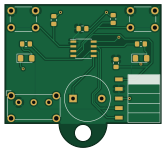
Ee tut is an open source PIC PCB design by waterloo-rocketry, published on GitHub. It is a 2-layer board measuring 41.4 × 37.9 mm, with 15 components from 10 distinct parts.
Its main chip is the PIC16LF15313, from the PIC family. By type, the board carries 5 resistors, 3 switches, 2 diodes, 1 IC, 1 connector and 1 battery holder.
From the project
Hardware & software used in electrical tutorials
2. Open schematic -> library editor, create a new library. 3. Create a new symbol in that library 4. Draw the symbol based on the datasheet (Using the L vaiant): https://ww1.microchip.com/downloads/en/DeviceDoc/PIC16-L-F15313_23-Data-Sheet-40001897B.pdf 1. Place a rectangle, it is ok if the size isn't perfect, you can adjust it later 2. Hover over the edge of the rectangle and press e to edit the properties, select fill background 3. place pins based on data sheet. it is best to place them grouped together by purpose, but in order like on the datasheet is good for this. 4. If you need to move…
Main components on the Ee tut
Ee tut bill of materials (BOM)
15 components, 10 distinct parts.
| Qty | Part | Footprint | Refs |
|---|---|---|---|
| 1 | PIC16LF15313 | SOIC-8_3.9x4.9mm_P1.27mm | U1 |
| 1 | Programming_Connector | PinHeader_5x2.54_SMD_90deg_952-3198-1-ND | J1 |
| 1 | Battery_Holder | BatteryHolder_Keystone_3002_1x2032 | BT1 |
| 1 | Buzzer | Buzzer_12x9.5RM7.6 | BZ1 |
| 2 | SW_Push | SW_PUSH_6mm | SW1, SW2 |
| 1 | SW_SPST | SW_E-Switch_EG1224_SPDT_Angled | SW3 |
| 2 | LED | LED_1206_3216Metric_Pad1.42x1.75mm_HandSolder | D1, D2 |
| 1 | 0.1uF | C_0805_2012Metric_Pad1.15x1.40mm_HandSolder | C1 |
| 3 | 10k | R_0805_2012Metric_Pad1.15x1.40mm_HandSolder | R1, R2, R3 |
| 2 | 200R | R_0805_2012Metric_Pad1.15x1.40mm_HandSolder | R4, R5 |
Ee tut design files
The KiCad project lives in the waterloo-rocketry/electrical_tutorials repository on GitHub; these links point at the commit this page was built from.
Ee tut: common questions
What microcontroller does the Ee tut use?
The Ee tut is built around the PIC16LF15313, from the PIC family.
How big is the Ee tut PCB?
The Ee tut measures 41.4 × 37.9 mm, has 2 copper layers and is 1.6 mm thick.
How many components are on the Ee tut?
15 components, from 10 distinct parts. The full bill of materials is listed on this page.
Where can I download the Ee tut design files?
From the waterloo-rocketry/electrical_tutorials repository on GitHub, which has the KiCad layout; the links under Design files point to each one.
Can I use the Ee tut design in my own project?
The repository has no license, so all rights stay with waterloo-rocketry. Use it as a reference, and ask the author before reusing the design.
Can I test firmware for the Ee tut without the hardware?
Yes. HardLabs builds a simulation of the board from its netlist and BOM, so you can run and debug PIC firmware against it before you order a PCB.
More boards in electrical_tutorials
Similar boards
 PIC
Pslab hardware
fossasia
99 × 53.3 mm187 parts4LApache-2.01.7k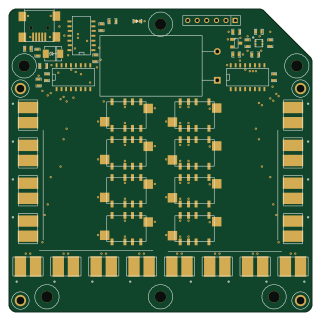 PIC
Lens
ervanalb
80 × 80 mm53 parts4LNo license515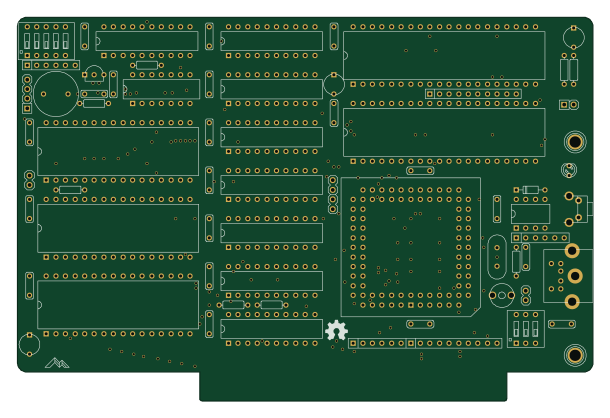 PIC
Micro 8088
skiselev
152.4 × 101.6 mm71 partsGPL-3.0414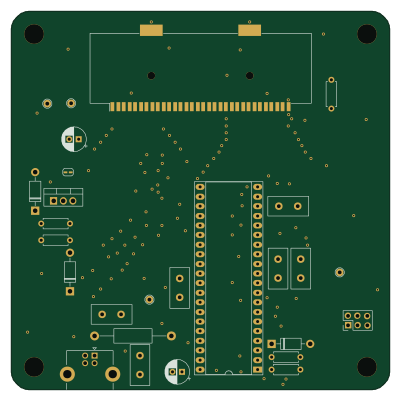 PIC
GB-CARTPP-DIY
Gekkio
100 × 100 mm22 parts2LCC-BY-4.0379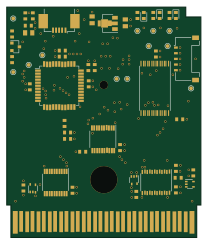 PIC
GB-LIVE32
51.4 × 61 mm46 parts4LCC-BY-4.0379 PIC
GB-CART256K-A
51.4 × 61 mm17 parts2LCC-BY-4.0379