
Auxiliary board

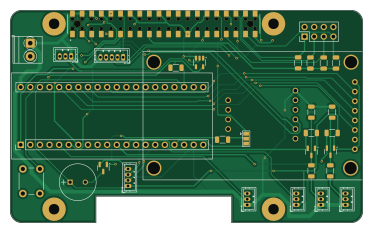
About the Auxiliary board
Auxiliary board is an open source Raspberry Pi PCB design by akshatbansaltech, published on GitHub under the MIT license. It is a 2-layer board measuring 93 × 56 mm, with 31 components from 17 distinct parts.
Its main chip is the Raspberry Pi - Hat Template - Full Size, from the Raspberry Pi family. Other key parts include the YAAJ_WeAct_BlackPill_Part_Like, SN74LVC1G14DBV and BNO055_Module. By type, the board carries 12 resistors, 10 connectors, 3 transistors, 2 ICs, 1 module and 1 speaker.
From the project
- Add version number to silkscreen - Change terminal footprint to match the now used terminal: WM7877-ND - Add a switch for WiFi AP/Client switching - LCD holes are not aligned and are off slightly - Change 40 pin header from SMD to through-hold - Consider adding a second tactile
- Add version number to silkscreen - Change terminal footprint to match the now used terminal: WM7877-ND - Add a switch for WiFi AP/Client switching - LCD holes are not aligned and are off slightly - Change 40 pin header from SMD to through-hold - Consider adding a second tactile button
- Removing the Black Pill in favor of using a STM32 directly on the board will save space and allow the addition of more breakouts such as buttons.
Main components on the Auxiliary board
Auxiliary board bill of materials (BOM)
31 components, 17 distinct parts — part numbers from the project's BOM.
| Qty | Part | Footprint | Refs |
|---|---|---|---|
| 1 | YAAJ_WeAct_BlackPill_Part_Like | Blackpill WeAct | U1 |
| 1 | SN74LVC1G14DBV | SOT-23-5 | U2 |
| 1 | BNO055_Module | BNO055 Module | MOD1 |
| 2 | BSS138 | SOT-23 | Q1, Q2 |
| 1 | MMBT2222A | SOT-23 | Q3 |
| 1 | Conn_01x02 | TerminalBlock_Phoenix_PT-1,5-2-3.5-H_1x02_P3.50mm_Horizontal | J1 |
| 1 | Raspberry Pi - Hat Template - Full Size | Raspberry Pi - Hat Template - Full Size Extended | J2 |
| 5 | Conn_01x03 | JST_ZH_B3B-ZR_1x03_P1.50mm_Vertical | J3, J4, J5, J10, J11 |
| 1 | Conn_01x04 | JST_ZH_B4B-ZR_1x04_P1.50mm_Vertical | J7 |
| 1 | Conn_02x04_Odd_Even | PinHeader_2x04_P2.54mm_Vertical | J8 |
| 1 | Conn_01x05 | JST_ZH_B5B-ZR_1x05_P1.50mm_Vertical | J9 |
| 1 | ~ | LCD-Display-1.8-128x160-Hiletgo | DISP1 |
| 1 | ~ | PB-09N23P-03Q_MAL | LS1 |
| 1 | SW_Push | SW_PUSH_6mm_H4.3mm | SW1 |
| 1 | R_Small_US | R_1206_3216Metric | R1 |
| 9 | 10k | R_1206_3216Metric | R2, R4, R5, R6, R7, R8, R10, R11 +1 |
| 2 | 500 | R_1206_3216Metric | R3, R9 |
Auxiliary board design files
The KiCad project lives in the akshatbansaltech/Light-Doggo repository on GitHub; these links point at the commit this page was built from.
Auxiliary board: common questions
What microcontroller does the Auxiliary board use?
The Auxiliary board is built around the Raspberry Pi - Hat Template - Full Size, from the Raspberry Pi family.
How big is the Auxiliary board?
The Auxiliary board measures 93 × 56 mm, has 2 copper layers and is 1.6 mm thick.
How many components are on the Auxiliary board?
31 components, from 17 distinct parts, with part numbers taken from the project's own BOM. The full bill of materials is listed on this page.
Where can I download the Auxiliary board design files?
From the akshatbansaltech/Light-Doggo repository on GitHub, which has the KiCad layout, the schematic and the BOM; the links under Design files point to each one.
Can I use the Auxiliary board design in my own project?
Yes, under the terms of its MIT license, which akshatbansaltech chose for the repository.
Can I test firmware for the Auxiliary board without the hardware?
Yes. HardLabs builds a simulation of the board from its netlist and BOM, so you can run and debug Raspberry Pi firmware against it before you order a PCB.
More boards in Light-Doggo
Similar boards
 Raspberry Pi
Haxo hw
cardonabits
102.4 × 211.3 mm38 parts2LCustom license672 Raspberry Pi
PowerBook
BlueSCSI
74.5 × 56.3 mm78 parts2LGPL-3.0449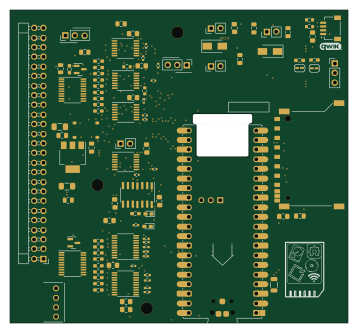 Raspberry Pi
Desktop 50 Pin TopConn
89.2 × 82.6 mm103 parts2LGPL-3.0449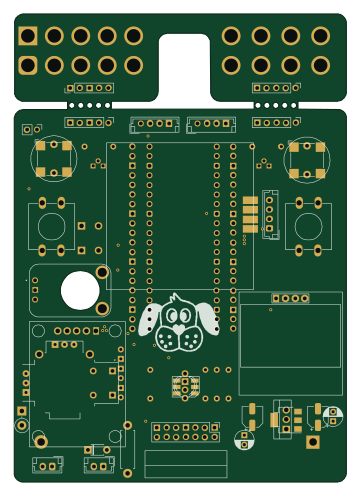 Raspberry Pi
BitDogLab 5.4
BitDogLab
87.9 × 123.9 mm56 parts2LCERN-OHL-S-2.0201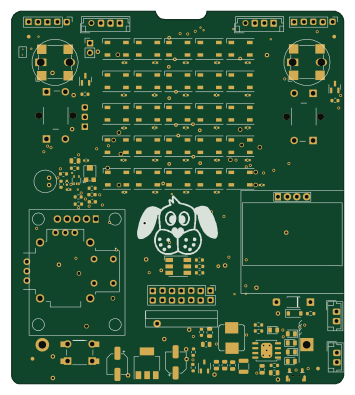 Raspberry Pi
BitDogLab Main SMD version
87.9 × 98.7 mm124 parts2LCERN-OHL-S-2.0201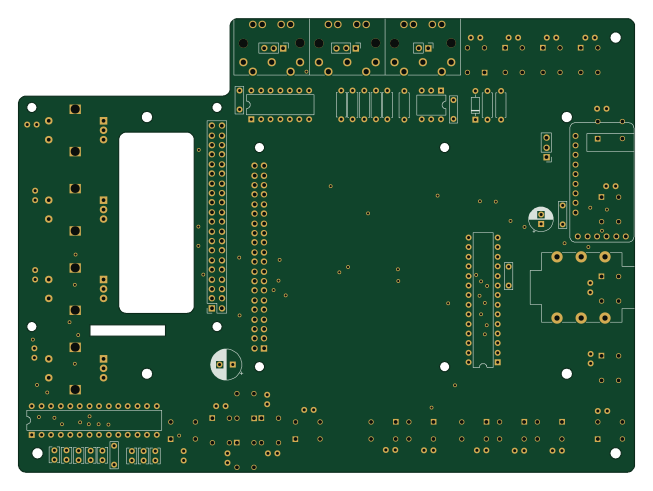 Raspberry Pi
Zynthian mini v2 20 buttons short
zynthian
163 × 120 mm87 parts2LNo license154