
Faux pi zero

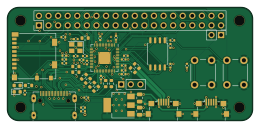
About the Faux pi zero PCB
Faux pi zero is an open source RP2040/RP2350 PCB design by DLehenbauer, published on GitHub. It is a 4-layer board measuring 65 × 30 mm, with 59 components from 31 distinct parts.
Its main chip is the RP2040, from the RP2040/RP2350 family. Other key parts include the AMS1117-3.3 and W25Q128JVS. By type, the board carries 22 resistors, 17 capacitors, 7 connectors, 5 jumpers, 3 ICs and 2 switches.
It belongs with the dev boards & breakouts designs in this gallery.
From the project
RP2040 dev board in a Raspberry Pi Zero compatible form factor. Includes DVI and SD Card.
Open hardware RP2040 dev board in a Raspberry Pi Zero compatible form factor. Includes Mini HDMI (via bitbanged DVI) and microSD.
This board aids with migrating a project from the Pi Zero to the RP2040 while retaining the option of moving back to the Pi Zero in the future. It has the same footprint as the Pi Zero and a partially compatible pinout, making it convenient to support both the RP2040 and Pi Zero in the same design.
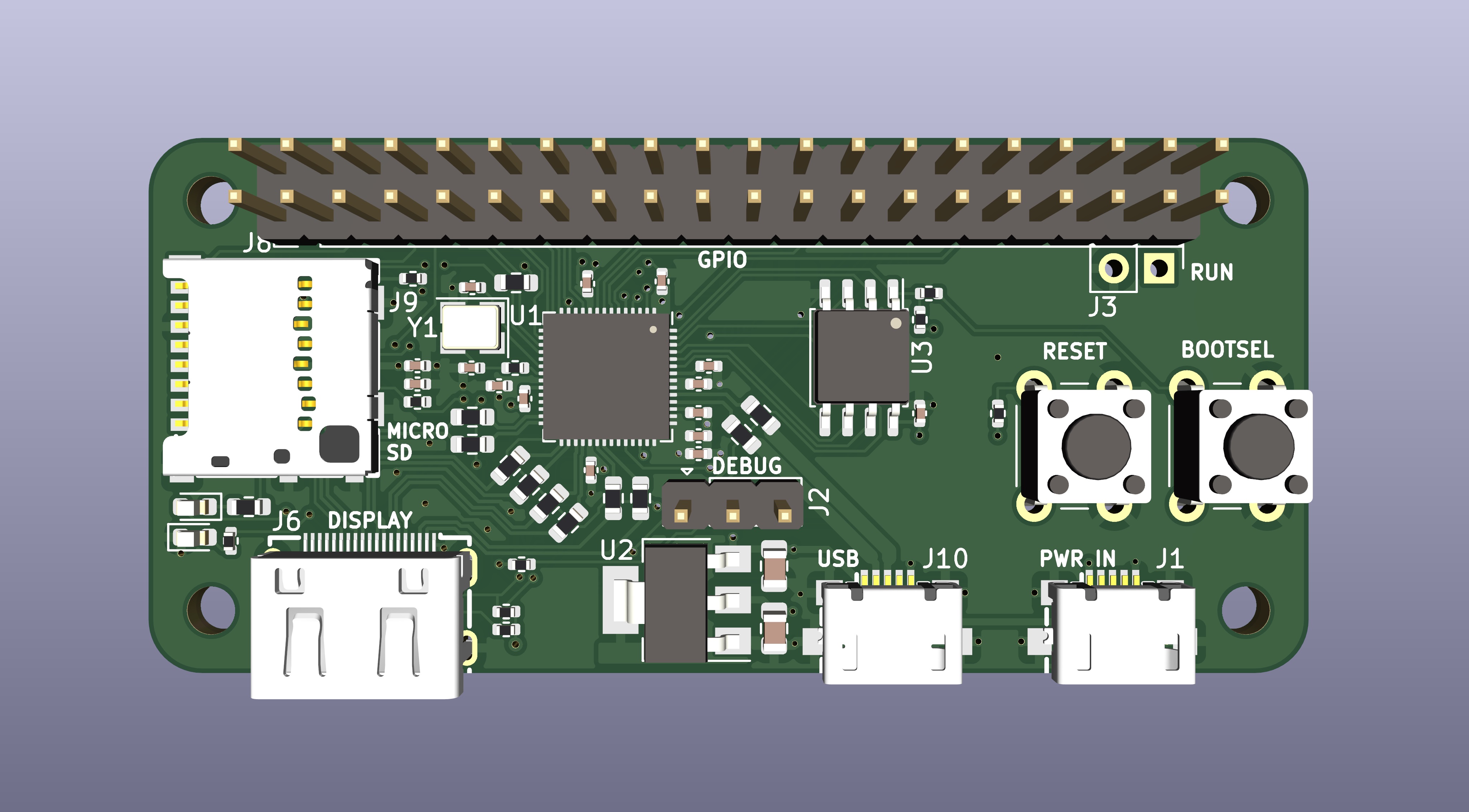
Main components on the Faux pi zero
Faux pi zero bill of materials (BOM)
59 components, 31 distinct parts — part numbers from the project's BOM.
| Qty | Part | Footprint | Refs |
|---|---|---|---|
| 1 | RP2040 | QFN-56-1EP_7x7mm_P0.4mm_EP3.2x3.2mm_ThermalVias | U1 |
| 1 | AMS1117-3.3 | SOT-223-3_TabPin2 | U2 |
| 1 | W25Q128JVS | SOIC-8_5.23x5.23mm_P1.27mm | U3 |
| 1 | C9002 12 MHz | Crystal_SMD_3225-4Pin_3.2x2.5mm | Y1 |
| 1 | C77238 PWR_IN | MICRO-USB_MICRO-USB-17 | J1 |
| 1 | DEBUG | PinHeader_1x03_P2.54mm_Vertical | J2 |
| 1 | RUN | PinHeader_1x02_P2.54mm_Vertical | J3 |
| 1 | HDMI_C_1.4 | HDMI-SMD_HDMI-201 | J6 |
| 1 | GPIO | PinHeader_2x20_P2.54mm_Vertical | J8 |
| 1 | C585350 Micro_SD_Card_Det | SIM-SMD_8P-1040310811 | J9 |
| 1 | C77238 USB | MICRO-USB_MICRO-USB-17 | J10 |
| 1 | SPI0_PICO | SolderJumper-3_P1.3mm_Open_RoundedPad1.0x1.5mm | JP1 |
| 1 | SPI0_POCI | SolderJumper-3_P1.3mm_Open_RoundedPad1.0x1.5mm | JP2 |
| 1 | SPI0_POCI DVI_CEC | SolderJumper-2_P1.3mm_Open_RoundedPad1.0x1.5mm | JP3 |
| 1 | DVI_SCL | SolderJumper-2_P1.3mm_Open_RoundedPad1.0x1.5mm | JP4 |
| 1 | DVI_SDA | SolderJumper-2_P1.3mm_Open_RoundedPad1.0x1.5mm | JP5 |
| 1 | RESET | SW_PUSH_6mm | SW1 |
| 1 | BOOTSEL | SW_PUSH_6mm | SW2 |
| 1 | C2286 SD_RED | LED_0603_1608Metric | D1 |
| 1 | C72043 STS_GRN | LED_0603_1608Metric | D2 |
Show 11 more
| Qty | Part | Footprint | Refs |
|---|---|---|---|
| 2 | 30P 30p | C_0402_1005Metric | C1, C2 |
| 2 | 22U 22u | C_0805_2012Metric | C4, C5 |
| 10 | 100N 100n | C_0402_1005Metric | C7, C8, C9, C10, C11, C12, C15, C16 +2 |
| 2 | 2.2U 2.2u | C_0402_1005Metric | C13, C19 |
| 1 | 10U 10u | C_0402_1005Metric | C14 |
| 4 | 10K 10k | R_0402_1005Metric | R1, R2, R10, R19 |
| 2 | 27 | R_0603_1608Metric | R3, R4 |
| 2 | 1k | R_0402_1005Metric | R5, R20 |
| 10 | 270 | R_0603_1608Metric | R6, R7, R8, R9, R11, R12, R13, R14 +2 |
| 1 | 470 | R_0402_1005Metric | R17 |
| 3 | 2K2 2k2 | R_0402_1005Metric | R18, R21, R22 |
Faux pi zero design files
The KiCad project lives in the DLehenbauer/faux-pi-zero repository on GitHub; these links point at the commit this page was built from.
- Layouthw/faux-pi-0.kicad_pcb
- Schematichw/faux-pi-0.kicad_sch
- BOMhw/production/bom.csv
Faux pi zero: common questions
What microcontroller does the Faux pi zero use?
The Faux pi zero is built around the RP2040, from the RP2040/RP2350 family.
How big is the Faux pi zero PCB?
The Faux pi zero measures 65 × 30 mm, has 4 copper layers and is 1.6458 mm thick.
How many components are on the Faux pi zero?
59 components, from 31 distinct parts, with part numbers taken from the project's own BOM. The full bill of materials is listed on this page.
Where can I download the Faux pi zero design files?
From the DLehenbauer/faux-pi-zero repository on GitHub, which has the KiCad layout, the schematic and the BOM; the links under Design files point to each one.
Can I use the Faux pi zero design in my own project?
The repository has no license, so all rights stay with DLehenbauer. Use it as a reference, and ask the author before reusing the design.
Can I test firmware for the Faux pi zero without the hardware?
Yes. HardLabs builds a simulation of the board from its netlist and BOM, so you can run and debug RP2040/RP2350 firmware against it before you order a PCB.
Similar boards
 RP2040/RP2350
Open Book Abridged Edition
joeycastillo
85 × 115 mm29 parts2LCC-BY-SA-4.08.1k RP2040/RP2350
Corne
foostan
277.2 × 107.5 mm164 parts2LCC-BY-4.07.7k RP2040/RP2350
Corne
277.2 × 107.5 mm164 parts2LCC-BY-4.07.7k RP2040/RP2350
LogicAnalyzer
gusmanb
57 × 55.2 mm6 parts2LGPL-3.05.0k RP2040/RP2350
Jitx design
55.5 × 65 mm26 parts4LGPL-3.05.0k RP2040/RP2350
Main
google
98 × 71 mm102 parts2LApache-2.02.9k