
SuperCap2024Control V1.1R F3 ISOPWR

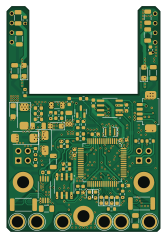
About the SuperCap2024Control V1.1R F3 ISOPWR PCB
SuperCap2024Control V1.1R F3 ISOPWR is an open source STM32 PCB design by GKD-RM-Lab, published on GitHub under the GPL-3.0 license. It is a 4-layer board measuring 40.5 × 59.5 mm, with 141 components from 46 distinct parts.
Its main chip is the STM32F334R8TX, from the STM32 family. Other key parts include the ISO_DC, INA240A1PW, GS8332-SR, SIT1042/3 and RY8411. By type, the board carries 55 capacitors, 37 resistors, 15 diodes, 11 ICs, 6 connectors and 6 test points.
From the project
RM2025超级电容控制器
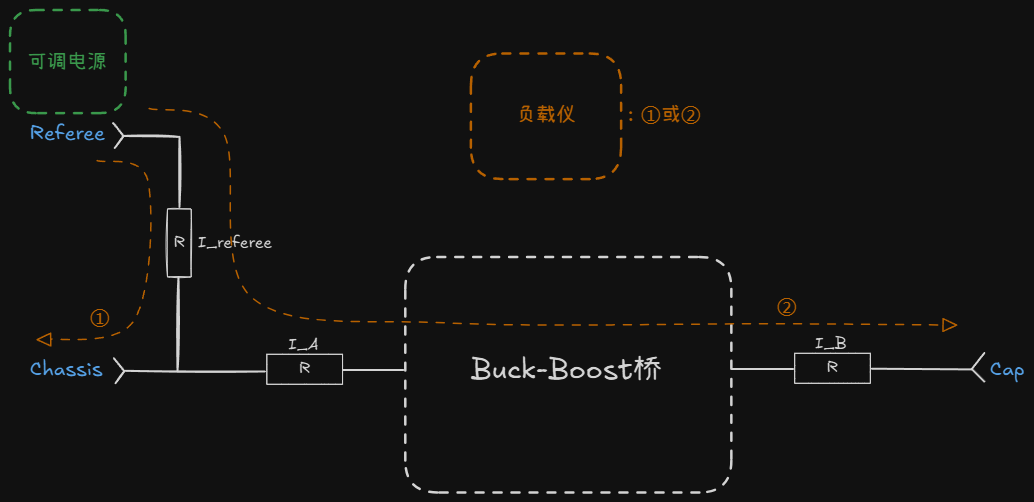
1. 硬件准备。很重要,若复现时出问题大概率是硬件问题,检查焊接、器件型号等。因为方案已经过验证基本没有问题。(注意:控制板背面R16 R19要手工焊接,否则采样路径断路;正面C35 C48留空为正常) 2. 代码跑起来。先用电脑USB供电即可,能够成功下载程序,指示灯、蜂鸣器提示正常。打开CALIBRATIONMODE进行烧录才能修改HARDWAREID,烧录后重新拔插供电即可。 3. 检查系统供电。接24V供电,检查24V --> 10.2V -->3.3V。确保供电正常且稳定。 4. 校准。通过宏定义CALIBRATIONMODE开启/关闭校准模式。先校准电压,再用负载仪恒流模式校准电流。校准电流时,先校准IReferee,此时在PowerManager.cpp中手动关闭输出,较为准确;然后再手动打开输出,校准IA IB。确保各项电流、电压采样正常,否则不要上功率和电容组。 一个超电系统对应一个HARDWAREID。 5. 上功率调试。先用可调电源和负载仪恒压模式调电流环,再用恒功率模式测试功率环。若确定硬件没什么问题,直接用恒功率模式测试也问题不大。 6. 通信测试。与上位机CAN通信,通过上位机设置限制功率、上位机接收超电反馈底盘功率等。 7. 装车!(如果需要的话,取消宏定义IGNORECAPACITORERROR)
Main components on the SuperCap2024Control V1.1R F3 ISOPWR
SuperCap2024Control V1.1R F3 ISOPWR bill of materials (BOM)
141 components, 46 distinct parts — part numbers from the project's BOM.
| Qty | Part | Footprint | Refs |
|---|---|---|---|
| 2 | ISO_DC | BxxxxS-1W | U1, U3 |
| 3 | INA240A1PW | TSSOP-8_4.4x3mm_P0.65mm | U2, U4, U5 |
| 1 | GS8332-SR | SOIC-8_3.9x4.9mm_P1.27mm | U6 |
| 1 | STM32F334R8TX STM32F334R8Tx | LQFP-64_10x10mm_P0.5mm | U7 |
| 1 | SIT1042/3 | SOIC-8_3.9x4.9mm_P1.27mm | U8 |
| 2 | RY8411 | SOT-23-6 | U9, U11 |
| 1 | RS3236 | SOT-23-5 | U10 |
| 1 | AO3400A | SOT-23 | Q1 |
| 1 | CSTCE8M | Resonator_SMD_Murata_CSTxExxV-3Pin_3.0x1.1mm | Y1 |
| 2 | CONN_02X02_ODD_EVEN Conn_02x02_Odd_Even | PinHeader_2x02_P2.54mm_Vertical_SMD | J1, J4 |
| 1 | CONN_01X02_MOUNTINGPIN Conn_01x02_MountingPin | JST_GH_SM02B-GHS-TB_1x02-1MP_P1.25mm_Horizontal | J2 |
| 1 | CONN_01X04_MOUNTINGPIN Conn_01x04_MountingPin | Molex_PicoBlade_53261-0471_1x04-1MP_P1.25mm_Horizontal | J3 |
| 2 | CONN_02X02_ODD_EVEN Conn_02x02_Odd_Even | PinHeader_2x02_P2.54mm_Vertical | J5, J6 |
| 1 | BUZZER-9032 Buzzer-9032 | MLT-9032 | BZ1 |
| 2 | 30A | Fuse_1206_3216Metric | F1, F2 |
| 2 | 1A | Fuse_1206_3216Metric | F3, F4 |
| 6 | TestPoint | TestPoint_Plated_Hole_D3.0mm | TP1, TP2, TP3, TP4, TP5, TP6 |
| 3 | DSS34 | D_SMF | D1, D2, D3 |
| 1 | SMF3.3A | D_SMF | D4 |
| 1 | SMAJ28A | D_SMA | D5 |
Show 26 more
| Qty | Part | Footprint | Refs |
|---|---|---|---|
| 6 | LED | LED_0603_1608Metric | D6, D7, D8, D9, D13, D14 |
| 3 | SMF10A | D_SMF | D10, D11, D19 |
| 1 | SMF5V0A | D_SMF | D22 |
| 1 | FerriteBead | L_1206_3216Metric | FB1 |
| 1 | FerriteBead | L_0603_1608Metric | FB2 |
| 1 | 4.7U 4.7u | L_Bourns-SRN4018 | L1 |
| 1 | 4.7U 4.7u | L_Sunlord_SWPA252012S | L2 |
| 26 | 100N 100n | C_0603_1608Metric | C1, C8, C10, C11, C12, C13, C14, C17 +18 |
| 7 | 10U 10u | C_0603_1608Metric | C3, C5, C15, C16, C34, C40, C42 |
| 1 | 20P 20p | C_0603_1608Metric | C4 |
| 12 | 10U 10u | C_1206_3216Metric | C9, C18, C36, C37, C44, C45, C49, C50 +4 |
| 2 | 100p | C_0603_1608Metric | C35, C48 |
| 2 | C_Polarized | CP_EIA-6032-28_Kemet-C | C38, C46 |
| 1 | 10N 10n | C_0603_1608Metric | C43 |
| 4 | 100u 6.3V | C_1206_3216Metric | C51, C56, C57, C58 |
| 11 | 33R 33r | R_0603_1608Metric | R1, R2, R3, R4, R5, R22, R23, R24 +3 |
| 4 | 10K 10k | R_0603_1608Metric | R6, R28, R40, R42 |
| 4 | 2.2K 2.2k | R_0603_1608Metric | R7, R8, R10, R11 |
| 3 | 2MR 2mr | R_2512_6332Metric | R9, R12, R15 |
| 4 | 1k | R_0603_1608Metric | R13, R14, R30, R31 |
| 2 | 90k 25ppm | R_0603_1608Metric | R16, R19 |
| 2 | 10k 25ppm | R_0603_1608Metric | R17, R20 |
| 2 | 68R 68r | R_0603_1608Metric | R18, R21 |
| 3 | 120R 120r | R_0603_1608Metric | R25, R36, R38 |
| 1 | 118K 118k | R_0603_1608Metric | R39 |
| 1 | 53.6K 53.6k | R_0603_1608Metric | R41 |
SuperCap2024Control V1.1R F3 ISOPWR design files
The KiCad project lives in the GKD-RM-Lab/SuperCap_GKD repository on GitHub; these links point at the commit this page was built from.
SuperCap2024Control V1.1R F3 ISOPWR: common questions
What microcontroller does the SuperCap2024Control V1.1R F3 ISOPWR use?
The SuperCap2024Control V1.1R F3 ISOPWR is built around the STM32F334R8TX, from the STM32 family.
How big is the SuperCap2024Control V1.1R F3 ISOPWR PCB?
The SuperCap2024Control V1.1R F3 ISOPWR measures 40.5 × 59.5 mm, has 4 copper layers and is 1.6 mm thick.
How many components are on the SuperCap2024Control V1.1R F3 ISOPWR?
141 components, from 46 distinct parts, with part numbers taken from the project's own BOM. The full bill of materials is listed on this page.
Where can I download the SuperCap2024Control V1.1R F3 ISOPWR design files?
From the GKD-RM-Lab/SuperCap_GKD repository on GitHub, which has the KiCad layout, the schematic and the BOM; the links under Design files point to each one.
Can I use the SuperCap2024Control V1.1R F3 ISOPWR design in my own project?
Yes, under the terms of its GPL-3.0 license, which GKD-RM-Lab chose for the repository.
Can I test firmware for the SuperCap2024Control V1.1R F3 ISOPWR without the hardware?
Yes. HardLabs builds a simulation of the board from its netlist and BOM, so you can run and debug STM32 firmware against it before you order a PCB.
More boards in SuperCap_GKD
Similar boards
 STM32
STM32LumenPnP Motherboard
opulo-inc
149 × 95 mm296 parts4LCC-BY-SA-4.03.7k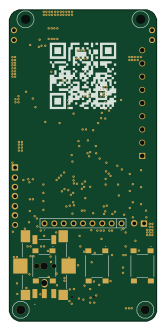 STM32
STM32AxxSolder
AxxAxx
39 × 82.5 mm122 parts2LGPL-3.01.7k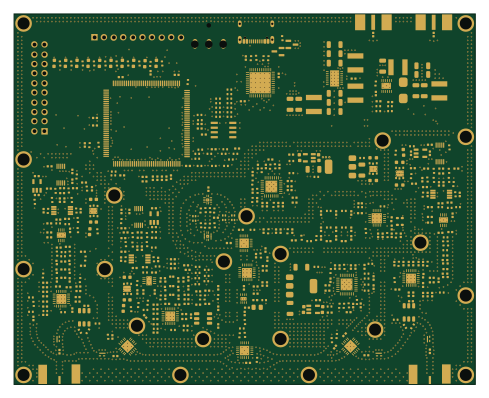 STM32
STM32LibreVNA
jankae
122 × 98 mm592 parts6LGPL-3.01.6k STM32
STM32AIOC
skuep
21 × 31.5 mm47 parts2LMIT1.4k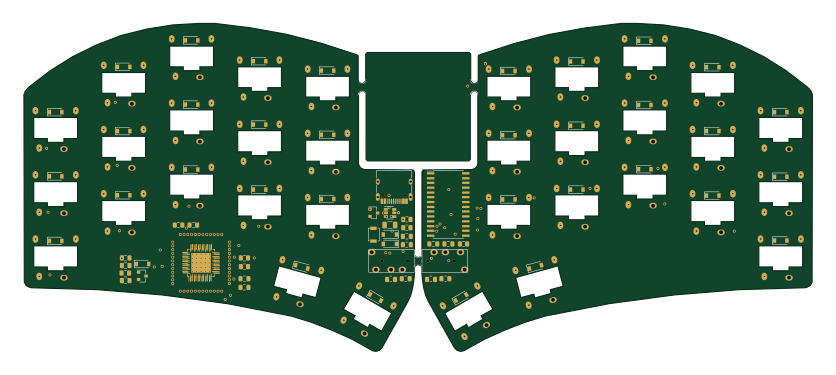 STM32
STM32Ferris
pierrechevalier83
208.8 × 86.8 mm102 parts2LSHL-2.11.3k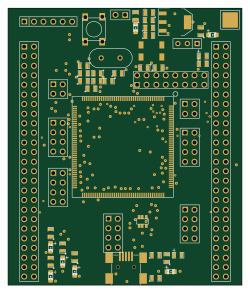 STM32
STM32176 pin board
rusefi
61.8 × 73.2 mm76 parts2LGPL-3.01.2k