
USB-rubber ducky

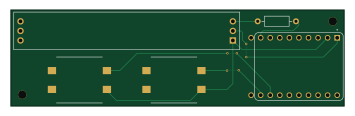
About the USB-rubber ducky PCB
USB-rubber ducky is an open source ESP32 PCB design by he1ias, published on GitHub. It is a 2-layer board measuring 88.5 × 25.5 mm, with 5 components from 5 distinct parts.
Its main chip is the ESP32-S3-ZERO, from the ESP32 family. Other key parts include the Little_Bird_Lorikeet. By type, the board carries 2 ICs, 2 switches and 1 resistor.
It belongs with the iot & wireless and dev boards & breakouts designs in this gallery.
From the project
A USB rubber ducky made for Hack Club's HalfLife event.
A Rubber Ducky is a toy hacking tool that can emulate USB keyboards, helping show the limits of what physical access to a device can achieve.
It can play Snake, run commands on your computer at superhuman speeds, or just make you look like a hacker; among other things.
You'll first need to print the PCB and order all the parts (located in bom.csv, and shown below). Then, simply assemble, plug in the ESP32 and run the code located in /Firmware. The microcontroller will spin up its own web interface which can be accessed from your local network.
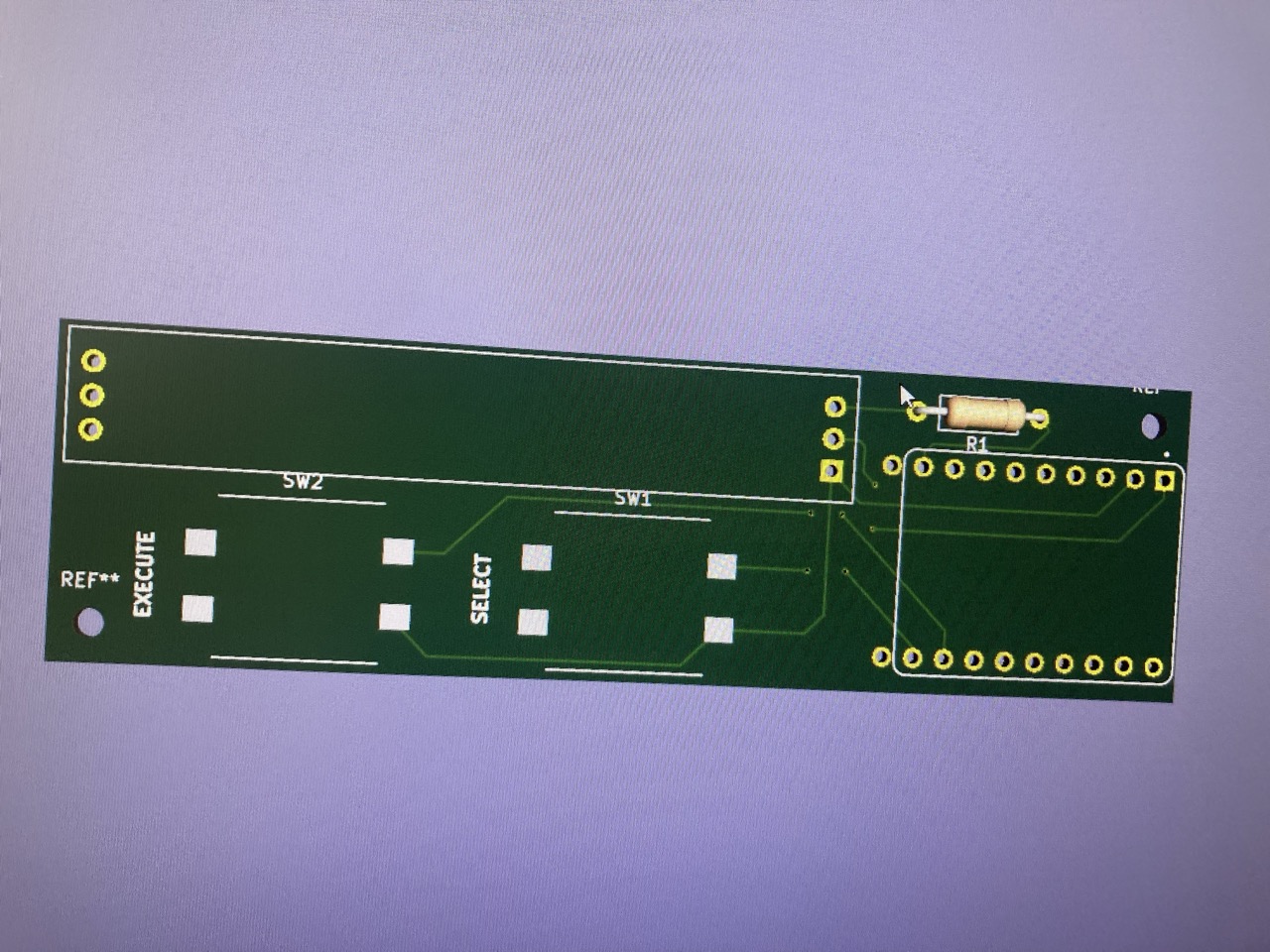
Main components on the USB-rubber ducky
USB-rubber ducky bill of materials (BOM)
5 components, 5 distinct parts.
| Qty | Part | Footprint | Refs |
|---|---|---|---|
| 1 | ESP32-S3-ZERO | MODULE_ESP32-S3-ZERO_10PIN | U1 |
| 1 | Little_Bird_Lorikeet | Little_Bird_Lorikeet | U2 |
| 1 | Execute | SW_Push_12x12mm_TL3300 | SW1 |
| 1 | Select | SW_Push_12x12mm_TL3300 | SW2 |
| 1 | 470 Ohm | R_Axial_DIN0207_L6.3mm_D2.5mm_P10.16mm_Horizontal | R1 |
USB-rubber ducky design files
The KiCad project lives in the he1ias/USB-rubber-ducky repository on GitHub; these links point at the commit this page was built from.
USB-rubber ducky: common questions
What microcontroller does the USB-rubber ducky use?
The USB-rubber ducky is built around the ESP32-S3-ZERO, from the ESP32 family.
How big is the USB-rubber ducky PCB?
The USB-rubber ducky measures 88.5 × 25.5 mm, has 2 copper layers and is 1.6 mm thick.
How many components are on the USB-rubber ducky?
5 components, from 5 distinct parts. The full bill of materials is listed on this page.
Where can I download the USB-rubber ducky design files?
From the he1ias/USB-rubber-ducky repository on GitHub, which has the KiCad layout and the schematic; the links under Design files point to each one.
Can I use the USB-rubber ducky design in my own project?
The repository has no license, so all rights stay with he1ias. Use it as a reference, and ask the author before reusing the design.
Can I test firmware for the USB-rubber ducky without the hardware?
Yes. HardLabs builds a simulation of the board from its netlist and BOM, so you can run and debug ESP32 firmware against it before you order a PCB.
Similar boards
 ESP32
OSO-BOOK-B1
joeycastillo
85 × 115 mm65 parts2LCC-BY-SA-4.08.1k ESP32
Powertrain
byrantech
64 × 45.4 mm171 parts4LMIT4.3k ESP32
Badge
atopile
56.3 × 39 mm239 parts4LMIT4.0k ESP32
Esp32 minimal
36.2 × 26.8 mm20 parts2LMIT4.0k ESP32
Racer
StuckAtPrototype
36 × 50.2 mm70 parts4LApache-2.03.8k ESP32
Controller
29 × 74 mm58 parts4LApache-2.03.8k