
Battery capacity meter

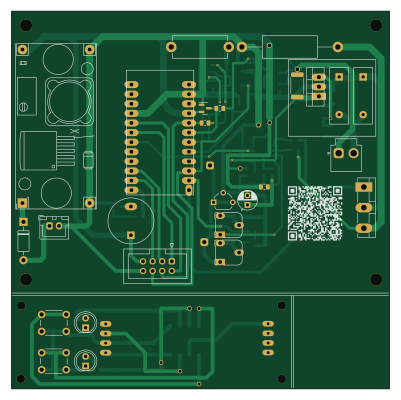
About the Battery capacity meter PCB
Battery capacity meter is an open source AVR/Arduino PCB design by ikatkov, published on GitHub. It is a 2-layer board measuring 100 × 99.9 mm, with 68 components from 46 distinct parts.
Its main chip is the Arduino_pro_mini, from the AVR/Arduino family. Other key parts include the LM2596_STEPDOWN_MODULE, LM358, TM1637DISPLAY, AO3406 and TL431LP. By type, the board carries 27 resistors, 9 ICs, 8 diodes, 7 capacitors, 4 transistors and 3 connectors.
It belongs with the power & battery designs in this gallery.
From the project
Vref pin on Arduino Pro Mini breakout board is not on any pin, solder a wire to capacitor between pins 12 and 13. To the pin13 end.
Vref pin on Arduino Pro Mini breakout board is not on any pin, solder a wire to capacitor between pins 12 and 13. To the pin13 end.
Manufactured PCBs have a defect, bridge these tracks see manufactured-pcb-defect.png
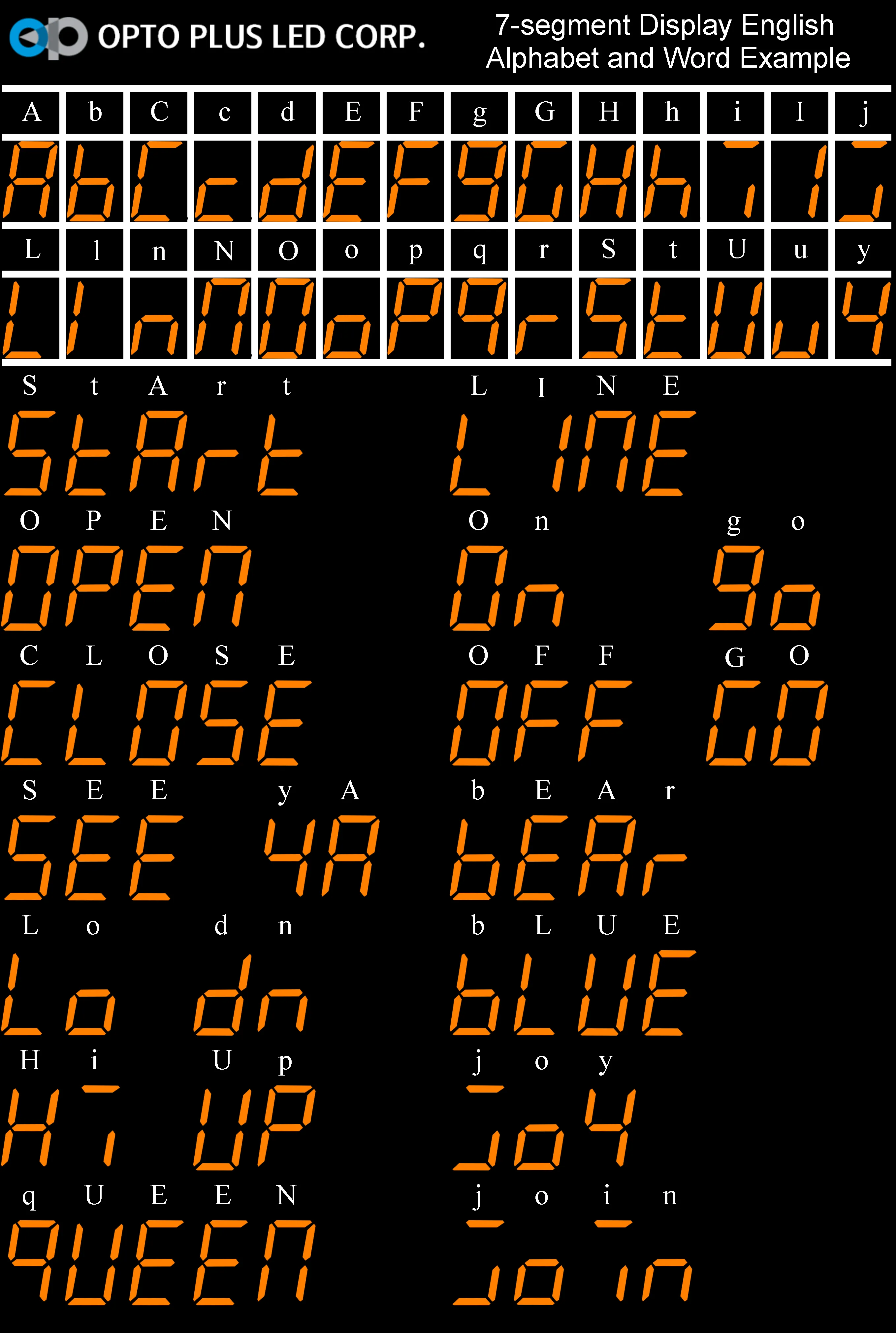
Here is an example of which letters are possible
A,b,C,c,d,E,F,g,G,H,h,i,I,j,L,l,n,N,O,o,P,q,r,S,t,U,u,y
* The final PCB layout that I ordered from https://jlcpcb.com/ is not great. This is my almost first attempt to really use two sides with a lot of vias. Maybe next time use the lower side for horizontal signal traces and the top side for vertical?
Main components on the Battery capacity meter
Battery capacity meter bill of materials (BOM)
68 components, 46 distinct parts — part numbers from the project's BOM.
| Qty | Part | Footprint | Refs |
|---|---|---|---|
| 1 | LM2596_STEPDOWN_MODULE LM2596_StepDown_Module | LM2596_StepDown_pot | U1 |
| 1 | LM358 | SO-8_3.9x4.9mm_P1.27mm | U2 |
| 1 | TM1637DISPLAY TM1637Display | 7segments-medium | U3 |
| 3 | AO3406 | SOT-23 | U5, U9, U10 |
| 1 | TL431LP | TO-92_Wide | U6 |
| 1 | Arduino_pro_mini | ARDUINO_PRO_MINI_NO_PRG_HEADER | U7 |
| 1 | TP4056 | SO-8_3.9x4.9mm_P1.27mm | U8 |
| 1 | 2N3904 | SOT-23 | Q1 |
| 1 | 2N3906 | SOT-23 | Q2 |
| 1 | 2SD2390 | TO-3P-3_Vertical | Q3 |
| 1 | X0402MF | TO-220-3_Vertical | Q6 |
| 1 | Conn_MainBoard | IDC-Header_2x04_P2.54mm_Vertical | J3 |
| 1 | Conn_DisplayBoard | IDC-Header_2x04_P2.54mm_Vertical_SMD | J4 |
| 1 | PWR | JST_XH_B2B-XH-A_1x02_P2.50mm_Vertical | J5 |
| 1 | PIN20 Pin20 | SolderWire-0.5sqmm_1x01_D0.9mm_OD2.1mm | AREF1 |
| 1 | Buzzer | Buzzer_12x9.5RM7.6 | BZ1 |
| 1 | Charger | JST_VH_B2P-VH-B_1x02_P3.96mm_Vertical | Battery1 |
| 2 | 500 | Potentiometer_Runtron_RM-065_Vertical | RV1, RV2 |
| 1 | CHARGE/DISCHARGE | SW_PUSH_6mm | SW1 |
| 1 | 1A MODE | SW_PUSH_6mm | SW2 |
Show 26 more
| Qty | Part | Footprint | Refs |
|---|---|---|---|
| 2 | 1A | PTC_1A_radial | TH1, TH2 |
| 1 | ISet | SolderWire-0.5sqmm_1x01_D0.9mm_OD2.1mm | TP1 |
| 1 | 1N4004 | D_DO-41_SOD81_P10.16mm_Horizontal | D1 |
| 2 | 1N4148 | D_MiniMELF | D2, D6 |
| 1 | CHARGE | LED_D5.0mm | D3 |
| 1 | 1A | LED_D5.0mm | D4 |
| 1 | 1N4732A 4.7V | D_MiniMELF | D5 |
| 2 | BAT54S | SOT-23 | D7, D9 |
| 1 | 10N 10n | C_1206_3216Metric | C1 |
| 1 | 100N 100n | C_1206_3216Metric | C2 |
| 2 | 10U 10u | C_1206_3216Metric | C4, C6 |
| 1 | 1u | C_1206_3216Metric | C5 |
| 1 | 100P 100p | C_1206_3216Metric | C8 |
| 1 | 10U 10u | CP_Radial_D5.0mm_P2.50mm | C9 |
| 1 | 0.2-0.5R | R_Axial_DIN0614_L14.3mm_D5.7mm_P15.24mm_Horizontal | R1 |
| 11 | 10K 10k | R_0805_2012Metric | R2, R6, R7, R8, R10, R11, R20, R21 +3 |
| 2 | 2.2K 2.2k | R_0805_2012Metric | R3, R4 |
| 4 | 1k | R_0805_2012Metric | R5, R9, R15, R18 |
| 1 | 1R | R_Axial_DIN0614_L14.3mm_D5.7mm_P25.40mm_Horizontal | R12 |
| 2 | 470 | R_0805_2012Metric | R13, R16 |
| 1 | 2k | R_0805_2012Metric | R14 |
| 1 | 680 | R_0805_2012Metric | R17 |
| 1 | 3k | R_0805_2012Metric | R19 |
| 1 | R100 | R_2512_6332Metric | R23 |
| 1 | 150R | R_0805_2012Metric | R26 |
| 1 | 1M | R_0805_2012Metric | R27 |
Battery capacity meter design files
The KiCad project lives in the ikatkov/battery-capacity-meter repository on GitHub; these links point at the commit this page was built from.
Battery capacity meter: common questions
What microcontroller does the Battery capacity meter use?
The Battery capacity meter is built around the Arduino_pro_mini, from the AVR/Arduino family.
How big is the Battery capacity meter PCB?
The Battery capacity meter measures 100 × 99.9 mm, has 2 copper layers and is 1.6 mm thick.
How many components are on the Battery capacity meter?
68 components, from 46 distinct parts, with part numbers taken from the project's own BOM. The full bill of materials is listed on this page.
Where can I download the Battery capacity meter design files?
From the ikatkov/battery-capacity-meter repository on GitHub, which has the KiCad layout, the schematic and the BOM; the links under Design files point to each one.
Can I use the Battery capacity meter design in my own project?
The repository has no license, so all rights stay with ikatkov. Use it as a reference, and ask the author before reusing the design.
Can I test firmware for the Battery capacity meter without the hardware?
Yes. HardLabs builds a simulation of the board from its netlist and BOM, so you can run and debug AVR/Arduino firmware against it before you order a PCB.
Similar boards
 AVR/Arduino
Magspoof
samyk
35 × 29 mm11 parts2LNo license4.2k AVR/Arduino
Redox keyboard
mattdibi
162.2 × 126.5 mm77 parts2LMIT2.0k AVR/Arduino
Labrador
espotek-org
36.8 × 34.7 mm75 parts2LNo license1.2k AVR/Arduino
V4
stuartpittaway
30 × 50 mm38 parts2LCC-BY-NC-4.01.1k AVR/Arduino
ModuleV450
30 × 61.4 mm39 parts2LCC-BY-NC-4.01.1k AVR/Arduino
Discipline
coseyfannitutti
304.9 × 122.8 mm170 parts2LCC-BY-NC-4.01.0k