
PixApple

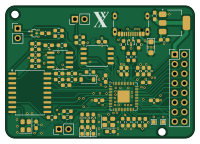
About the PixApple PCB
PixApple is an open source RP2040/RP2350 PCB design by mrkingseasheep, published on GitHub under the GPL-3.0 license. It is a 4-layer board measuring 50 × 35 mm, with 66 components from 26 distinct parts.
Its main chip is the RP2040, from the RP2040/RP2350 family. Other key parts include the W25Q128JVS, NCP1117-3.3_SOT223, MCP2515-XSO and TCAN337G. By type, the board carries 25 capacitors, 22 resistors, 7 diodes, 5 ICs, 5 connectors and 2 crystals.
From the project
PixApple is designed as a RP2040 breakout board. It features 8 general use GPIOs, 1 SPI interface, 1 I2C interface, 4 ADC channels, 4 PWM channels and a CAN bus. I designed it because I wanted a board that I could use for general purpose robotics projects. Being from FRC, a CAN b
PixApple is designed as a RP2040 breakout board. It features 8 general use GPIOs, 1 SPI interface, 1 I2C interface, 4 ADC channels, 4 PWM channels and a CAN bus. I designed it because I wanted a board that I could use for general purpose robotics projects. Being from FRC, a CAN bus was a must so I added the CAN bus onto the RP2040 with split terminations. The Roborio is like 2000CAD so it's so far out of reach its funny. Of course, I don't need the real time OS or the robust nature of the thing, I just want to drive a lil car or something. So I created this! Building this project really gave…
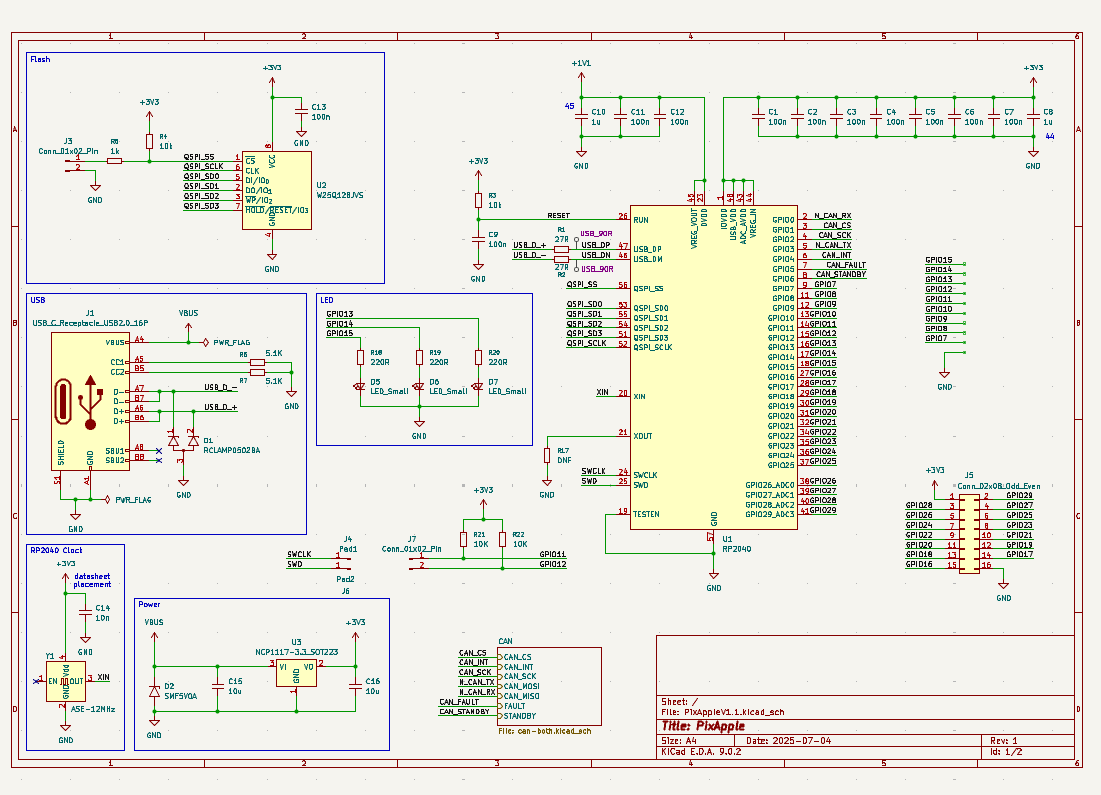
Main components on the PixApple
PixApple bill of materials (BOM)
66 components, 26 distinct parts — part numbers from the project's BOM.
| Qty | Part | Footprint | Refs |
|---|---|---|---|
| 1 | RP2040 | QFN-56-1EP_7x7mm_P0.4mm_EP3.2x3.2mm | U1 |
| 1 | W25Q128JVS | SOIC-8_5.3x5.3mm_P1.27mm | U2 |
| 1 | NCP1117-3.3_SOT223 | SOT-223-3_TabPin2 | U3 |
| 1 | MCP2515-XSO MCP2515-xSO | SOIC-18W_7.5x11.6mm_P1.27mm | U4 |
| 1 | TCAN337G | SOIC-8_3.9x4.9mm_P1.27mm | U6 |
| 1 | ASE-12MHZ ASE-12MHz | Oscillator_SMD_Abracon_ASE-4Pin_3.2x2.5mm | Y1 |
| 1 | ASE-16MHZ ASE-16MHz | Oscillator_SMD_Abracon_ASE-4Pin_3.2x2.5mm | Y2 |
| 1 | USB_C_RECEPTACLE_USB2.0_16P USB_C_Receptacle_USB2.0_16P | USB_C_Receptacle_GCT_USB4105-xx-A_16P_TopMnt_Horizontal | J1 |
| 3 | CONN_01X02_PIN Conn_01x02_Pin | PinHeader_1x02_P2.54mm_Vertical | J2, J3, J7 |
| 1 | CONN_02X08_ODD_EVEN Conn_02x08_Odd_Even | PinHeader_2x08_P2.54mm_Vertical | J5 |
| 2 | RCLAMP0502BA | SOT-416 | D1, D4 |
| 1 | SMF5V0A | D_SMF | D2 |
| 1 | 1N4148W | D_SOD-123 | D3 |
| 3 | LED_Small | LED_0603_1608Metric_Pad1.05x0.95mm_HandSolder | D5, D6, D7 |
| 17 | 100N 100n | C_0603_1608Metric_Pad1.08x0.95mm_HandSolder | C1, C2, C3, C4, C5, C6, C7, C9 +9 |
| 3 | 1u | C_0603_1608Metric_Pad1.08x0.95mm_HandSolder | C8, C10, C21 |
| 2 | 10N 10n | C_0603_1608Metric_Pad1.08x0.95mm_HandSolder | C14, C18 |
| 2 | 10U 10u | C_0603_1608Metric_Pad1.08x0.95mm_HandSolder | C15, C16 |
| 1 | 4.7N 4.7n | C_0603_1608Metric_Pad1.08x0.95mm_HandSolder | C24 |
| 2 | 27R | R_0603_1608Metric_Pad0.98x0.95mm_HandSolder | R1, R2 |
Show 6 more
| Qty | Part | Footprint | Refs |
|---|---|---|---|
| 5 | 10K | R_0603_1608Metric_Pad0.98x0.95mm_HandSolder | R3, R4, R15, R21, R22 |
| 3 | 1k | R_0603_1608Metric_Pad0.98x0.95mm_HandSolder | R5, R9, R10 |
| 2 | 5.1K | R_0603_1608Metric_Pad0.98x0.95mm_HandSolder | R6, R7 |
| 5 | DNF | R_0603_1608Metric_Pad0.98x0.95mm_HandSolder | R8, R11, R12, R16, R17 |
| 2 | 60R | R_0603_1608Metric_Pad0.98x0.95mm_HandSolder | R13, R14 |
| 3 | 220R | R_0603_1608Metric_Pad0.98x0.95mm_HandSolder | R18, R19, R20 |
PixApple design files
The KiCad project lives in the mrkingseasheep/PixApple repository on GitHub; these links point at the commit this page was built from.
PixApple: common questions
What microcontroller does the PixApple use?
The PixApple is built around the RP2040, from the RP2040/RP2350 family.
How big is the PixApple PCB?
The PixApple measures 50 × 35 mm, has 4 copper layers and is 1.6 mm thick.
How many components are on the PixApple?
66 components, from 26 distinct parts, with part numbers taken from the project's own BOM. The full bill of materials is listed on this page.
Where can I download the PixApple design files?
From the mrkingseasheep/PixApple repository on GitHub, which has the KiCad layout, the schematic and the BOM; the links under Design files point to each one.
Can I use the PixApple design in my own project?
Yes, under the terms of its GPL-3.0 license, which mrkingseasheep chose for the repository.
Can I test firmware for the PixApple without the hardware?
Yes. HardLabs builds a simulation of the board from its netlist and BOM, so you can run and debug RP2040/RP2350 firmware against it before you order a PCB.
Earlier revisions in the repo: PixAppleV1.0
Similar boards
 RP2040/RP2350
Open Book Abridged Edition
joeycastillo
85 × 115 mm29 parts2LCC-BY-SA-4.08.1k RP2040/RP2350
Corne
foostan
277.2 × 107.5 mm164 parts2LCC-BY-4.07.7k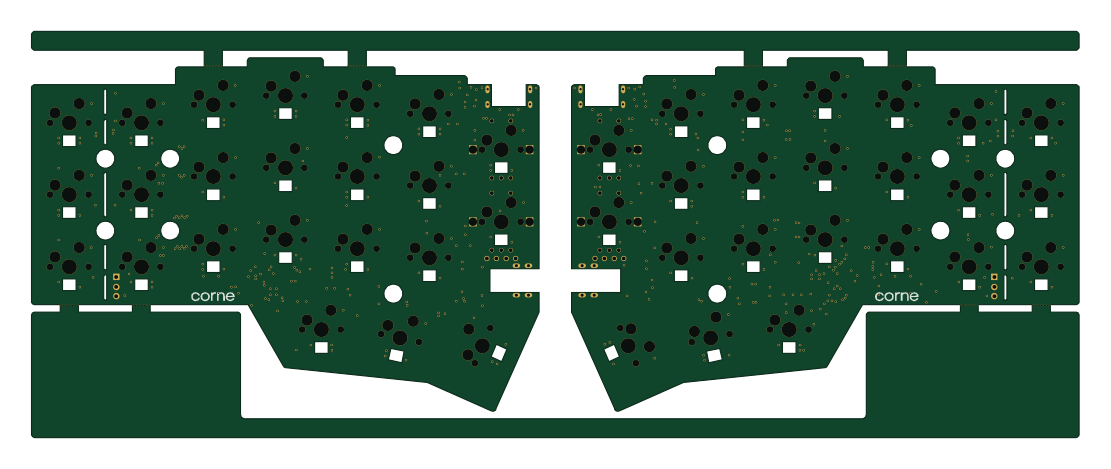 RP2040/RP2350
Corne
277.2 × 107.5 mm164 parts2LCC-BY-4.07.7k RP2040/RP2350
Msa
Mentra-Community
47.8 × 9.4 mm53 parts2LMIT1.2k RP2040/RP2350
Open Source Smart Glasses
93 × 10.5 mm80 parts4LMIT1.2k RP2040/RP2350
MSA
30.5 × 138 mm61 parts2LMIT1.2k