
Atmega32 Robot

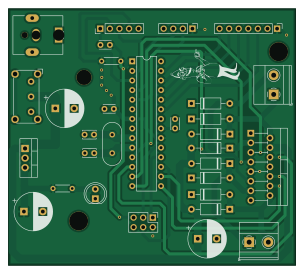
About the Atmega32 Robot PCB
Atmega32 Robot is an open source AVR/Arduino PCB design by odobot, published on GitHub. It is a 2-layer board measuring 75.9 × 67.9 mm, with 28 components from 16 distinct parts.
Its main chip is the ATmega328P-P, from the AVR/Arduino family. Other key parts include the LM78M05_TO220 and L298N. By type, the board carries 9 diodes, 8 capacitors, 3 ICs, 3 connectors, 2 resistors and 1 crystal.
It belongs with the robotics & motion designs in this gallery.
Main components on the Atmega32 Robot
Atmega32 Robot bill of materials (BOM)
28 components, 16 distinct parts — part numbers from the project's BOM.
| Qty | Part | Footprint | Refs |
|---|---|---|---|
| 1 | LM78M05_TO220 | TO-220-3_Vertical | U1 |
| 1 | ATmega328P-P | DIP-28_W7.62mm | U2 |
| 1 | L298N | TO-220-15_P2.54x2.54mm_StaggerOdd_Lead4.58mm_Vertical | U3 |
| 1 | 16MHZ | Crystal_HC49-4H_Vertical | Y1 |
| 1 | Barrel_Jack_MountingPin | BarrelJack_CUI_PJ-063AH_Horizontal | J1 |
| 1 | Conn_01x04_Male | PinHeader_1x04_P2.54mm_Vertical | J3 |
| 1 | Conn_01x05_Male | PinHeader_1x05_P2.54mm_Vertical | J7 |
| 1 | Conn_01x07_Male | PinHeader_1x07_P2.54mm_Vertical | Conn_01x07_Male |
| 1 | SW_DIP_x01 | SW_E-Switch_EG1224_SPDT_Angled | SW1 |
| 1 | LED | LED_D5.0mm | D1 |
| 8 | DIODE | D_A-405_P10.16mm_Horizontal | D2, D3, D4, D5, D6, D7, D8, D9 |
| 2 | 47uF | CP_Radial_D10.0mm_P5.00mm | C1, C2 |
| 2 | 22pf | C_Disc_D3.4mm_W2.1mm_P2.50mm | C3, C4 |
| 3 | 100nF | C_Disc_D3.0mm_W2.0mm_P2.50mm | C5, C6, C7 |
| 1 | 10uF | CP_Radial_D10.0mm_P5.00mm | C8 |
| 2 | 10K | R_Axial_DIN0204_L3.6mm_D1.6mm_P5.08mm_Horizontal | R1, R2 |
Atmega32 Robot design files
The KiCad project lives in the odobot/PCB_DESIGN repository on GitHub; these links point at the commit this page was built from.
Atmega32 Robot: common questions
What microcontroller does the Atmega32 Robot use?
The Atmega32 Robot is built around the ATmega328P-P, from the AVR/Arduino family.
How big is the Atmega32 Robot PCB?
The Atmega32 Robot measures 75.9 × 67.9 mm, has 2 copper layers and is 1.6 mm thick.
How many components are on the Atmega32 Robot?
28 components, from 16 distinct parts, with part numbers taken from the project's own BOM. The full bill of materials is listed on this page.
Where can I download the Atmega32 Robot design files?
From the odobot/PCB_DESIGN repository on GitHub, which has the KiCad layout, the schematic and the BOM; the links under Design files point to each one.
Can I use the Atmega32 Robot design in my own project?
The repository has no license, so all rights stay with odobot. Use it as a reference, and ask the author before reusing the design.
Can I test firmware for the Atmega32 Robot without the hardware?
Yes. HardLabs builds a simulation of the board from its netlist and BOM, so you can run and debug AVR/Arduino firmware against it before you order a PCB.
More boards in PCB_DESIGN
 AVR/Arduino
BL Ctrl V2
40 × 20 mm85 parts4LNo license1 ESP32
ESP32CO2 SENSOR
20 × 73.4 mm44 parts4LNo license1 AVR/Arduino
Arduino
43.3 × 50 mm41 parts4LNo license1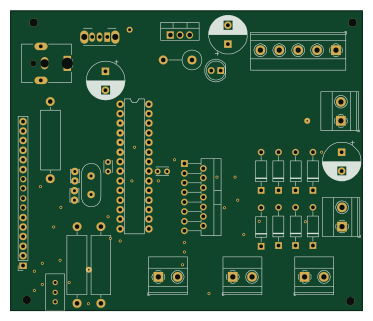 AVR/Arduino
Pcb1
93.1 × 79.3 mm34 parts2LNo license1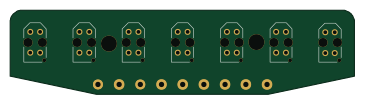
IR Array
91 × 22.2 mm21 parts2LNo license1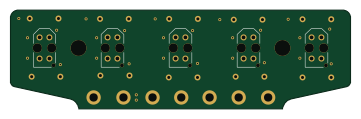
IR Array(THT)
90 × 26.1 mm15 parts2LNo license1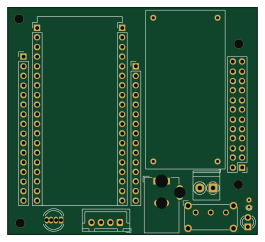 ESP32
ESP32ESP32 MOTOR KIT PRINT
66 × 60 mm12 parts2LNo license1
Similar boards
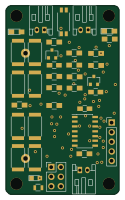 AVR/Arduino
V4
stuartpittaway
30 × 50 mm38 parts2LCC-BY-NC-4.01.1k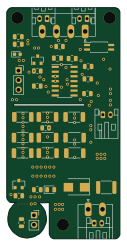 AVR/Arduino
ModuleV450
30 × 61.4 mm39 parts2LCC-BY-NC-4.01.1k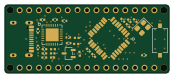 AVR/Arduino
Easyduino Atmega Nano
Hanqaqa
43.4 × 18 mm30 parts4LCERN-OHL-P-2.0746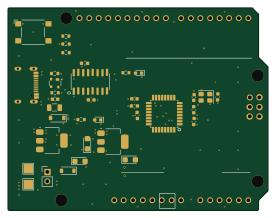 AVR/Arduino
Easyduino Atmega
68.8 × 53.6 mm35 parts4LCERN-OHL-P-2.0746 AVR/Arduino
UsbGpib
xyphro
54 × 15 mm21 parts2LMIT683 AVR/Arduino
Lumberjack
peej
284.7 × 94.2 mm149 parts2LMIT402