
Z80neo

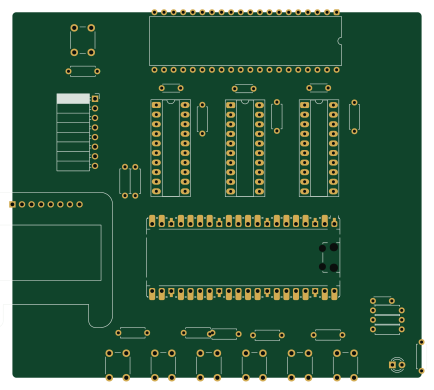
About the Z80neo PCB
Z80neo is an open source RP2040/RP2350 PCB design by TurBoss, published on GitHub under the GPL-3.0 license. It is a 2-layer board measuring 108.4 × 96.8 mm, with 34 components from 9 distinct parts.
Its main chip is the RaspberryPi_Pico, from the RP2040/RP2350 family. Other key parts include the SN74LVC245APW and Z084000xP. By type, the board carries 15 resistors, 7 switches, 4 ICs, 4 capacitors, 1 module and 1 connector.
It belongs with the retro computing designs in this gallery.
From the project
z80neo, another z80 board
A Raspberry Pi Pico 2 (RP235x) based computer arround the z80 cpu
https://matrix.to/#/#z80neo:jauriarts.org
https://github.com/lambdamikel/picoram6116
Hardware is released under CERN Open Hardware Licence Version 2 - Strongly Reciprocal Software is released under GPL V3 Licensee * Documentation is released under CC BY-SA 4.0
Main components on the Z80neo
Z80neo bill of materials (BOM)
34 components, 9 distinct parts.
| Qty | Part | Footprint | Refs |
|---|---|---|---|
| 3 | SN74LVC245APW | CERDIP-20_W7.62mm_SideBrazed_LongPads_Socket | U1, U2, U3 |
| 1 | Z084000xP | DIP-40_W15.24mm | U4 |
| 1 | RaspberryPi_Pico | RaspberryPi_Pico_Common_Unspecified | A1 |
| 1 | Micro_SD_Card | PinSocket_1x08_P2.54mm_Horizontal | J2 |
| 1 | SSD1306 | Adafruit_SSD1306_No_Mounting_Holes | Brd1 |
| 7 | SW_DIP_x01 | SW_PUSH_6mm | SW1, SW2, SW3, SW4, SW5, SW6, SW7 |
| 1 | LED_Small | LED_D3.0mm | D1 |
| 4 | C_Small | C_Disc_D4.3mm_W1.9mm_P5.00mm | C1, C2, C3, C4 |
| 15 | R_Small | R_Axial_DIN0207_L6.3mm_D2.5mm_P7.62mm_Horizontal | R1, R2, R3, R4, R5, R6, R7, R8 +7 |
Z80neo design files
The KiCad project lives in the TurBoss/z80neo repository on GitHub; these links point at the commit this page was built from.
- Layouthardware/main.kicad_pcb
- Schematichardware/main.kicad_sch
Z80neo: common questions
What microcontroller does the Z80neo use?
The Z80neo is built around the RaspberryPi_Pico, from the RP2040/RP2350 family.
How big is the Z80neo PCB?
The Z80neo measures 108.4 × 96.8 mm, has 2 copper layers and is 1.6 mm thick.
How many components are on the Z80neo?
34 components, from 9 distinct parts. The full bill of materials is listed on this page.
Where can I download the Z80neo design files?
From the TurBoss/z80neo repository on GitHub, which has the KiCad layout and the schematic; the links under Design files point to each one.
Can I use the Z80neo design in my own project?
Yes, under the terms of its GPL-3.0 license, which TurBoss chose for the repository.
Can I test firmware for the Z80neo without the hardware?
Yes. HardLabs builds a simulation of the board from its netlist and BOM, so you can run and debug RP2040/RP2350 firmware against it before you order a PCB.
Similar boards
 RP2040/RP2350
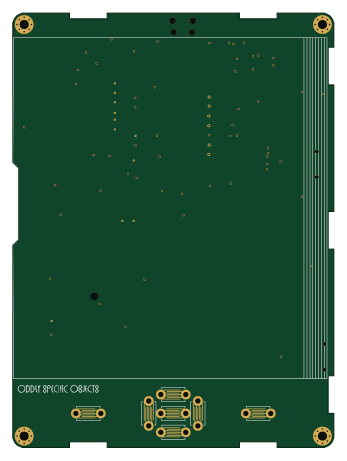
Open Book Abridged Edition
joeycastillo
85 × 115 mm29 parts2LCC-BY-SA-4.08.1k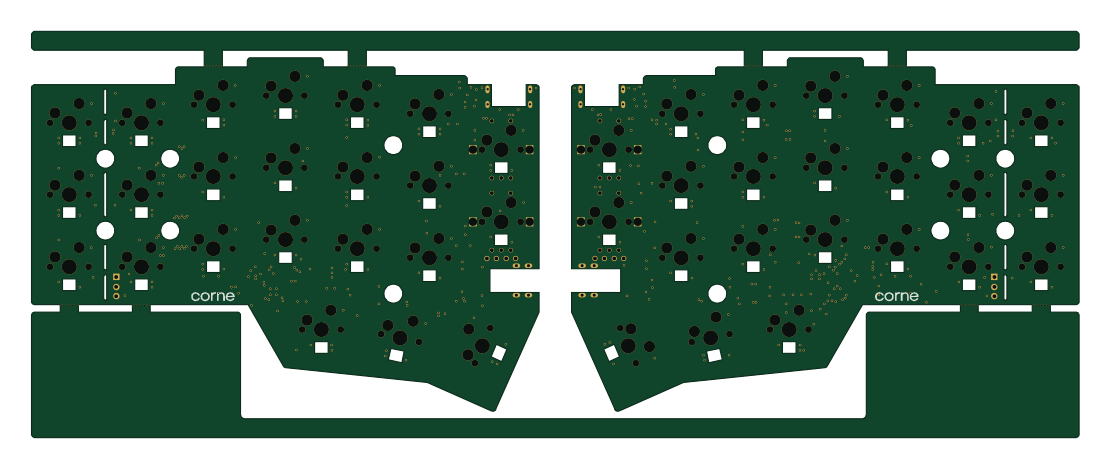 RP2040/RP2350
Corne
foostan
277.2 × 107.5 mm164 parts2LCC-BY-4.07.7k RP2040/RP2350
Corne
277.2 × 107.5 mm164 parts2LCC-BY-4.07.7k RP2040/RP2350
LogicAnalyzer
gusmanb
57 × 55.2 mm6 parts2LGPL-3.05.0k RP2040/RP2350
Jitx design
55.5 × 65 mm26 parts4LGPL-3.05.0k RP2040/RP2350
Main
google
98 × 71 mm102 parts2LApache-2.02.9k