
Impulso stm32

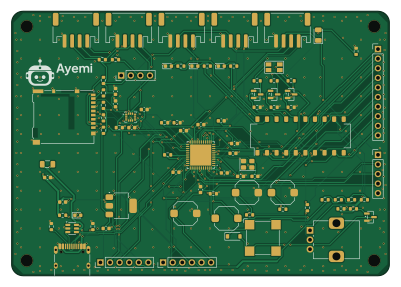
About the Impulso stm32 PCB
Impulso stm32 is an open source STM32 PCB design by ayemi-dev, published on GitHub. It is a 2-layer board measuring 100 × 70 mm, with 87 components from 48 distinct parts.
Its main chip is the STM32F411CEU6, from the STM32 family. Other key parts include the USBLC6-2SC6, AP7361C-33E and LSM6DS3TR-C. By type, the board carries 34 resistors, 17 capacitors, 12 connectors, 6 diodes, 5 transistors and 5 switches.
It belongs with the sensors designs in this gallery.
From the project
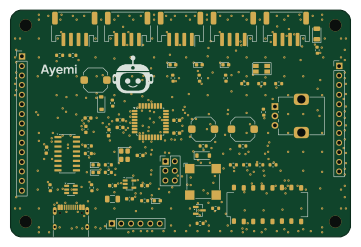
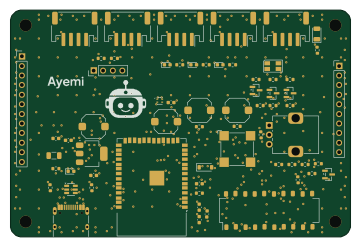
Placas abiertas de Ayemi: Chispa (ATmega328P), Enlace (ESP32-S3) e Impulso (STM32F411). KiCad, Gerber, BOM y firmware.
Impulso por Ayemi es una placa de 100 × 70 mm, de dos capas, para universidad: un STM32F411CEU6 (Cortex-M4 a 100 MHz, cristal de 25 MHz) con USB-C, una IMU LSM6DS3TR-C, una ranura microSD, y ya trae soldados tres LED, un LED RGB, dos botones, un zumbador, una perilla y un sensor de luz. Tiene cinco conectores de 4 pines (I2C 1, I2C 2, SERIE, ANALÓGICO 1 y 2), un conector para pantalla OLED y cuatro headers (IO A, IO B, SPI y SWD). Se programa desde el IDE de Arduino con el paquete STM32duino, o con un ST-Link por SWD.
Main components on the Impulso stm32
Impulso stm32 bill of materials (BOM)
87 components, 48 distinct parts — part numbers from the project's BOM.
| Qty | Part | Footprint | Refs |
|---|---|---|---|
| 1 | STM32F411CEU6 | QFN-48-1EP_7x7mm_P0.5mm_EP5.6x5.6mm | U1 |
| 1 | USBLC6-2SC6 | SOT-23-6 | U102 |
| 1 | AP7361C-33E | SOT-223-3_TabPin2 | U201 |
| 1 | LSM6DS3TR-C | LGA-14_3x2.5mm_P0.5mm_LayoutBorder3x4y | U301 |
| 1 | S8050 | SOT-23 | Q301 |
| 1 | TEMT6000X01 | LED_1206_3216Metric | Q302 |
| 3 | 2N7002 | SOT-23 | Q303, Q304, Q305 |
| 1 | 25MHZ 25MHz | Crystal_SMD_3225-4Pin_3.2x2.5mm | Y1 |
| 1 | C492404 SWD | PinHeader_1x05_P2.54mm_Vertical | J1 |
| 1 | C165948 USB-C | USB_C_Receptacle_HRO_TYPE-C-31-M-12 | J101 |
| 1 | C265102 I2C 1 | JST_PH_S4B-PH-SM4-TB_1x04-1MP_P2.00mm_Horizontal | J401 |
| 1 | C265102 I2C 2 | JST_PH_S4B-PH-SM4-TB_1x04-1MP_P2.00mm_Horizontal | J402 |
| 1 | C265102 SERIE | JST_PH_S4B-PH-SM4-TB_1x04-1MP_P2.00mm_Horizontal | J403 |
| 1 | C265102 ANALOGICO 1 | JST_PH_S4B-PH-SM4-TB_1x04-1MP_P2.00mm_Horizontal | J404 |
| 1 | C265102 ANALOGICO 2 | JST_PH_S4B-PH-SM4-TB_1x04-1MP_P2.00mm_Horizontal | J405 |
| 1 | C492403 PANTALLA | PinHeader_1x04_P2.54mm_Vertical | J406 |
| 1 | C492409 IO A | PinHeader_1x10_P2.54mm_Vertical | J407 |
| 1 | C492405 IO B | PinHeader_1x06_P2.54mm_Vertical | J408 |
| 1 | C492405 SPI | PinHeader_1x06_P2.54mm_Vertical | J409 |
| 1 | C114218 microSD | microSD_HC_Hirose_DM3AT-SF-PEJM5 | J411 |
Show 28 more
| Qty | Part | Footprint | Refs |
|---|---|---|---|
| 1 | C7421674 Buzzer 5V | MagneticBuzzer_CUI_CMT-8504-100-SMT | BZ301 |
| 1 | 500MA 500mA | Fuse_1206_3216Metric | F201 |
| 1 | 10K 10k | Potentiometer_Alps_RK09K_Single_Vertical | RV301 |
| 1 | C319409 RESET | SW_Push_1TS009xxxx-xxxx-xxxx_6x6x5mm | SW1 |
| 1 | C319409 BOOT0 | SW_Push_1TS009xxxx-xxxx-xxxx_6x6x5mm | SW2 |
| 1 | C319409 Botón A | SW_Push_1TS009xxxx-xxxx-xxxx_6x6x5mm | SW301 |
| 1 | C319409 Botón B | SW_Push_1TS009xxxx-xxxx-xxxx_6x6x5mm | SW302 |
| 1 | DIP10 | SW_DIP_SPSTx10_Slide_Omron_A6S-1010x_W8.9mm_P2.54mm | SW303 |
| 1 | C2288 Azul | LED_0603_1608Metric | D201 |
| 1 | C2286 Rojo | LED_0603_1608Metric | D301 |
| 1 | C2289 Verde amarillento | LED_0603_1608Metric | D302 |
| 1 | C2287 Amarillo | LED_0603_1608Metric | D303 |
| 1 | C3029073 RGB | LED_Avago_PLCC4_3.2x2.8mm_CW | D304 |
| 1 | 1N4148W | D_SOD-123 | D305 |
| 2 | 33PF 33pF | C_0603_1608Metric | C1, C2 |
| 8 | 100NF 100nF | C_0603_1608Metric | C3, C4, C5, C6, C10, C301, C302, C402 |
| 1 | 1UF 1uF | C_0603_1608Metric | C7 |
| 1 | 4.7UF 4.7uF | C_0603_1608Metric | C8 |
| 5 | 10UF 10uF | C_0603_1608Metric | C9, C201, C202, C203, C401 |
| 14 | 10K 10k | R_0603_1608Metric | R1, R2, R3, R310, R312, R320, R321, R322 +6 |
| 1 | 100K 100k | R_0603_1608Metric | R4 |
| 2 | 5.1K 5.1k | R_0603_1608Metric | R101, R102 |
| 1 | 1.5K 1.5k | R_0603_1608Metric | R201 |
| 5 | 330 | R_0603_1608Metric | R301, R302, R303, R307, R308 |
| 3 | 560 | R_0603_1608Metric | R304, R305, R306 |
| 2 | 1k | R_0603_1608Metric | R309, R313 |
| 4 | 10 | R_0603_1608Metric | R311, R314, R315, R316 |
| 2 | 4.7K 4.7k | R_0603_1608Metric | R401, R402 |
Impulso stm32 design files
The KiCad project lives in the ayemi-dev/pcb-ayemi repository on GitHub; these links point at the commit this page was built from.
Impulso stm32: common questions
What microcontroller does the Impulso stm32 use?
The Impulso stm32 is built around the STM32F411CEU6, from the STM32 family.
How big is the Impulso stm32 PCB?
The Impulso stm32 measures 100 × 70 mm, has 2 copper layers and is 1.6 mm thick.
How many components are on the Impulso stm32?
87 components, from 48 distinct parts, with part numbers taken from the project's own BOM. The full bill of materials is listed on this page.
Where can I download the Impulso stm32 design files?
From the ayemi-dev/pcb-ayemi repository on GitHub, which has the KiCad layout, the schematic and the BOM; the links under Design files point to each one.
Can I use the Impulso stm32 design in my own project?
The repository has no license, so all rights stay with ayemi-dev. Use it as a reference, and ask the author before reusing the design.
Can I test firmware for the Impulso stm32 without the hardware?
Yes. HardLabs builds a simulation of the board from its netlist and BOM, so you can run and debug STM32 firmware against it before you order a PCB.
More boards in pcb-ayemi
Similar boards
 STM32
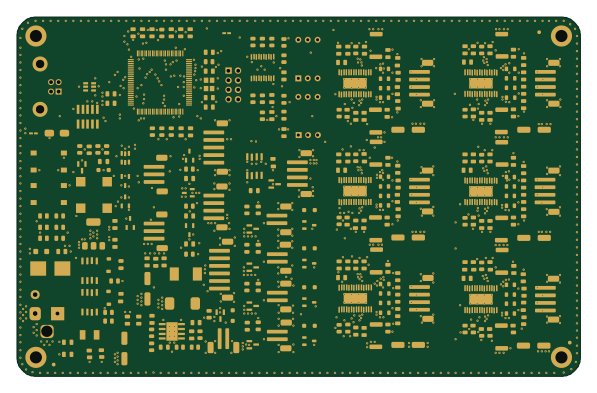
LumenPnP Motherboard
opulo-inc
149 × 95 mm296 parts4LCC-BY-SA-4.03.7k STM32
Base
google
52.3 × 52.3 mm36 parts2LApache-2.02.9k STM32
Main panel
234 × 84 mm26 parts4LApache-2.02.9k STM32
Type a
150 × 30 mm14 parts2LApache-2.02.9k STM32
Type g
169 × 30 mm24 parts2LApache-2.02.9k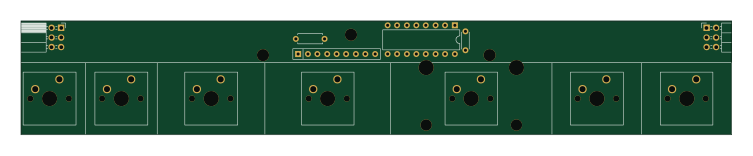 STM32
Type c
188 × 30 mm17 parts2LApache-2.02.9k