
AI-CAM

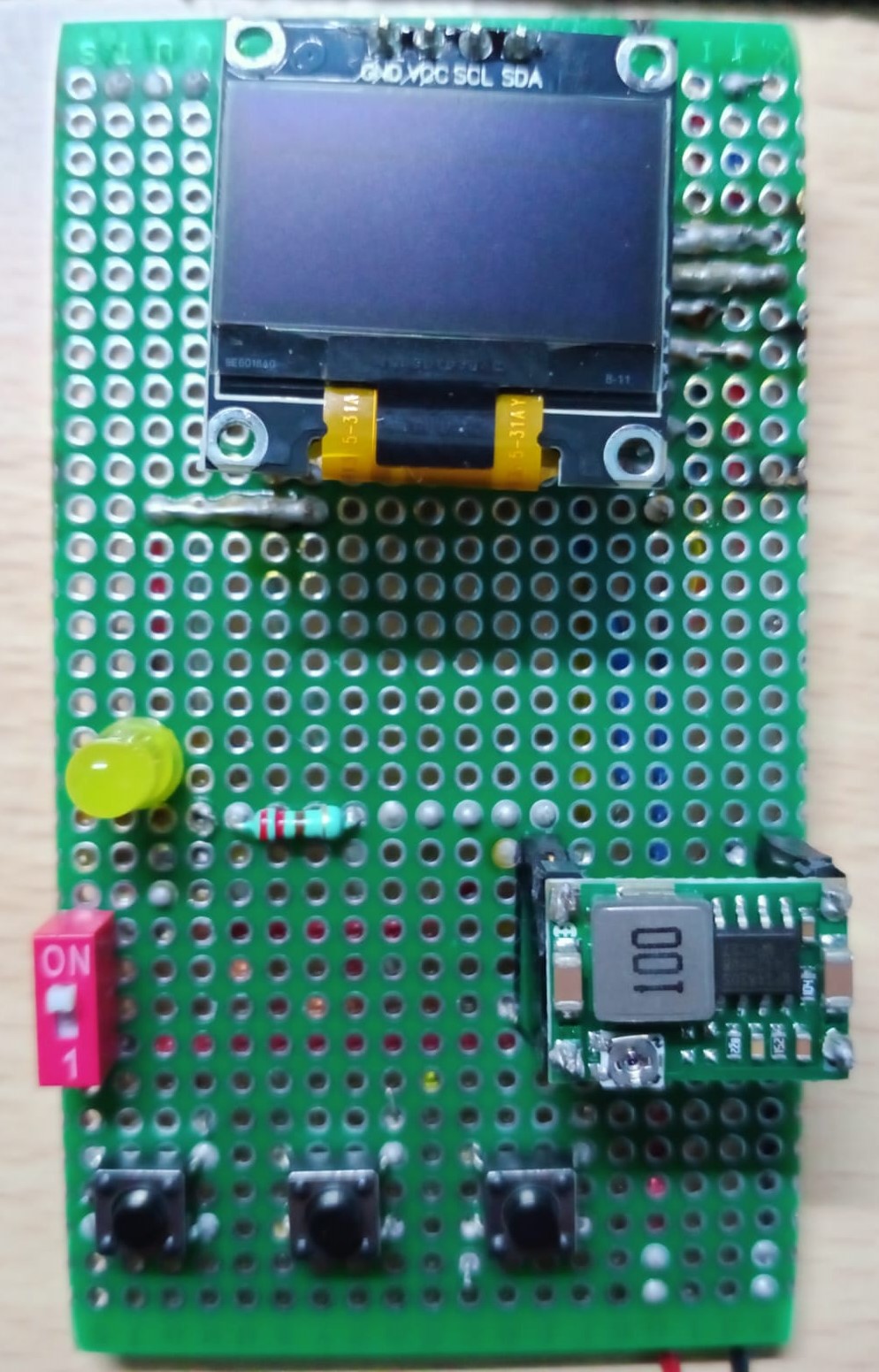
About the AI-CAM PCB
AI-CAM is an open source ESP32 PCB design by nasim-raj-laskar, published on GitHub. It is a board, with 10 components from 8 distinct parts.
Its main chip is the ESP32-CAM, from the ESP32 family. Other key parts include the DM-OLED096-636 and Buck Convertor. By type, the board carries 4 switches, 3 ICs, 1 battery holder, 1 diode and 1 resistor.
It belongs with the iot & wireless and displays & leds designs in this gallery.
From the project
Standalone ESP32-CAM AI vision system with custom PCB.
ESP32-CAM based computer vision system with Google Gemini 2.0-Flash integration for real-time image analysis. Custom PCB prototype integrates ESP32-CAM module, SSD1306 OLED display, buck converter, and tactile interface for autonomous AI-powered image processing.
The system captures 2MP JPEG images via OV2640 sensor, encodes to Base64, and transmits over WiFi to Google's Generative AI API. Real-time responses are parsed and displayed on integrated OLED with tech-style UI animations. Hardware features include configurable flash illumination, multi-prompt selection, and debounced tactile…
Main components on the AI-CAM
AI-CAM bill of materials (BOM)
10 components, 8 distinct parts — part numbers from the project's BOM.
| Qty | Part | Footprint | Refs |
|---|---|---|---|
| 1 | ESP32-CAM | ESP32-CAM | U1 |
| 1 | DM-OLED096-636 | MODULE_DM-OLED096-636 | U2 |
| 1 | Buck Convertor | U3 | |
| 1 | Battery | BT1 | |
| 3 | SW_Push | SW1, SW2, SW3 | |
| 1 | SW_DPST_X2 SW_DPST_x2 | SW4 | |
| 1 | LED | D1 | |
| 1 | R_US | R1 |
AI-CAM design files
The KiCad project lives in the nasim-raj-laskar/AI-CAM repository on GitHub; these links point at the commit this page was built from.
- Schematicpcb/schematics.kicad_sch
- BOMpcb/BOM.csv
AI-CAM: common questions
What microcontroller does the AI-CAM use?
The AI-CAM is built around the ESP32-CAM, from the ESP32 family.
How many components are on the AI-CAM?
10 components, from 8 distinct parts, with part numbers taken from the project's own BOM. The full bill of materials is listed on this page.
Where can I download the AI-CAM design files?
From the nasim-raj-laskar/AI-CAM repository on GitHub, which has the schematic and the BOM; the links under Design files point to each one.
Can I use the AI-CAM design in my own project?
The repository has no license, so all rights stay with nasim-raj-laskar. Use it as a reference, and ask the author before reusing the design.
Can I test firmware for the AI-CAM without the hardware?
Yes. HardLabs builds a simulation of the board from its netlist and BOM, so you can run and debug ESP32 firmware against it before you order a PCB.
Similar boards
 ESP32
OSO-BOOK-B1
joeycastillo
85 × 115 mm65 parts2LCC-BY-SA-4.08.1k ESP32
Powertrain
byrantech
64 × 45.4 mm171 parts4LMIT4.3k ESP32
Badge
atopile
56.3 × 39 mm239 parts4LMIT4.0k ESP32
Esp32 minimal
36.2 × 26.8 mm20 parts2LMIT4.0k ESP32
Racer
StuckAtPrototype
36 × 50.2 mm70 parts4LApache-2.03.8k ESP32
Controller
29 × 74 mm58 parts4LApache-2.03.8k