
MZ-700 SD

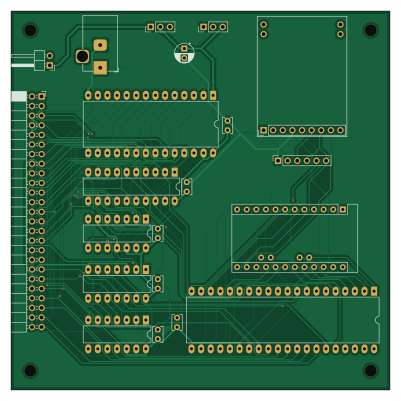
About the MZ-700 SD PCB
MZ-700 SD is an open source AVR/Arduino PCB design by yanataka60, published on GitHub under the MIT license. It is a 2-layer board measuring 100 × 100 mm, with 21 components from 15 distinct parts.
Its main chip is the Arduino_Pro_Mini_5V, from the AVR/Arduino family. Other key parts include the 74LS04, 2764, 8255, 74LS30 and GAL16V8. By type, the board carries 7 ICs, 7 capacitors, 5 connectors and 2 switches.
From the project
MZ-700バンク切替対応MZ-80K_SD基板です。MZ-80K_SDも併せて参照ください。
MZ-80KSDはROMをF000Hに置くことでFDコマンドを利用してフロッピーディスク装置の代わりにSD-CARDを繋いでしまおうというものですが、MZ-700でバンク切替によりオールRAMとなったときに、MZ-80KSDのROMがEnableのままなのでMZ-700本体のRAMと両方有効になってしまっています。
実際にS-BASIC等動かしてみるとそのまま問題なく動いているようにも見えるのですが、バンクが切り替わったときにはROMがDisableになったほうが安心です。
MZ-700_SDではバンクが切り替わったときにGAL16V8を使ってROMのDisable、Enableが自動で切り替わります。
~~#### ただし、MZ-80K_SD開発時に使っていたGAL22V10がMZ-80K本体と相性が悪いのかどうにも動作が不安定で泣く泣く汎用ロジックICに置き換えた経験からGALを使っても動作が安定していると確信できるまではテスト公開とします。~~
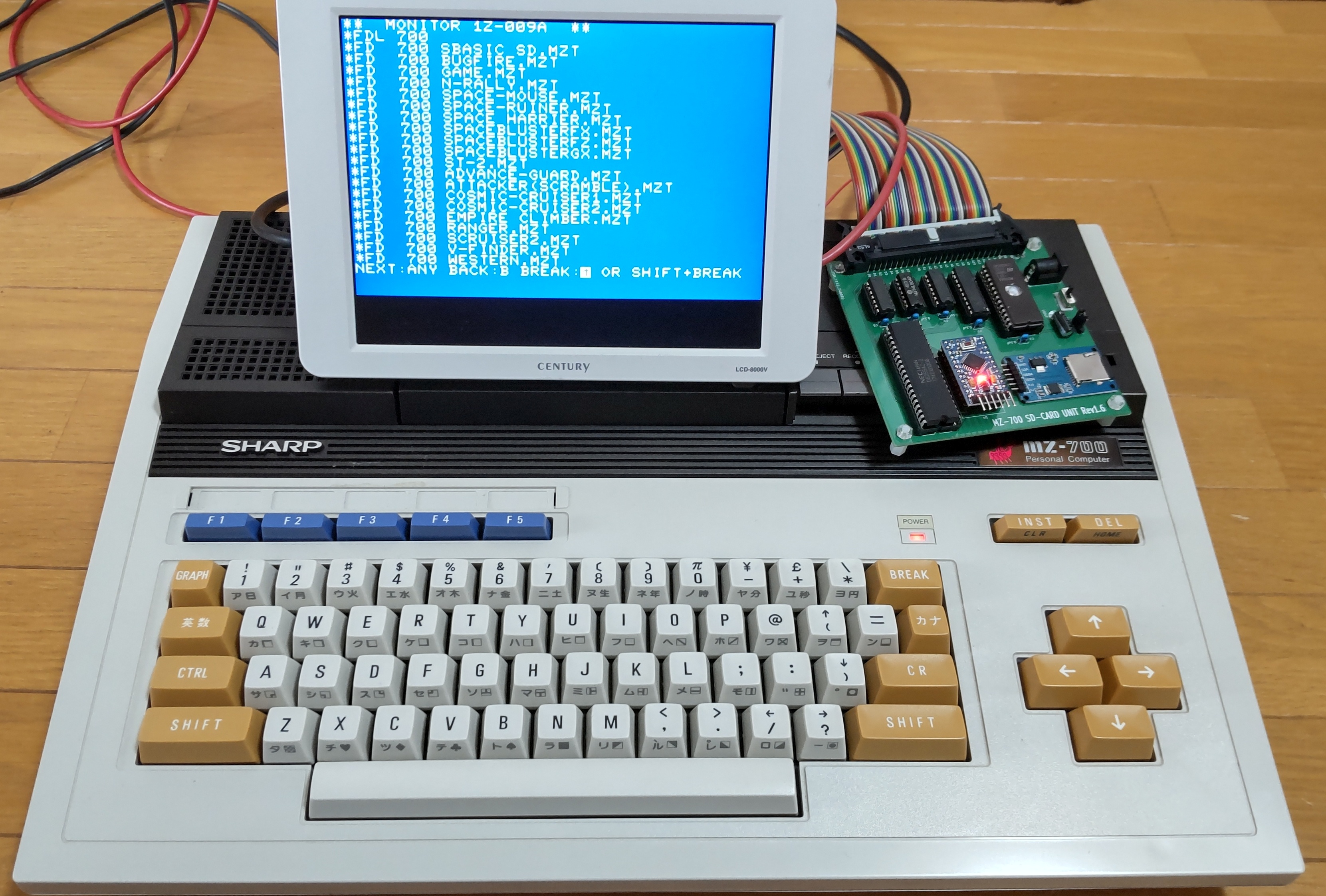
Main components on the MZ-700 SD
MZ-700 SD bill of materials (BOM)
21 components, 15 distinct parts.
| Qty | Part | Footprint | Refs |
|---|---|---|---|
| 1 | 74LS04 | DIP-14_W7.62mm_LongPads | U1 |
| 1 | 2764 | DIP-28_W15.24mm_LongPads | U2 |
| 1 | 8255 | DIP-40_W15.24mm_LongPads | U3 |
| 1 | Arduino_Pro_Mini_5V | Arduino_Pro_Mini | U4 |
| 2 | 74LS30 | DIP-14_W7.62mm_LongPads | U5, U6 |
| 1 | GAL16V8 | DIP-20_W7.62mm_LongPads | U7 |
| 1 | MZ-80K BUS | PinSocket_2x25_P2.54mm_Horizontal | J1 |
| 1 | Micro_SD_Card_Kit | AE-microSD-LLCNV | J2 |
| 1 | INT VCC | PinHeader_1x02_P2.54mm_Horizontal | J3 |
| 1 | EXT 5V | BarrelJack_Horizontal | J4 |
| 1 | MicroSD Card Adapter | PinSocket_1x06_P2.54mm_Vertical | J5 |
| 1 | INT/EXT | PinHeader_1x03_P2.54mm_Vertical | S1 |
| 1 | SD/CMT | PinHeader_1x03_P2.54mm_Vertical | S2 |
| 6 | 0.1uF | C_Rect_L4.0mm_W2.5mm_P2.50mm | C1, C2, C3, C4, C5, C7 |
| 1 | 100uF | CP_Radial_D5.0mm_P2.50mm | C6 |
MZ-700 SD design files
The KiCad project lives in the yanataka60/MZ-700_SD repository on GitHub; these links point at the commit this page was built from.
- LayoutKiCad/MZ700_SD.kicad_pcb
MZ-700 SD: common questions
What microcontroller does the MZ-700 SD use?
The MZ-700 SD is built around the Arduino_Pro_Mini_5V, from the AVR/Arduino family.
How big is the MZ-700 SD PCB?
The MZ-700 SD measures 100 × 100 mm, has 2 copper layers and is 1.6 mm thick.
How many components are on the MZ-700 SD?
21 components, from 15 distinct parts. The full bill of materials is listed on this page.
Where can I download the MZ-700 SD design files?
From the yanataka60/MZ-700_SD repository on GitHub, which has the KiCad layout; the links under Design files point to each one.
Can I use the MZ-700 SD design in my own project?
Yes, under the terms of its MIT license, which yanataka60 chose for the repository.
Can I test firmware for the MZ-700 SD without the hardware?
Yes. HardLabs builds a simulation of the board from its netlist and BOM, so you can run and debug AVR/Arduino firmware against it before you order a PCB.
Similar boards
 AVR/Arduino
Magspoof
samyk
35 × 29 mm11 parts2LNo license4.2k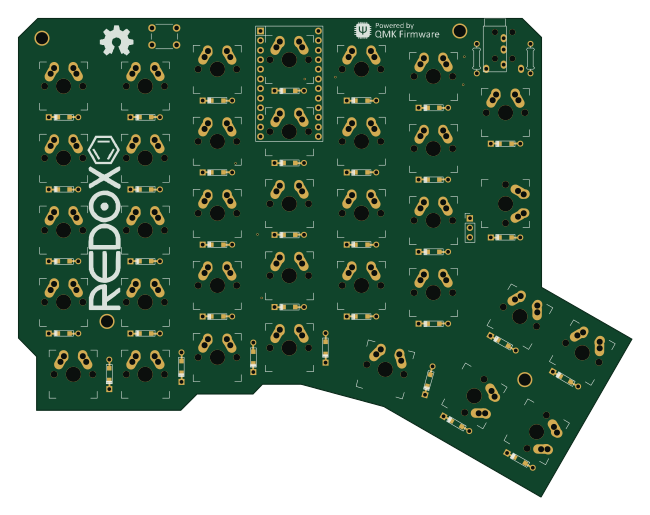 AVR/Arduino
Redox keyboard
mattdibi
162.2 × 126.5 mm77 parts2LMIT2.0k AVR/Arduino
Labrador
espotek-org
36.8 × 34.7 mm75 parts2LNo license1.2k AVR/Arduino
V4
stuartpittaway
30 × 50 mm38 parts2LCC-BY-NC-4.01.1k AVR/Arduino
ModuleV450
30 × 61.4 mm39 parts2LCC-BY-NC-4.01.1k AVR/Arduino
Discipline
coseyfannitutti
304.9 × 122.8 mm170 parts2LCC-BY-NC-4.01.0k