
BuggyBot

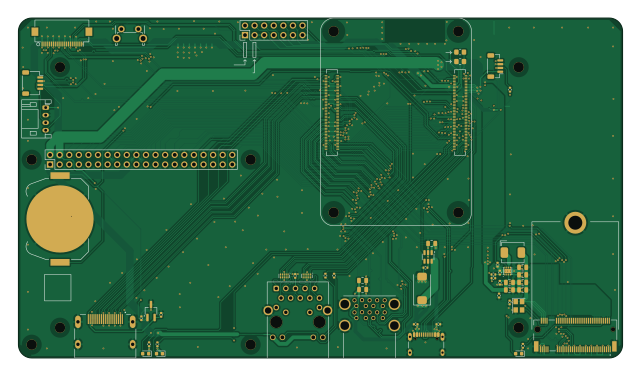
About the BuggyBot PCB
BuggyBot is an open source Raspberry Pi PCB design by EthanWellsSr, published on GitHub. It is a 4-layer board measuring 160 × 90 mm, with 54 components from 33 distinct parts.
Its main chip is the ComputeModule5-CM5, from the Raspberry Pi family. Other key parts include the TPD4EUSB30, MagJack-A70-112-331N126, AP22653W6, ASEK-32.768KHZ-L-R-T and AP3441SHE-7B. By type, the board carries 18 capacitors, 12 resistors, 10 connectors, 7 ICs, 3 diodes and 1 battery holder.
It belongs with the sensors, robotics & motion and displays & leds designs in this gallery.
From the project
UHCL senior capstone developing a Raspberry Pi CM5 autonomous car with traffic-sign recognition and sensor integration.
This folder contains the KiCad design files used for the BuggyBot senior capstone project.
The design started from the Raspberry Pi Compute Module 5 IO Board files and is being modified into the custom BuggyBot carrier PCB.
- CM5IO.kicadpro` Main KiCad project file. Open this file first to load the complete project.
- CM5IO.kicadsch` Main schematic, inherited from the CM5 IO Board.
Main components on the BuggyBot
BuggyBot bill of materials (BOM)
54 components, 33 distinct parts.
| Qty | Part | Footprint | Refs |
|---|---|---|---|
| 2 | TPD4EUSB30 | USON-10_2.5x1.0mm_P0.5mm | U1, U2 |
| 1 | MagJack-A70-112-331N126 | TRJG0926HENL | U3 |
| 1 | AP22653W6 | SOT-23-6 | U6 |
| 1 | ASEK-32.768KHZ-L-R-T | Crystal_SMD_3225-4Pin_3.2x2.5mm | U7 |
| 1 | AP3441SHE-7B | DFN-8-1EP_2x2mm_P0.5mm_EP1.05x1.75mm | U8 |
| 1 | RT9742SNGV | TSOT-23_HandSoldering | U12 |
| 1 | Bus_M.2_Socket_M_2230_BuggyBot | M2_M_Key_2230_BuggyBot | J1 |
| 1 | Conn_02x07_Odd_Even | PinHeader_2x07_P2.54mm_Vertical | J2 |
| 1 | IMU Connector | JST_SH_SM04B-SRSS-TB_1x04-1MP_P1.00mm_Horizontal | J3 |
| 1 | LCD Connector | JST_PH_S4B-PH-K_1x04_P2.00mm_Horizontal | J4 |
| 1 | Conn_01x22_Female | Hirose_FH12-22S-0.5SH_1x22-1MP_P0.50mm_Horizontal | J5 |
| 1 | THD-20-R | PinHeader_2x20_P2.54mm_Vertical | J8 |
| 1 | USB_C_Receptacle_USB2.0 | USB_C_Receptacle_GCT_USB4105-xx-A_16P_TopMnt_Horizontal | J11 |
| 1 | USB3_A | MTCONN_UBAF30-D2011 | J12 |
| 1 | JST_SHBM04B-SRSS-TB | JST_SH_BM04B-SRSS-TB_1x04-1MP_P1.00mm_Vertical | J14 |
| 1 | 690-019-298-412 | EDAC 690-019-298-412 | J22 |
| 1 | Battery_Cell | BatteryHolder_Keystone_3034_1x20mm | BT1 |
| 1 | ComputeModule5-CM5 | Raspberry-Pi-5-Compute-Module | Module1 |
| 1 | Right angle Tact button | SW_Tactile_SPST_Angled_PTS645Vx58-2LFS | SW1 |
| 1 | LED Red | LED_0603_1608Metric | D1 |
Show 13 more
| Qty | Part | Footprint | Refs |
|---|---|---|---|
| 2 | LED Green | LED_0603_1608Metric | D2, D3 |
| 1 | 2.2uH | L_Bourns_SRP5030CC | L1 |
| 7 | 100n | C_0402_1005Metric | C1, C9, C10, C12, C13, C18, C19 |
| 9 | 10u | C_0805_2012Metric | C2, C4, C6, C7, C8, C14, C15, C16 +1 |
| 1 | 100uF | CP_EIA-7343-31_Kemet-D | C3 |
| 1 | 4.7nF | C_0402_1005Metric | C11 |
| 3 | 1k | R_0402_1005Metric | R1, R10, R17 |
| 2 | 470R | R_0402_1005Metric | R2, R3 |
| 1 | 0R | R_0805_2012Metric_Pad1.20x1.40mm_HandSolder | R5 |
| 2 | 2.2K 1% | R_0402_1005Metric | R9, R16 |
| 2 | 10K 1% | R_0402_1005Metric | R11, R15 |
| 1 | 15K 1% | R_0402_1005Metric | R12 |
| 1 | 100K 1% | R_0402_1005Metric | R14 |
BuggyBot design files
The KiCad project lives in the EthanWellsSr/BuggyBot repository on GitHub; these links point at the commit this page was built from.
BuggyBot: common questions
What microcontroller does the BuggyBot use?
The BuggyBot is built around the ComputeModule5-CM5, from the Raspberry Pi family.
How big is the BuggyBot PCB?
The BuggyBot measures 160 × 90 mm, has 4 copper layers and is 1.6 mm thick.
How many components are on the BuggyBot?
54 components, from 33 distinct parts. The full bill of materials is listed on this page.
Where can I download the BuggyBot design files?
From the EthanWellsSr/BuggyBot repository on GitHub, which has the KiCad layout and the schematic; the links under Design files point to each one.
Can I use the BuggyBot design in my own project?
The repository has no license, so all rights stay with EthanWellsSr. Use it as a reference, and ask the author before reusing the design.
Can I test firmware for the BuggyBot without the hardware?
Yes. HardLabs builds a simulation of the board from its netlist and BOM, so you can run and debug Raspberry Pi firmware against it before you order a PCB.
Similar boards
 Raspberry Pi
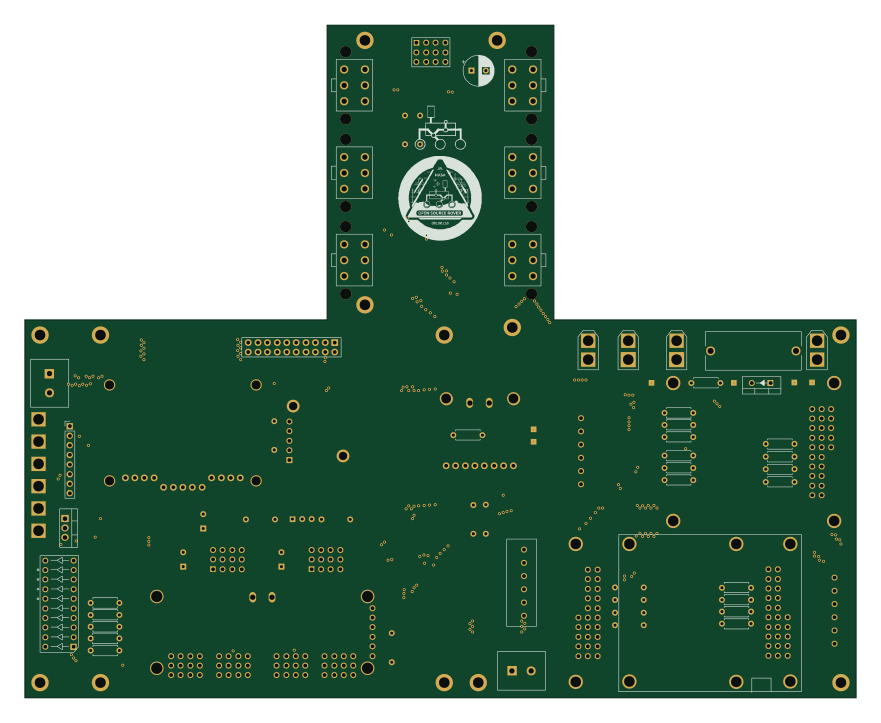
Open source rover
nasa-jpl
220 × 178 mm144 parts2LApache-2.09.7k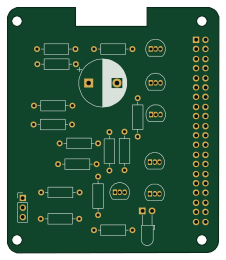 Raspberry Pi
Iot
dotnet
56 × 65 mm24 parts2LMIT2.4k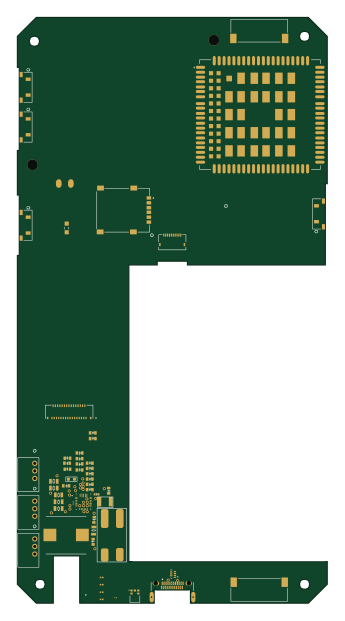 Raspberry Pi
SPIRIT
SPIRIT-org
82 × 155 mm130 parts6LCERN-OHL-S-2.01.3k Raspberry Pi
CM5RevEng
schlae
55 × 40 mm417 parts10LNo license1.0k Raspberry Pi
Haxo hw
cardonabits
102.4 × 211.3 mm38 parts2LCustom license672 Raspberry Pi
Phased
Neumi
75 × 100 mm71 parts2LNo license507