
E-Ink Dashbord

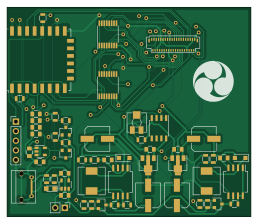
About the E-Ink Dashbord PCB
E-Ink Dashbord is an open source ESP8266 PCB design by mlisak, published on GitHub under the MIT license. It is a 2-layer board measuring 64.5 × 55.4 mm, with 60 components from 34 distinct parts.
Its main chip is the ESP-12F, from the ESP8266 family. Other key parts include the LM358, MCP73831, MC34063, MIC5504-3.3YM5 and L78L15. By type, the board carries 20 resistors, 16 capacitors, 11 ICs, 4 transistors, 3 diodes and 2 connectors.
It belongs with the displays & leds designs in this gallery.
From the project
ESP8266-based E-Ink dashboard
Main components on the E-Ink Dashbord
E-Ink Dashbord bill of materials (BOM)
60 components, 34 distinct parts.
| Qty | Part | Footprint | Refs |
|---|---|---|---|
| 1 | LM358 | SOIC-8_3.9x4.9mm_Pitch1.27mm | U1 |
| 1 | MCP73831 | SOT-23-5 | U2 |
| 2 | MC34063 | SO-8_5.3x6.2mm_Pitch1.27mm | U3, U4 |
| 1 | MIC5504-3.3YM5 | SOT-23-5 | U5 |
| 1 | L78L15 | SOT-89-3 | U6 |
| 1 | L79L15 | SOT-89-3 | U7 |
| 1 | ED060SC4 | ED060SC4 | U8 |
| 1 | ESP-12F | ESP-12E | U9 |
| 2 | CD4094 | TSSOP-16_4.4x5mm_Pitch0.65mm | U10, U11 |
| 4 | IRLML6402 | SOT-23 | Q1, Q2, Q3, Q4 |
| 1 | USB_B_Micro | USB_Micro-B | J1 |
| 1 | Conn_01x05 | Pin_Header_Straight_1x05_Pitch2.54mm | J2 |
| 1 | Battery_Cell | Pin_Header_Straight_1x02_Pitch2.54mm | BT1 |
| 1 | 10k | Potentiometer_Trimmer_Vishay_TS53YJ | RV1 |
| 1 | LED | LED_0805 | D1 |
| 2 | SS24 | D_SOD-123F | D2, D3 |
| 2 | 68 uH | Inductor_Wurth_HCM-7050 | L1, L2 |
| 2 | 4.7u | C_0805 | C1, C7 |
| 4 | 47u | CP_Elec_6.3x5.3 | C2, C3, C8, C9 |
| 2 | 680p | C_0805 | C4, C5 |
Show 14 more
| Qty | Part | Footprint | Refs |
|---|---|---|---|
| 2 | 1u | C_0805 | C6, C10 |
| 6 | 100n | C_0805 | C11, C12, C13, C14, C15, C16 |
| 4 | 47k | R_0805 | R1, R4, R5, R16 |
| 3 | 10 | R_0805 | R2, R3, R15 |
| 1 | 2k | R_0805 | R6 |
| 1 | 470 | R_0805 | R7 |
| 2 | 0.39 | R_0805 | R8, R9 |
| 1 | 15k | R_0805 | R10 |
| 1 | 180 | R_0805 | R11 |
| 1 | 1.2k | R_0805 | R12 |
| 1 | 1k | R_0805 | R13 |
| 1 | 20k | R_0805 | R14 |
| 1 | 33k | R_0805 | R17 |
| 3 | 10k | R_0805 | R18, R19, R20 |
E-Ink Dashbord design files
The KiCad project lives in the mlisak/E-Ink_Dashbord repository on GitHub; these links point at the commit this page was built from.
E-Ink Dashbord: common questions
What microcontroller does the E-Ink Dashbord use?
The E-Ink Dashbord is built around the ESP-12F, from the ESP8266 family.
How big is the E-Ink Dashbord PCB?
The E-Ink Dashbord measures 64.5 × 55.4 mm, has 2 copper layers and is 1.6 mm thick.
How many components are on the E-Ink Dashbord?
60 components, from 34 distinct parts. The full bill of materials is listed on this page.
Where can I download the E-Ink Dashbord design files?
From the mlisak/E-Ink_Dashbord repository on GitHub, which has the KiCad layout; the links under Design files point to each one.
Can I use the E-Ink Dashbord design in my own project?
Yes, under the terms of its MIT license, which mlisak chose for the repository.
Can I test firmware for the E-Ink Dashbord without the hardware?
Yes. HardLabs builds a simulation of the board from its netlist and BOM, so you can run and debug ESP8266 firmware against it before you order a PCB.
Similar boards
 ESP8266
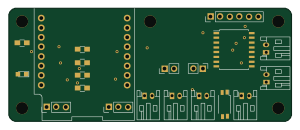
ESP8266ControllerCircuit
stuartpittaway
75 × 30 mm20 parts2LCC-BY-NC-4.01.1k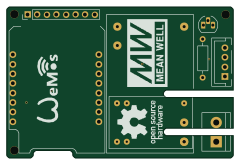 ESP8266
HASwitchPlate
aderusha
60 × 40 mm8 parts2LMIT738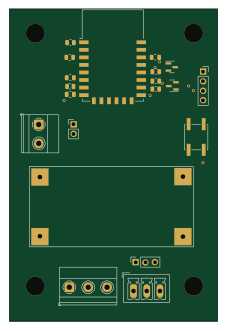 ESP8266
RatGDO-OpenSource-Bare-ESP8266
Kaldek
55 × 82.7 mm20 parts2LMIT506 ESP8266
Goatgdo
32.9 × 53.3 mm23 parts2LMIT506 ESP8266
RatGDO-OpenSource-D1Mini-ESP8266
47.8 × 63.3 mm12 parts2LMIT506 ESP8266
Iaq board
nkitanov
70.1 × 43.2 mm17 parts2LNo license398