
Libreboard broken

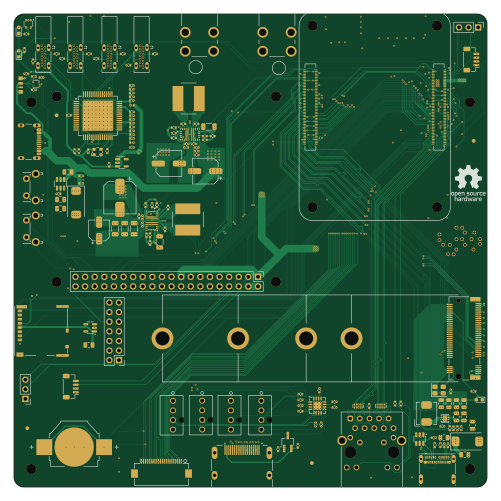
About the Libreboard broken PCB
Libreboard broken is an open source Raspberry Pi PCB design by 256foundation, published on GitHub under the CERN-OHL-S-2.0 license. It is a 6-layer board measuring 125 × 125 mm, with 164 components from 74 distinct parts.
Its main chip is the ComputeModule5-CM5, from the Raspberry Pi family. Other key parts include the TPD4EUSB30, MagJack-A70-112-331N126, PTPS55289RYQR, 74LVC1G07SE-7 and AP22653W6. By type, the board carries 71 capacitors, 41 resistors, 22 connectors, 17 ICs, 5 inductors and 3 diodes.
From the project
Open Source Bitcoin Mining Control Board

Main components on the Libreboard broken
Libreboard broken bill of materials (BOM)
164 components, 74 distinct parts.
| Qty | Part | Footprint | Refs |
|---|---|---|---|
| 2 | TPD4EUSB30 Texas Instruments | USON-10_2.5x1.0mm_P0.5mm | U1, U2 |
| 1 | MagJack-A70-112-331N126 Taoglas Limited | TRJG0926HENL | U3 |
| 2 | PTPS55289RYQR Texas Instruments | RYQ0021A-MFG | U4, U14 |
| 1 | 74LVC1G07SE-7 Diodes Inc. | SOT-353_SC-70-5 | U5 |
| 2 | AP22653W6 Diodes Inc. | SOT-23-6 | U6, U15 |
| 1 | ASEK-32.768KHZ-L-R-T Abracon | Crystal_SMD_3225-4Pin_3.2x2.5mm | U7 |
| 1 | AP3441SHE-7B Diodes Inc. | DFN-8-1EP_2x2mm_P0.5mm_EP1.05x1.75mm | U8 |
| 1 | SK6812 OPSCO | LED-SMD_4P-L4.0-W1.6-L | U9 |
| 1 | EMC2305-x-AP Microchip Technology | Texas_RGV0016A_VQFN-16-1EP_4x4mm_P0.65mm_EP2.1x2.1mm_ThermalVias | U10 |
| 1 | TUSB4041I Texas Instruments | HTQFP-64-1EP_10x10mm_P0.5mm_EP8x8mm_Mask4.4x4.4mm_ThermalVias | U11 |
| 1 | RT9742SNGV RichTek | TSOT-23_HandSoldering | U12 |
| 1 | TLV73311PDBV Texas Instruments | SOT-23-5 | U13 |
| 1 | SN74AHCT1G125DRLR | DRL5-L | U16 |
| 1 | RT9742GGJ5 RichTek | SOT-23-5 | U18 |
| 1 | ECS-2520MV-240-CN-TR ECS Inc. | Oscillator_SMD_ECS_2520MV-xxx-xx-4Pin_2.5x2.0mm | Y1 |
| 4 | USB-C Molex | 216989-0001_MOL | J1, J6, J10, J17 |
| 1 | Conn_2x07_Male Molex | PinHeader_2x07_P2.54mm_Vertical | J2 |
| 2 | Conn_1x03_Male Molex | PinHeader_1x03_P2.54mm_Vertical | J3, J19 |
| 1 | Bus_M.2_Socket_M TE Connectivity | M.2 M Key socket | J4 |
| 1 | Conn_1x22_Female Hirose | Hirose_FH12-22S-0.5SH_1x22-1MP_P0.50mm_Horizontal | J5 |
Show 54 more
| Qty | Part | Footprint | Refs |
|---|---|---|---|
| 1 | Micro_SD_Card_Det Molex | SDCARD_MOLEX_503398-1892 | J7 |
| 1 | Conn_2x20_Male Molex | PinHeader_2x20_P2.54mm_Vertical | J8 |
| 1 | USB_C_Receptacle_USB2.0 GCT | USB_C_Receptacle_GCT_USB4105-xx-A_16P_TopMnt_Horizontal | J11 |
| 2 | JST_BM04B-SRSS-TB JST | JST_SH_BM04B-SRSS-TB_1x04-1MP_P1.00mm_Vertical | J14, J16 |
| 1 | USB_C_Receptacle Molex | USB_C_Receptacle_Molex_105450-0101 | J15 |
| 1 | Conn_HDMI Molex | EDAC 690-019-298-412 | J22 |
| 1 | 12V Fan 1 Molex | CONN_SD-47053-001_H10p00_MOL | J51 |
| 1 | 12V Fan 2 Molex | CONN_SD-47053-001_H10p00_MOL | J52 |
| 1 | 12V Fan 3 Molex | CONN_SD-47053-001_H10p00_MOL | J53 |
| 1 | 12V Fan 4 Molex | CONN_SD-47053-001_H10p00_MOL | J54 |
| 2 | Screw Terminal Keystone | KEYSTONE_7790 | J100, J101 |
| 1 | Battery_Cell | BAT_BAT-HLD-007-SMT-TR | BT1 |
| 1 | ComputeModule5-CM5 Amphenol | Raspberry-Pi-5-Compute-Module | Module1 |
| 1 | Right angle Tact button C&K | SW_Tactile_SPST_Angled_PTS645Vx58-2LFS | SW1 |
| 1 | Right angle Tact button C&K | SW_Tactile_SPST_Angled_PTS645Vx31-2LFS | SW2 |
| 1 | LED Red Lite-On Inc. | LED_0603_1608Metric | D1 |
| 2 | LED Green Lite-On Inc. | LED_0603_1608Metric | D2, D3 |
| 2 | 220Ω @ 100Mhz Laird Signal | BEADC1005X55N | FB1, FB2 |
| 1 | 2.2µH Bourns | L_Bourns_SRP5030CC | L1 |
| 2 | 4.7µH Coilcraft | L_Bourns_SRN8040TA | L2, L3 |
| 12 | 100nF Kyocera | C_0402_1005Metric | C1, C9, C10, C12, C13, C18, C19, C24 +4 |
| 13 | 10µF Kyocera | C_0805_2012Metric | C2, C4, C5, C6, C7, C8, C14, C15 +5 |
| 2 | 100µF Kemet | CP_EIA-7343-31_Kemet-D | C3, C57 |
| 1 | 4.7nF Kyocera | C_0402_1005Metric | C11 |
| 1 | 39µF Kemet | CP_Elec_8x6.7 | C20 |
| 4 | 10µF Kyocera | C_0402_1005Metric | C21, C34, C46, C52 |
| 6 | 1µF Kyocera | C_0402_1005Metric | C22, C30, C47, C48, C54, C64 |
| 2 | 4.7µF Kyocera | C_1206_3216Metric | C23, C53 |
| 1 | 56µF Panasonic | CP_Elec_5x5.9 | C26 |
| 3 | 33µF TDK Corporation | C_1206_3216Metric | C27, C28, C29 |
| 16 | 0.1µF Kyocera | C_0402_1005Metric | C31, C32, C33, C35, C36, C37, C38, C39 +8 |
| 1 | 22µF Kemet | CP_Elec_6.3x5.9 | C51 |
| 1 | 3.9pF Kyocera | C_0402_1005Metric | C60 |
| 1 | 470pF Kyocera | C_0402_1005Metric | C61 |
| 1 | 560pF Kyocera | C_0402_1005Metric | C62 |
| 1 | 1pF Kyocera | C_0402_1005Metric | C63 |
| 3 | 47µF Würth Elektronik | C_0402_1005Metric | C66, C67, C68 |
| 1 | 270µF Panasonic | CP_Elec_6.3x9.9 | C69 |
| 1 | 220µF | C_0402_1005Metric | C71 |
| 3 | 1kΩ Panasonic | R_0402_1005Metric | R1, R10, R17 |
| 3 | 470Ω Panasonic | R_0402_1005Metric | R2, R3, R9 |
| 2 | 887kΩ Panasonic | R_0402_1005Metric | R6, R18 |
| 4 | 100kΩ | R_0402_1005Metric | R7, R14, R19, R42 |
| 1 | 48.7kΩ Panasonic | R_0402_1005Metric | R8 |
| 2 | 105kΩ Panasonic | R_0402_1005Metric | R11, R20 |
| 2 | 15kΩ Panasonic | R_0402_1005Metric | R12, R46 |
| 1 | 50kΩ Vishay Dale | R_0402_1005Metric | R13 |
| 8 | 10kΩ Panasonic | R_0402_1005Metric | R15, R21, R22, R23, R24, R29, R30, R33 |
| 1 | 2.2kΩ Panasonic | R_0402_1005Metric | R16 |
| 10 | 5.1kΩ Panasonic | R_0402_1005Metric | R25, R26, R34, R35, R36, R37, R38, R39 +2 |
| 1 | 9.53kΩ Panasonic | R_0402_1005Metric | R27 |
| 1 | 4.7kΩ Panasonic | R_0402_1005Metric | R28 |
| 1 | 22kΩ Panasonic | R_0402_1005Metric | R31 |
| 1 | 33kΩ Panasonic | R_0402_1005Metric | R32 |
Libreboard broken design files
The KiCad project lives in the 256foundation/libreboard repository on GitHub; these links point at the commit this page was built from.
Libreboard broken: common questions
What microcontroller does the Libreboard broken use?
The Libreboard broken is built around the ComputeModule5-CM5, from the Raspberry Pi family.
How big is the Libreboard broken PCB?
The Libreboard broken measures 125 × 125 mm, has 6 copper layers and is 1.5584 mm thick.
How many components are on the Libreboard broken?
164 components, from 74 distinct parts. The full bill of materials is listed on this page.
Where can I download the Libreboard broken design files?
From the 256foundation/libreboard repository on GitHub, which has the KiCad layout; the links under Design files point to each one.
Can I use the Libreboard broken design in my own project?
Yes, under the terms of its CERN-OHL-S-2.0 license, which 256foundation chose for the repository.
Can I test firmware for the Libreboard broken without the hardware?
Yes. HardLabs builds a simulation of the board from its netlist and BOM, so you can run and debug Raspberry Pi firmware against it before you order a PCB.
More boards in libreboard
Similar boards
 Raspberry Pi
Open source rover
nasa-jpl
220 × 178 mm144 parts2LApache-2.09.7k Raspberry Pi
SPIRIT
SPIRIT-org
82 × 155 mm130 parts6LCERN-OHL-S-2.01.3k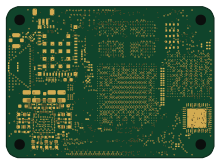 Raspberry Pi
CM5RevEng
schlae
55 × 40 mm417 parts10LNo license1.0k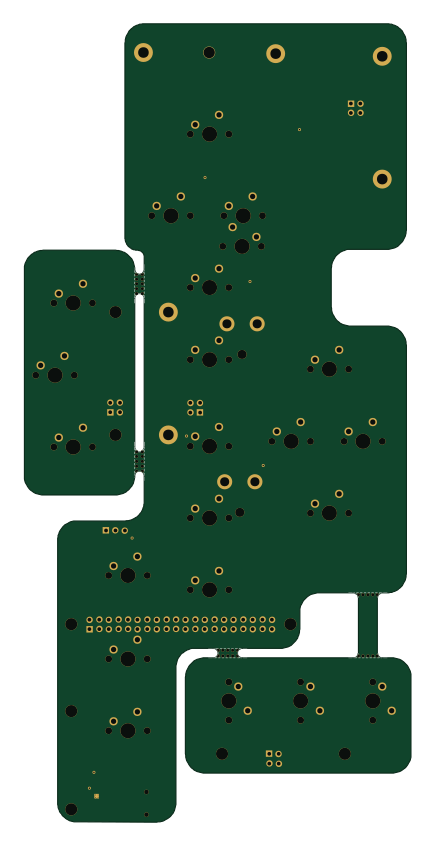 Raspberry Pi
Haxo hw
cardonabits
102.4 × 211.3 mm38 parts2LCustom license672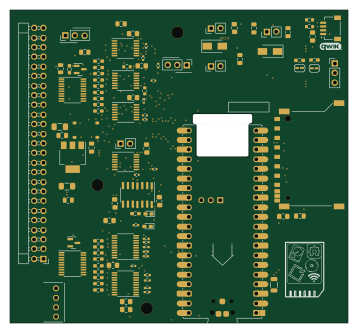 Raspberry Pi
Desktop 50 Pin TopConn
BlueSCSI
89.2 × 82.6 mm103 parts2LGPL-3.0449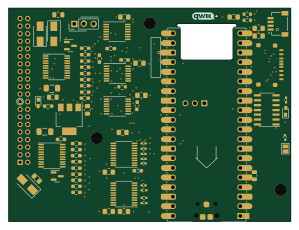 Raspberry Pi
PowerBook
74.5 × 56.3 mm78 parts2LGPL-3.0449