
HomeDeck

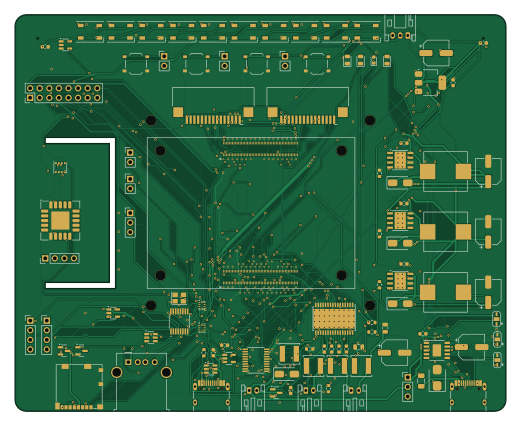
About the HomeDeck PCB
HomeDeck is an open source Raspberry Pi PCB design by Kilan777, published on GitHub. It is a 4-layer board measuring 130 × 105 mm, with 220 components from 79 distinct parts.
Its main chip is the CM4, from the Raspberry Pi family. Other key parts include the CH224K, TPS5430DDAR, AMS1117-3.3, TS3USB221RSER and CH334R. By type, the board carries 96 capacitors, 46 resistors, 21 connectors, 19 ICs, 19 diodes and 7 inductors.
It belongs with the displays & leds, sensors and audio designs in this gallery.
From the project
Jarvis HomeDeck: a Raspberry Pi CM4 carrier board and voice-assistant software for a 7-inch smart display (KiCad hardware, generated from Python, plus the Python/JS assistant)
A self-built voice assistant with a screen: a Raspberry Pi Compute Module 4 carrier PCB that bolts to the 7-inch Raspberry Pi Touch Display 2, plus the software that turns it into "Jarvis". Personal project by Kilan.
The board carries the CM4, USB-C PD power, three 5 V bucks, a stereo class-D amplifier, two MEMS microphones, a Camera Module 3 connector, CO2 / temperature / humidity / pressure / VOC sensors, an RGB LED bar and an external WS2812B strip header, a fan header, buttons, a Qwiic-style I2C header, microSD, USB-A and a second USB-C.
Main components on the HomeDeck
HomeDeck bill of materials (BOM)
220 components, 79 distinct parts — part numbers from the project's BOM.
| Qty | Part | Footprint | Refs |
|---|---|---|---|
| 1 | CH224K | ESSOP-10-1EP_3.9x4.9mm_P1.0mm | U1 |
| 3 | TPS5430DDAR TPS5430 | TI_SO-PowerPAD-8_ThermalVias | U2, U3, U4 |
| 1 | AMS1117-3.3 | SOT-223-3_TabPin2 | U5 |
| 2 | TS3USB221RSER TS3USB221 | Texas_UQFN-10_1.5x2mm_P0.5mm | U6, U7 |
| 1 | CH334R | QSOP-16_3.9x4.9mm_P0.635mm | U8 |
| 2 | USBLC6-2SC6 | SOT-23-6 | U9, U11 |
| 2 | SY6280AAC | SOT-23-5 | U10, U12 |
| 1 | PCM5102APWR PCM5102A | TSSOP-20_4.4x6.5mm_P0.65mm | U13 |
| 1 | TPA3118D2DAPR TPA3118D2 | HTSSOP-32-1EP_6.1x11mm_P0.65mm_EP5.2x11mm_Mask4.11x4.36mm_ThermalVias | U14 |
| 2 | ICS-43434 | InvenSense_ICS-43434-6_3.5x2.65mm | U15, U16 |
| 1 | SCD40-D-R2 SCD40 | Sensirion_SCD4x-1EP_10.1x10.1mm_P1.25mm_EP4.8x4.8mm | U17 |
| 1 | BME688 | Bosch_LGA-8_3x3mm_P0.8mm_ClockwisePinNumbering | U18 |
| 1 | SN74AHCT1G125DBVR 74AHCT1G125 | SOT-23-5 | U19 |
| 1 | CM4 Raspberry Pi CM4 | RPi_CM4 | M1 |
| 2 | AO3401A | SOT-23 | Q1, Q4 |
| 2 | 2N7002 | SOT-23 | Q2, Q5 |
| 1 | AO3400A | SOT-23 | Q3 |
| 1 | X322512MSB4SI 12MHz | Crystal_SMD_3225-4Pin_3.2x2.5mm | Y1 |
| 1 | TYPE-C-31-M-12 USB-C PD IN | USB_C_Receptacle_HRO_TYPE-C-31-M-12 | J1 |
| 1 | TYPE-C-31-M-12 USB-C DATA/5V | USB_C_Receptacle_HRO_TYPE-C-31-M-12 | J2 |
Show 59 more
| Qty | Part | Footprint | Refs |
|---|---|---|---|
| 1 | 901-211A1021D10100 USB-A | USB_A_Molex_67643_Horizontal | J3 |
| 2 | B-2100S04P-A110 USB int | PinHeader_1x04_P2.54mm_Vertical | J4, J5 |
| 1 | 1.0-15PContact,Bottom DISPLAY (DSI1) | FPC_15P_1.0mm_BottomContact_RA | J6 |
| 1 | 1.0-15PContact,Bottom CAMERA (CAM1) | FPC_15P_1.0mm_BottomContact_RA | J7 |
| 1 | B-2100S03P-A110 DISPLAY 5V | PinHeader_1x03_P2.54mm_Vertical | J8 |
| 1 | 104031-0811 microSD | microSD_HC_Molex_104031-0811 | J9 |
| 1 | S2B-PH-K-S SPK L | JST_PH_S2B-PH-K_1x02_P2.00mm_Horizontal | J10 |
| 1 | S2B-PH-K-S SPK R | JST_PH_S2B-PH-K_1x02_P2.00mm_Horizontal | J11 |
| 1 | B-2100S04P-A110 I2C ext (light sensor) | PinHeader_1x04_P2.54mm_Vertical | J12 |
| 1 | B-2100S02P-A110 GLOBAL_EN | PinHeader_1x02_P2.54mm_Vertical | J13 |
| 1 | B-2100S02P-A110 nRPIBOOT | PinHeader_1x02_P2.54mm_Vertical | J14 |
| 1 | B-2100S03P-A110 UART debug | PinHeader_1x03_P2.54mm_Vertical | J15 |
| 1 | PZ254V-12-16P Expansion | PinHeader_2x08_P2.54mm_Vertical | J16 |
| 1 | S3B-PH-K-S LED strip ext | JST_PH_S3B-PH-K_1x03_P2.00mm_Horizontal | J17 |
| 3 | B-2100S02P-A110 ext button | PinHeader_1x02_P2.54mm_Vertical | J18, J19, J20 |
| 1 | S2B-PH-K-S FAN 5V | JST_PH_S2B-PH-K_1x02_P2.00mm_Horizontal | J21 |
| 1 | 1206FT 5A 5A | Fuse_1206_3216Metric | F1 |
| 1 | TS-1187A-B-A-B POWER | SW_Push_1P1T_XKB_TS-1187A | SW1 |
| 1 | TS-1187A-B-A-B BTN A | SW_Push_1P1T_XKB_TS-1187A | SW2 |
| 1 | TS-1187A-B-A-B BTN B | SW_Push_1P1T_XKB_TS-1187A | SW3 |
| 1 | TS-1187A-B-A-B RESET | SW_Push_1P1T_XKB_TS-1187A | SW4 |
| 1 | SMBJ24A | D_SMB | D1 |
| 1 | KT-0805G PD OK (green) | LED_0805_2012Metric | D2 |
| 1 | KT-0805G ACT (green) | LED_0805_2012Metric | D3 |
| 1 | KT-0603R PWR (red) | LED_0603_1608Metric | D4 |
| 1 | KT-0805G USER (green) | LED_0805_2012Metric | D5 |
| 4 | SS34 | D_SMA | D6, D7, D8, D9 |
| 10 | WS2812B-B/T WS2812B | LED_WS2812B_PLCC4_5.0x5.0mm_P3.2mm | D10, D11, D12, D13, D14, D15, D16, D17 +2 |
| 3 | MWSA1004S-100MT 10uH 7.8A | L_Sunlord_MWSA1004S | L1, L2, L3 |
| 4 | SWPA5040S100MT 10uH 2.1A | L_Sunlord_SWPA5040S | L4, L5, L6, L7 |
| 7 | 10UF/50V 10uF/50V | C_1206_3216Metric | C1, C2, C5, C11, C17, C67, C69 |
| 6 | 100UF/35V 100uF/35V | CP_Elec_6.3x7.7 | C3, C8, C14, C20, C70, C96 |
| 8 | 1UF 1uF | C_0603_1608Metric | C4, C32, C54, C55, C57, C58, C59, C60 |
| 37 | 100NF 100nF | C_0603_1608Metric | C6, C10, C12, C16, C18, C22, C25, C26 +29 |
| 3 | 10NF 10nF | C_0603_1608Metric | C7, C13, C19 |
| 5 | 22UF/25V 22uF/25V | C_1206_3216Metric | C9, C15, C21, C23, C24 |
| 13 | 10UF 10uF | C_0603_1608Metric | C27, C28, C33, C38, C39, C40, C41, C42 +5 |
| 2 | 22pF | C_0603_1608Metric | C36, C37 |
| 3 | 2.2UF 2.2uF | C_0603_1608Metric | C50, C51, C52 |
| 2 | 2.2NF 2.2nF | C_0603_1608Metric | C53, C56 |
| 4 | 220NF 220nF | C_0603_1608Metric | C62, C63, C64, C65 |
| 2 | 1NF 1nF | C_0603_1608Metric | C66, C68 |
| 4 | 1UF/50V 1uF/50V | C_0805_2012Metric | C71, C72, C73, C74 |
| 2 | 5.1K 5.1k | R_0603_1608Metric | R1, R21 |
| 1 | 1K/0.25W 1k/0.25W | R_1206_3216Metric | R2 |
| 13 | 10K 10k | R_0603_1608Metric | R3, R11, R17, R22, R23, R25, R35, R36 +5 |
| 4 | 470R | R_0603_1608Metric | R4, R26, R29, R41 |
| 3 | 15K 15k | R_0603_1608Metric | R5, R7, R9 |
| 5 | 4.7K 4.7k | R_0603_1608Metric | R6, R8, R10, R38, R39 |
| 2 | 330R | R_0603_1608Metric | R13, R40 |
| 3 | 100K 100k | R_0603_1608Metric | R14, R33, R46 |
| 1 | 1k | R_0603_1608Metric | R15 |
| 1 | 220R | R_0603_1608Metric | R16 |
| 4 | 22K 22k | R_0603_1608Metric | R18, R19, R27, R30 |
| 1 | 3.9K 3.9k | R_0603_1608Metric | R20 |
| 2 | 10R | R_0603_1608Metric | R24, R34 |
| 2 | 6.8K 6.8k | R_0603_1608Metric | R28, R31 |
| 1 | 20K 20k | R_0603_1608Metric | R32 |
| 1 | 100R | R_0603_1608Metric | R45 |
HomeDeck design files
The KiCad project lives in the Kilan777/HomeDeck repository on GitHub; these links point at the commit this page was built from.
HomeDeck: common questions
What microcontroller does the HomeDeck use?
The HomeDeck is built around the CM4, from the Raspberry Pi family.
How big is the HomeDeck PCB?
The HomeDeck measures 130 × 105 mm, has 4 copper layers and is 1.6 mm thick.
How many components are on the HomeDeck?
220 components, from 79 distinct parts, with part numbers taken from the project's own BOM. The full bill of materials is listed on this page.
Where can I download the HomeDeck design files?
From the Kilan777/HomeDeck repository on GitHub, which has the KiCad layout, the schematic and the BOM; the links under Design files point to each one.
Can I use the HomeDeck design in my own project?
The repository has no license, so all rights stay with Kilan777. Use it as a reference, and ask the author before reusing the design.
Can I test firmware for the HomeDeck without the hardware?
Yes. HardLabs builds a simulation of the board from its netlist and BOM, so you can run and debug Raspberry Pi firmware against it before you order a PCB.
Similar boards
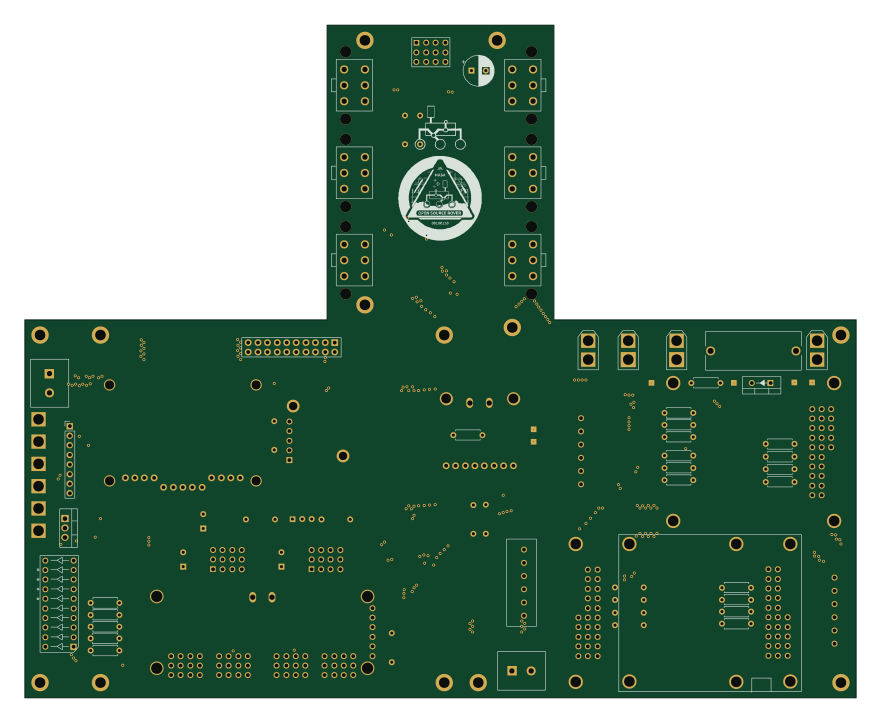 Raspberry Pi
Open source rover
nasa-jpl
220 × 178 mm144 parts2LApache-2.09.7k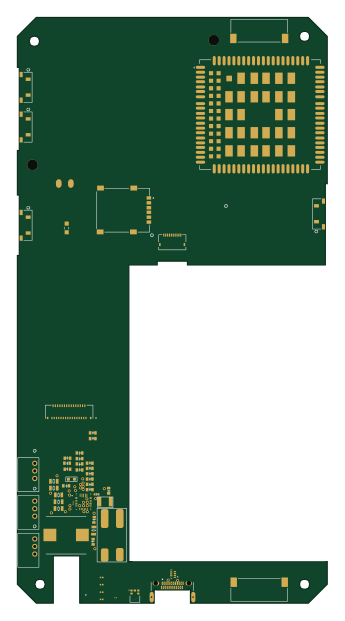 Raspberry Pi
SPIRIT
SPIRIT-org
82 × 155 mm130 parts6LCERN-OHL-S-2.01.3k Raspberry Pi
CM5RevEng
schlae
55 × 40 mm417 parts10LNo license1.0k Raspberry Pi
Haxo hw
cardonabits
102.4 × 211.3 mm38 parts2LCustom license672 Raspberry Pi
PowerBook
BlueSCSI
74.5 × 56.3 mm78 parts2LGPL-3.0449 Raspberry Pi
Desktop 50 Pin TopConn
89.2 × 82.6 mm103 parts2LGPL-3.0449