
5 open source boards using the iCE40-HX4K-TQ144
Real designs built with the iCE40-HX4K-TQ144, from public GitHub projects: a quick way to see how others power, decouple and connect it. Each board comes with its KiCad files, full parts list and a render — and you can simulate its firmware on HardLabs.
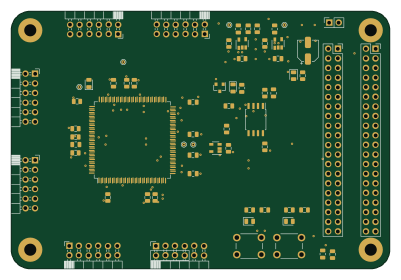 FPGA
First fpga
mattvenn
100 × 68 mm60 parts2LNo license83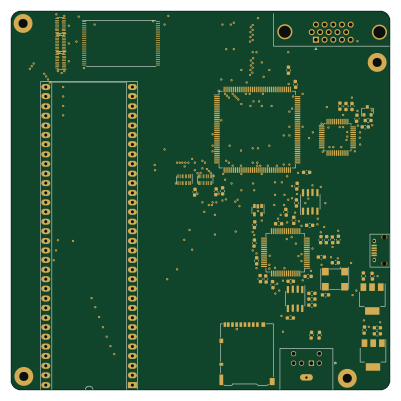 FPGA
M68k
annoyatron255
100 × 100 mm105 parts2LNo license24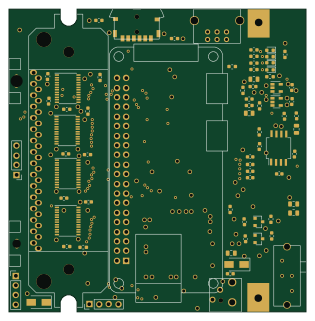 FPGA
Dmgplus
Spritetm
78.5 × 80 mm108 parts2LNo license19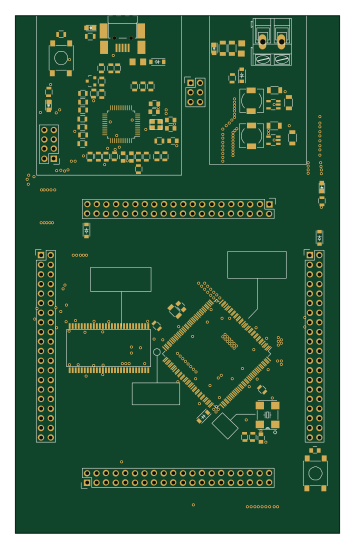 FPGA
Poncho fpga
martinribelotta
85.8 × 137 mm113 parts2LApache-2.06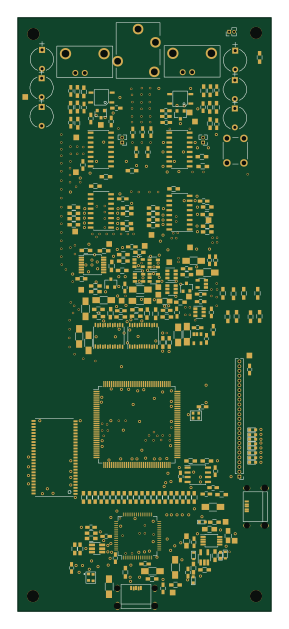 FPGA
ICE40hxk4 dev board
smartbench
67 × 157 mm379 parts4LNo license2
How designs wire the iCE40-HX4K-TQ144
Read from the KiCad layouts of 5 open source designs, one per repository: what each pin of the iCE40-HX4K-TQ144 connects to, and the resistors, capacitors and other passives placed on it.
- Pin 27 has a decoupling capacitor on 5 of 5 designs, most often 100 nF (then 10 nF).
- Pin 30 has a decoupling capacitor on 5 of 5 designs, most often 100 nF.
- Pin 40 has a decoupling capacitor on 5 of 5 designs, most often 100 nF (then 10 nF).
- Pin 46 has a decoupling capacitor on 5 of 5 designs, most often 100 nF (then 10 nF).
| Pin | Connected to | Parts on the pin |
|---|---|---|
| Pin 5 | Connected to: GND 100% | — |
| Pin 6 | Connected to: 3.3V 100% |
|
| Pin 13 | Connected to: GND 100% | — |
| Pin 14 | Connected to: GND 100% | — |
| Pin 27 | Connected to: 1.2V 100% |
|
| Pin 30 | Connected to: 3.3V 100% |
|
| Pin 35 | Connected to: Not connected 100% | — |
| Pin 36 | Connected to: Not connected 100% | — |
| Pin 40 | Connected to: 1.2V 100% |
|
| Pin 46 | Connected to: 3.3V 100% |
|
| Pin 50 | Connected to: Not connected 100% | — |
| Pin 51 | Connected to: Not connected 100% | — |
| Pin 53 | Connected to: Signal 80% · GND 20% |
|
| Pin 54 | Connected to: Signal 60% · VCC_PLL 40% |
|
| Pin 57 | Connected to: 3.3V 100% |
|
| Pin 58 | Connected to: Not connected 100% | — |
| Pin 59 | Connected to: GND 100% | — |
| Pin 62 | Connected to: Signal 100% |
|
| Pin 65 | Connected to: A connector 60% |
|
| Pin 66 | Connected to: A connector 60% |
|
| Pin 67 | Connected to: A connector 60%, 25LCxxx 40% |
|
| Pin 68 | Connected to: A connector 60%, 25LCxxx 40% |
|
| Pin 69 | Connected to: GND 100% | — |
| Pin 70 | Connected to: A connector 60%, 25LCxxx 40% |
|
| Pin 71 | Connected to: A connector 60%, 25LCxxx 40% |
|
| Pin 72 | Connected to: 3.3V 100% |
|
| Pin 77 | Connected to: Not connected 100% | — |
| Pin 86 | Connected to: GND 100% | — |
| Pin 89 | Connected to: 3.3V 100% |
|
| Pin 92 | Connected to: 1.2V 100% |
|
| Pin 98 | Connected to: A connector 40% · not connected 20% |
|
| Pin 99 | Connected to: A connector 40% · not connected 20% |
|
| Pin 100 | Connected to: 3.3V 100% |
|
| Pin 101 | Connected to: A connector 40% · not connected 20% |
|
| Pin 102 | Connected to: A connector 40% · not connected 20% |
|
| Pin 103 | Connected to: GND 100% | — |
| Pin 104 | Connected to: A connector 60% |
|
| Pin 105 | Connected to: A connector 60% |
|
| Pin 106 | Connected to: A connector 40% · not connected 20% |
|
| Pin 107 | Connected to: Signal 80% · not connected 20% |
|
104 more pins vary from design to design. Connections count pins, parts count designs; values in brackets are how many parts had that value. Designs read include First fpga pcb by mattvenn, M68k by annoyatron255, Dmgplus by Spritetm and Poncho fpga by martinribelotta.
The iCE40-HX4K-TQ144 in open source designs
The gallery holds 5 open source boards using the iCE40-HX4K-TQ144 from 5 GitHub repositories; a typical one measures about 85.8 × 100 mm and carries around 108 components.
80% are two-layer designs, the rest use four layers or more, and 20% carry an open source license.
The most starred is First fpga pcb by mattvenn.
Microcontrollers on boards using the iCE40-HX4K-TQ144
What boards using the iCE40-HX4K-TQ144 are built for
iCE40-HX4K-TQ144: common questions
Where can I find a iCE40-HX4K-TQ144 reference design?
Each of the 5 boards on this page is a real design using the iCE40-HX4K-TQ144. Open one to see how it is wired up, with the full BOM, a render of the layout and links to its KiCad files.
What decoupling capacitors do designs use on the iCE40-HX4K-TQ144 pin 27?
Pin 27 has a decoupling capacitor on 5 of 5 designs, most often 100 nF (then 10 nF). Counted from the KiCad layouts of 5 open source designs using the iCE40-HX4K-TQ144.
What decoupling capacitors do designs use on the iCE40-HX4K-TQ144 pin 30?
Pin 30 has a decoupling capacitor on 5 of 5 designs, most often 100 nF. Counted from the KiCad layouts of 5 open source designs using the iCE40-HX4K-TQ144.
What decoupling capacitors do designs use on the iCE40-HX4K-TQ144 pin 40?
Pin 40 has a decoupling capacitor on 5 of 5 designs, most often 100 nF (then 10 nF). Counted from the KiCad layouts of 5 open source designs using the iCE40-HX4K-TQ144.
Which microcontrollers do boards using the iCE40-HX4K-TQ144 use?
Most are built on FPGA (5).
How big is a typical board using the iCE40-HX4K-TQ144?
The median is 85.8 × 100 mm, and 80% are two-layer designs.
What is the most popular open source board using the iCE40-HX4K-TQ144?
By GitHub stars, First fpga pcb by mattvenn, with 83 stars.
Can I simulate one of these boards using the iCE40-HX4K-TQ144 before building it?
Yes. HardLabs turns a board's netlist and BOM into a working simulation, so you can boot and test firmware against it with no hardware on your desk.