
7 open source boards using the MP2322GQH-Z
Real designs built with the MP2322GQH-Z, from public GitHub projects: a quick way to see how others power, decouple and connect it. Each board comes with its KiCad files, full parts list and a render — and you can simulate its firmware on HardLabs.
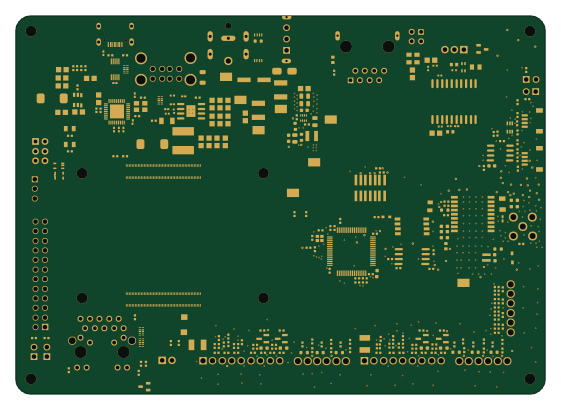 STM32
Dual Axis Controller
jrseti
140 × 100 mm307 parts4LCC0-1.00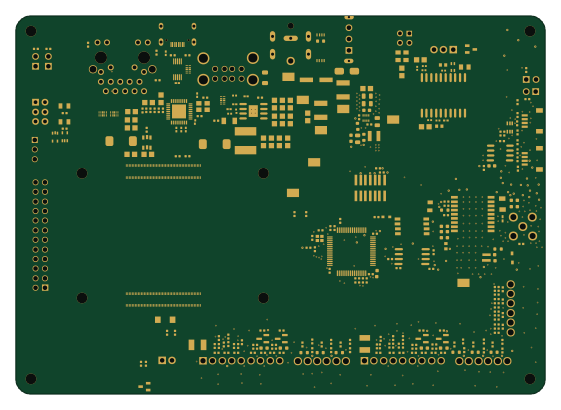 STM32
RCM DishControllerBoard
140 × 100 mm304 parts4LMIT0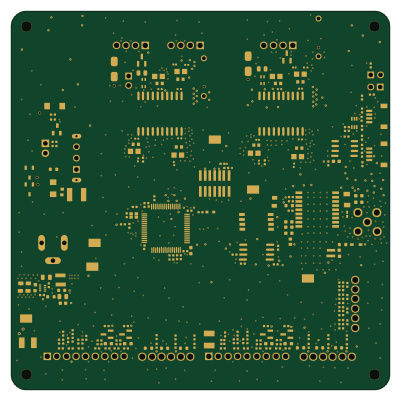 STM32
Jrdish axis controller
100 × 100 mm243 parts4LMIT0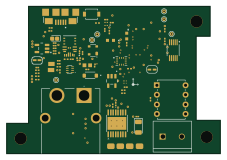
Betr kicad resources
TheUnknownAlias
56.6 × 39 mm85 parts4LCustom license0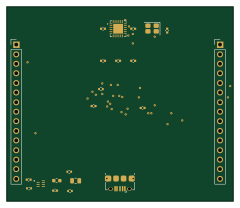 AVR/Arduino
Arduino nano every pcb replica
arhamrizwan2006
60 × 51.5 mm23 parts2LNo license0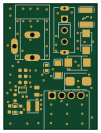
Power supply2
24.6 × 33.2 mm21 parts4LMIT0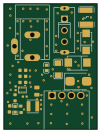
Power supply2
24.6 × 33.2 mm23 parts4LMIT0
How designs wire the MP2322GQH-Z
Read from the KiCad layouts of 6 open source designs, one per repository: what each pin of the MP2322GQH-Z connects to, and the resistors, capacitors and other passives placed on it.
- The FB_5 pin has a resistor to GND on 6 of 6 designs, most often 220 kΩ (then 60.4 kΩ).
- The BST_7 pin has a series capacitor on 6 of 6 designs, most often 100 nF (then 22 pF).
- The SW_8 pin has a inductor on 6 of 6 designs, most often 3.3 µH (then 1.5 µH).
- The SW_8 pin has a series capacitor on 6 of 6 designs, most often 100 nF (then 22 pF).
| Pin | Connected to | Parts on the pin |
|---|---|---|
| GND_1pin 1 | Connected to: GND 100% | — |
| IN_2pin 2 | Connected to: 12V 100% | — |
| EN_3pin 3 | Connected to: 12V 83% · a signal 17% | — |
| VCC_4pin 4 | Connected to: Signal 83% · 5V 17% |
|
| FB_5pin 5 | Connected to: Signal 100% |
|
| PG_6pin 6 | Connected to: Signal 67% · not connected 33% |
|
| BST_7pin 7 | Connected to: Signal 100% |
|
| SW_8pin 8 | Connected to: Signal 100% |
|
Connections count pins, parts count designs; values in brackets are how many parts had that value. Designs read include Arduino nano every pcb replica by arhamrizwan2006, Dual Axis Controller by jrseti, Power supply2 by jrseti and Jrdish axis controller by jrseti.
The MP2322GQH-Z in open source designs
The gallery holds 7 open source boards using the MP2322GQH-Z from 6 GitHub repositories; a typical one measures about 60 × 51.5 mm and carries around 85 components.
86% use four copper layers or more, and 71% carry an open source license.
The most starred is Dual Axis Controller by jrseti.
Parts used alongside the MP2322GQH-Z
Microcontrollers on boards using the MP2322GQH-Z
What boards using the MP2322GQH-Z are built for
MP2322GQH-Z: common questions
Where can I find a MP2322GQH-Z reference design?
Each of the 7 boards on this page is a real design using the MP2322GQH-Z. Open one to see how it is wired up, with the full BOM, a render of the layout and links to its KiCad files.
What resistor goes on the MP2322GQH-Z FB_5 pin?
The FB_5 pin has a resistor to GND on 6 of 6 designs, most often 220 kΩ (then 60.4 kΩ). Counted from the KiCad layouts of 6 open source designs using the MP2322GQH-Z.
How is the MP2322GQH-Z BST_7 pin connected?
The BST_7 pin has a series capacitor on 6 of 6 designs, most often 100 nF (then 22 pF). Counted from the KiCad layouts of 6 open source designs using the MP2322GQH-Z.
How is the MP2322GQH-Z SW_8 pin connected?
The SW_8 pin has a inductor on 6 of 6 designs, most often 3.3 µH (then 1.5 µH). Counted from the KiCad layouts of 6 open source designs using the MP2322GQH-Z.
What parts are used alongside the MP2322GQH-Z?
The LM75BIMX-3/NOPB, LTC4311ISC6#TRPBF, MAX-M10S-00B, STM32G474RET6 and W25Q32JVSSIQ appear in the most repositories here.
Which microcontrollers do boards using the MP2322GQH-Z use?
Most are built on STM32 (3) and AVR/Arduino (1).
How big is a typical board using the MP2322GQH-Z?
The median is 60 × 51.5 mm, and 14% are two-layer designs.
What is the most popular open source board using the MP2322GQH-Z?
By GitHub stars, Dual Axis Controller by jrseti, with 0 stars.
Can I simulate one of these boards using the MP2322GQH-Z before building it?
Yes. HardLabs turns a board's netlist and BOM into a working simulation, so you can boot and test firmware against it with no hardware on your desk.